Awesome curated collection of Nano Banana strategies, use cases, and tutorials from the SuperMaker AI team. Discover a complete playbook to unlock the full potential of Nano Banana, from basic setups to complex integrations.
Smash that ⭐ if you like it!
Nano Banana (Gemini 2.5 Flash Image) is Google's latest state-of-the-art image generation and editing model. This model can blend multiple images into a single image, maintain character consistency for rich storytelling, make targeted transformations using natural language, and leverage Gemini's world knowledge to generate and edit images.
- 🔍 Multimodal Understanding: Upload images and share text instructions with Gemini to create complex and detailed images
- 💬 Conversational Inputs: Use everyday language while creating images, and keep the conversation going to refine what the model generates
- 🌍 Real-world Knowledge: Generate images that follow real-world logic, thanks to Gemini's advanced reasoning capabilities
- 👤 Character Consistency: Maintain the appearance of characters or objects across multiple prompts and edits
- ✏️ Prompt-based Image Editing: Enable targeted transformation and precise local edits with natural language
- 🔄 Multi-image Fusion: Understand and merge multiple input images
- ⚡ Speed: Lightning-fast generation with optimized processing, delivering high-quality images in seconds
- 🍌Latency: Lower latency compared to other leading models
- 🔒 Safety: Includes SynthID digital watermark, allowing images to be identified as AI-generated or edited
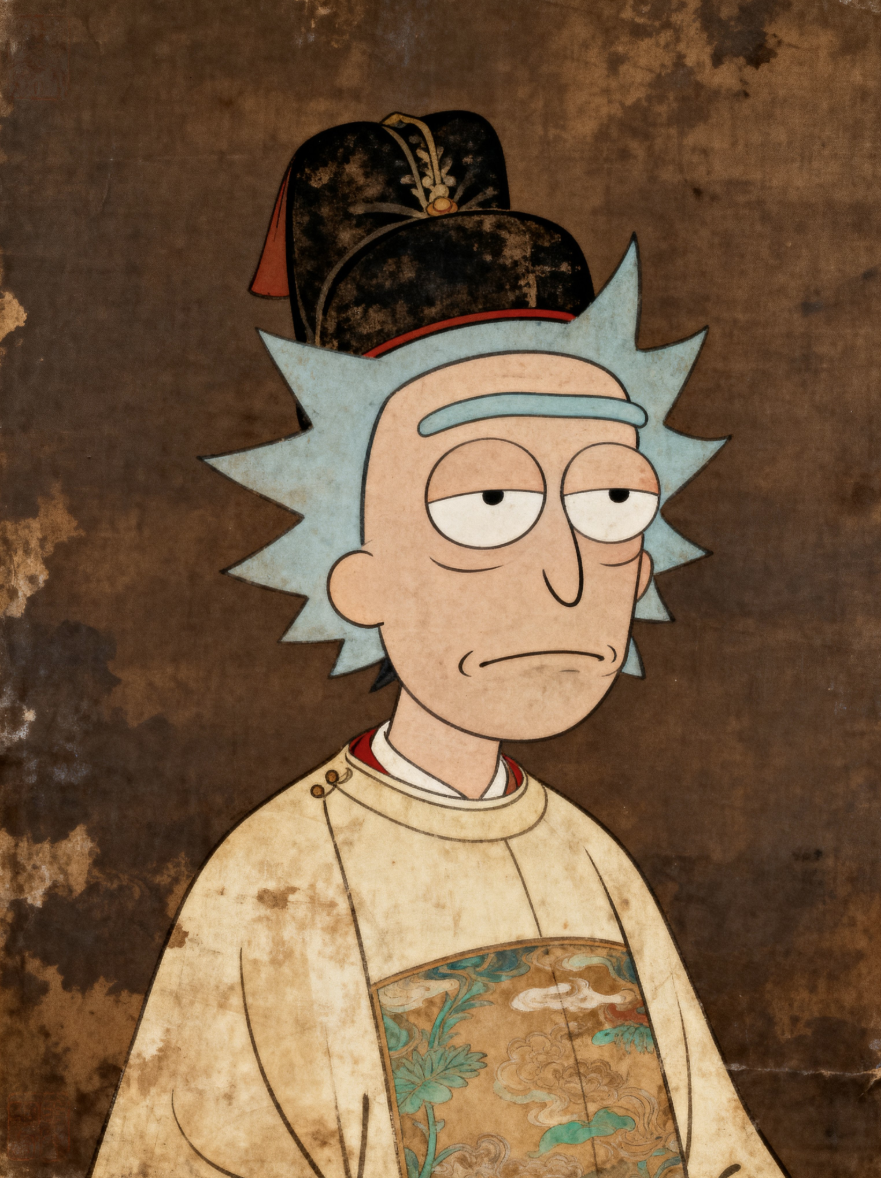
Case 75: Tang Dynasty Style (by @歸藏)
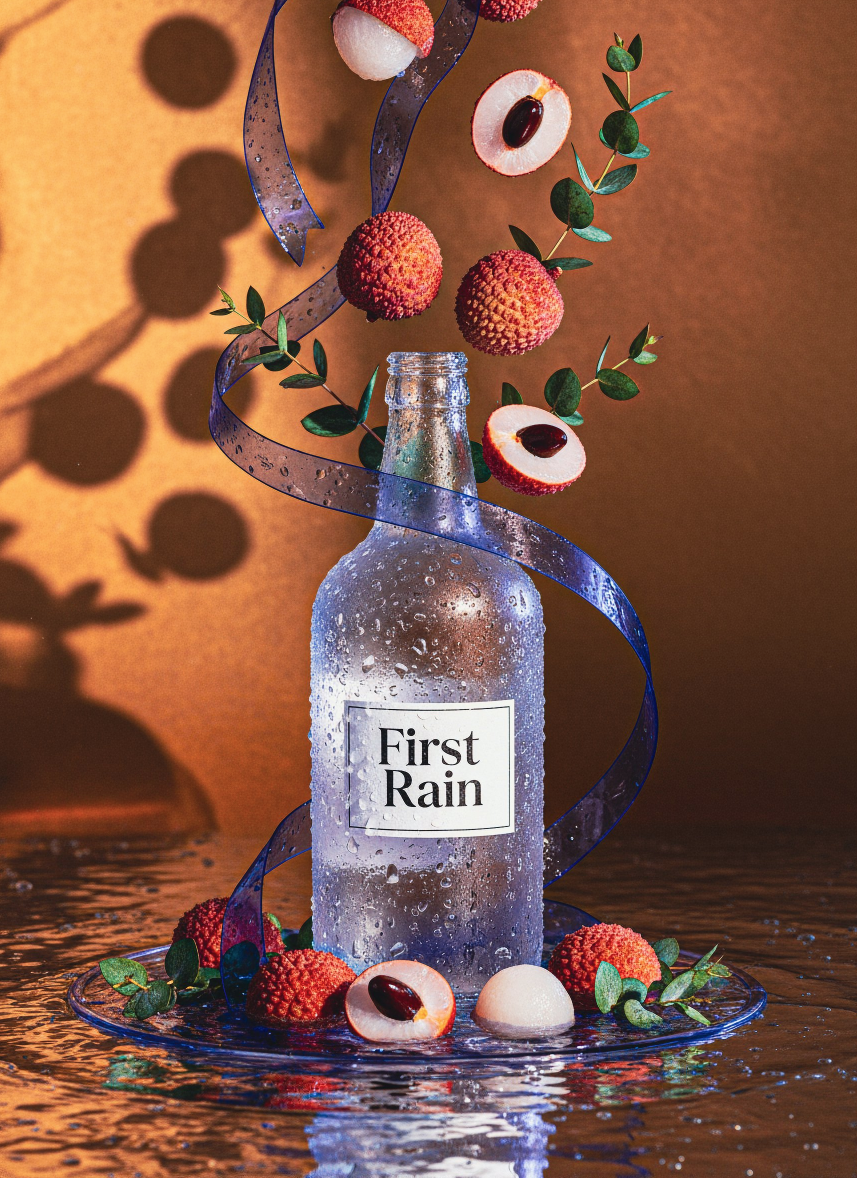
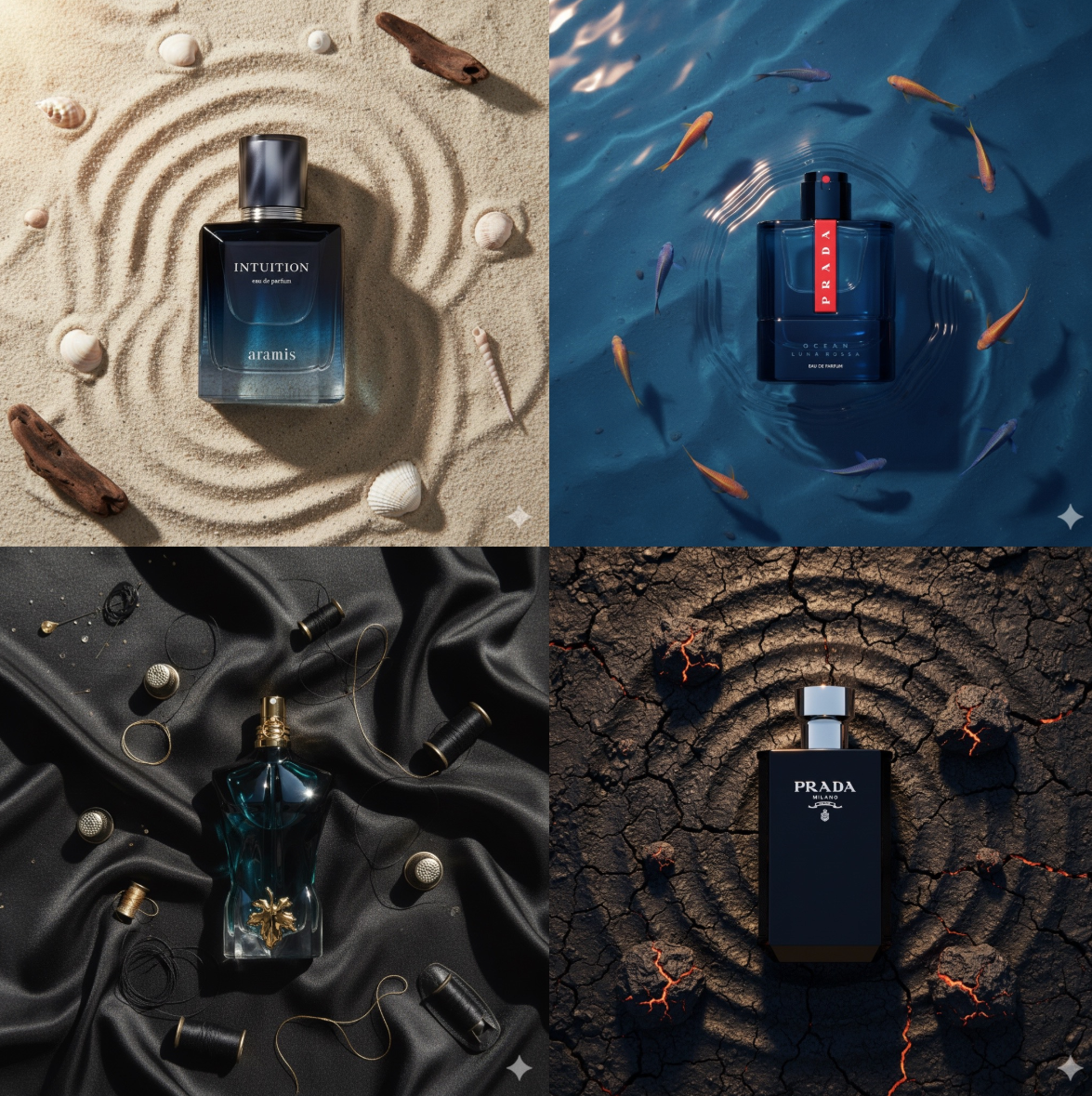
Case 74: Luxury Ad Shot (by @AmirMushich)
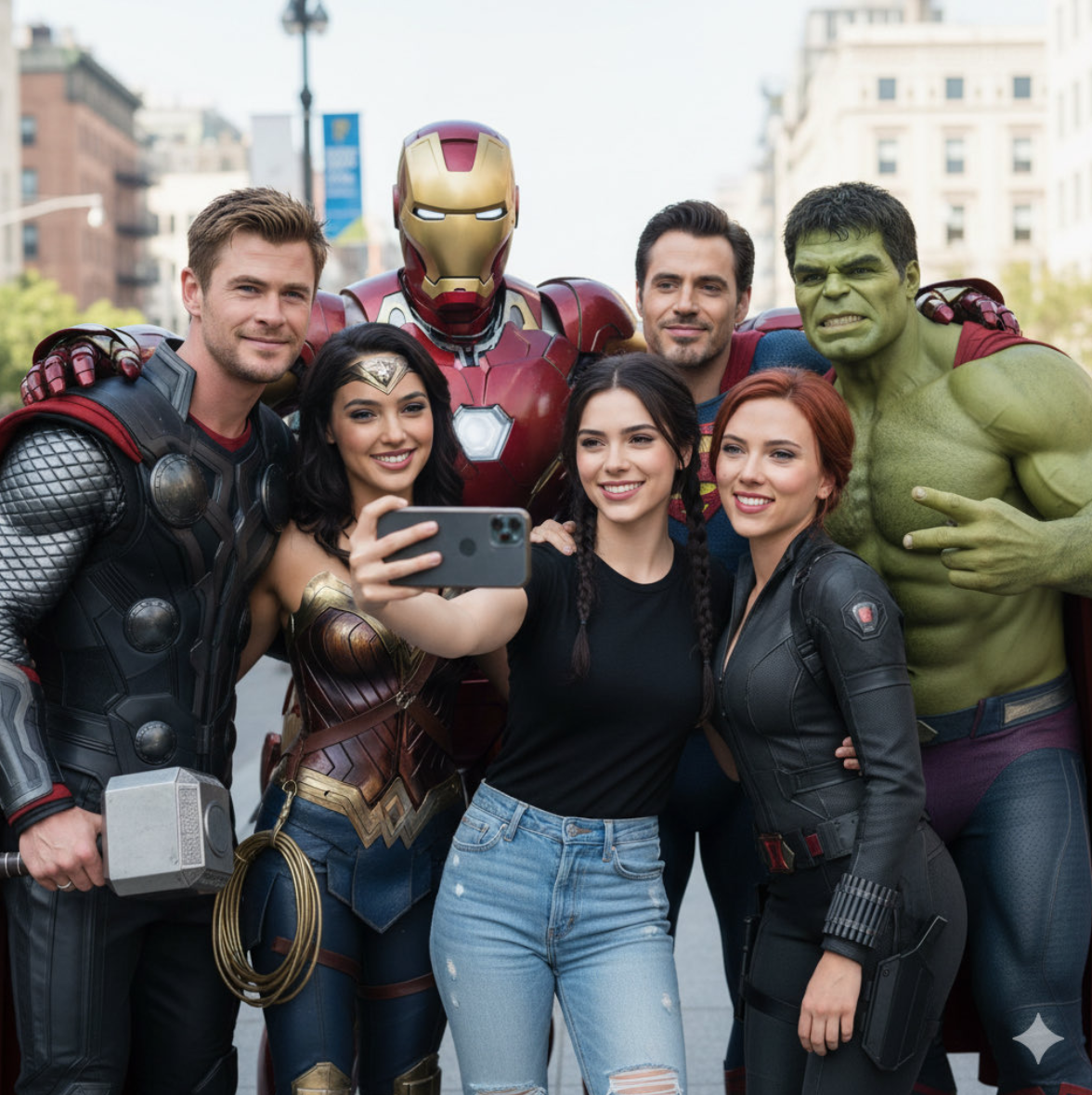
Case 73: Superhero Group Selfie (by @xmliisu)
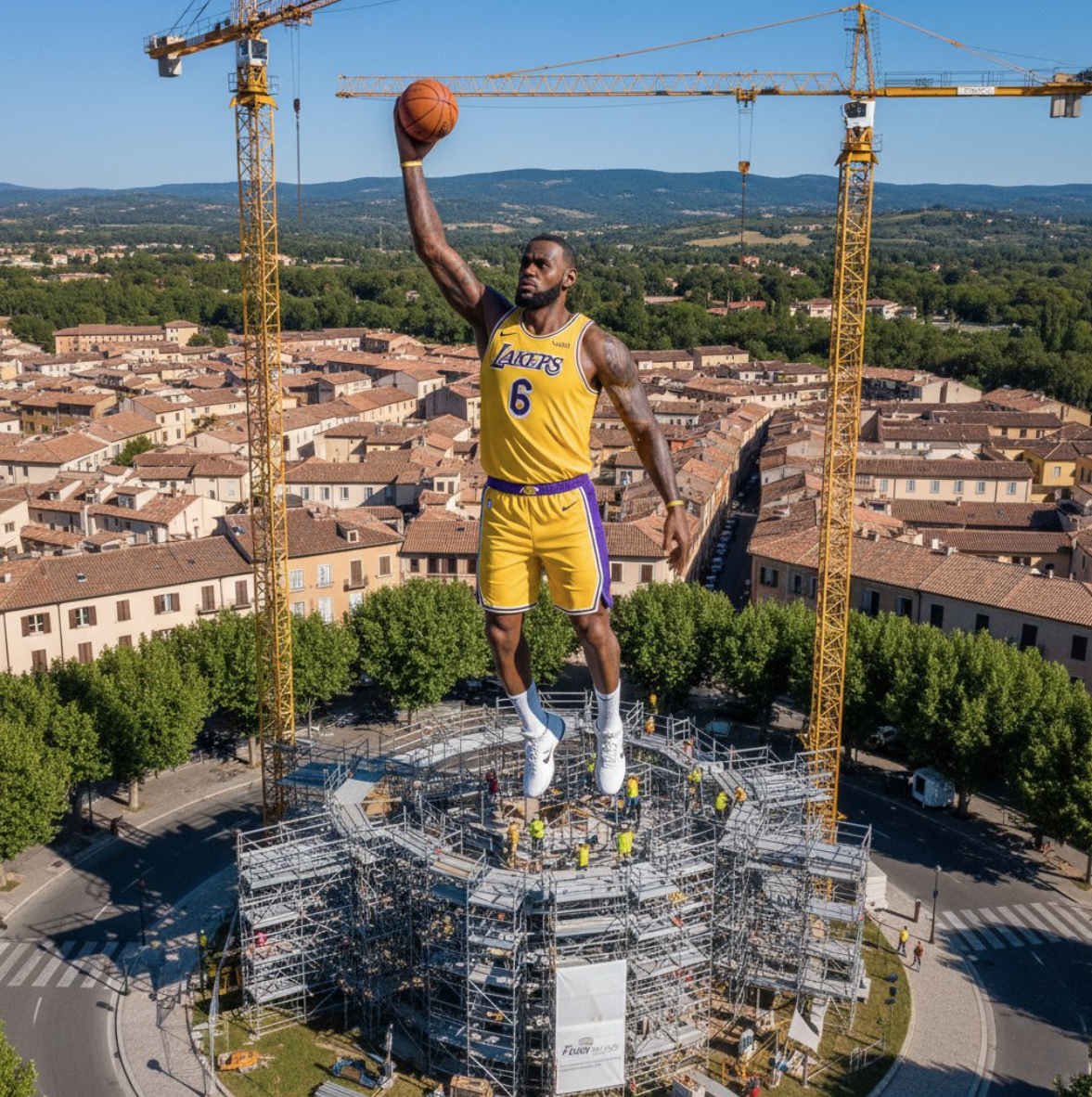
Case 72: Person's Statue (by @MehdiSharifi)
Case 71: Large Fluffy Cloud (by @Arminn_Ai)
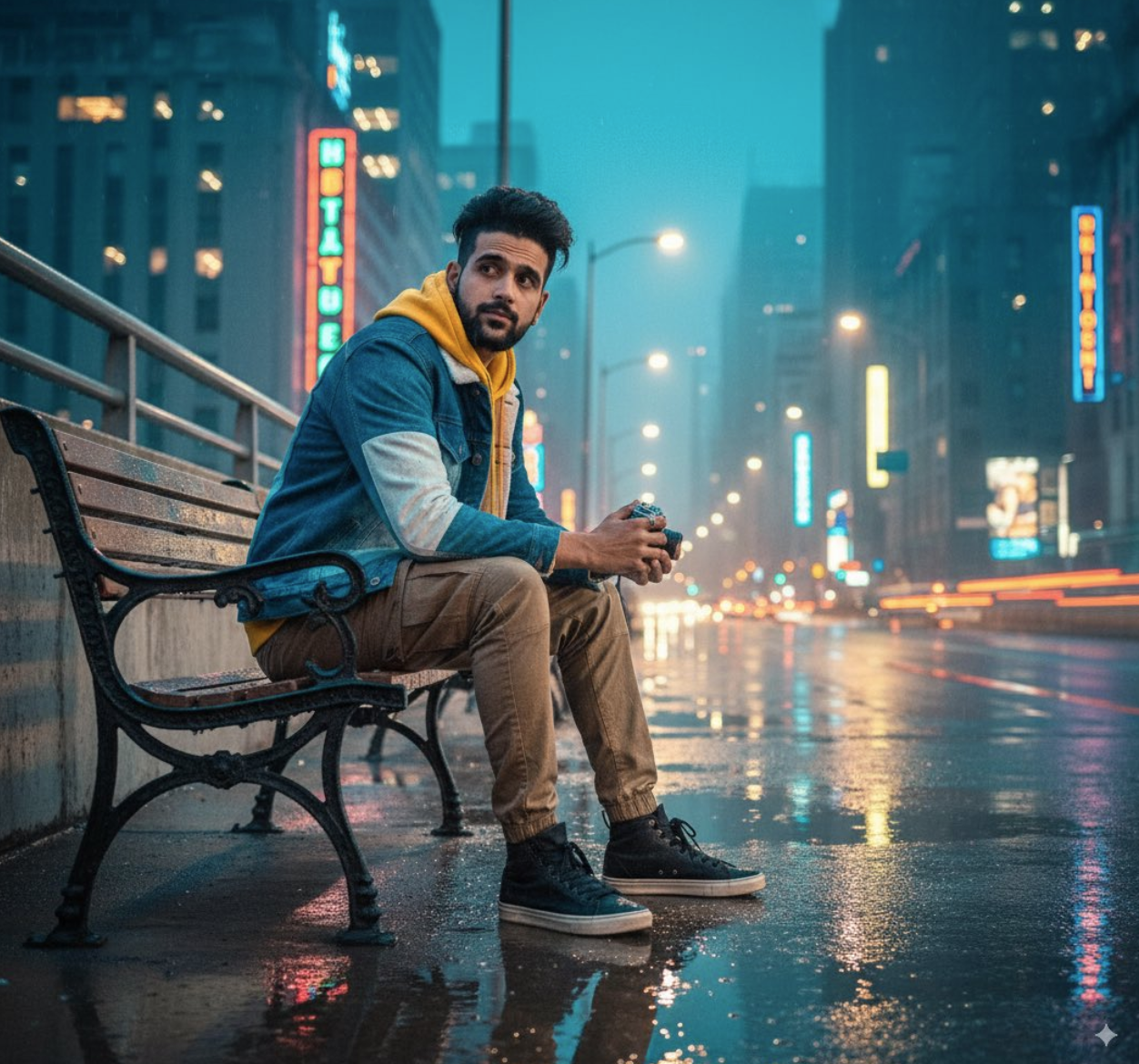
Case 70: Seated in Style (by @Arminn_Ai)
Case 69: Rectangular Photo Frame (by @Arminn_Ai)
Case 68: AI Homeless Man (by @Supermaker AI)
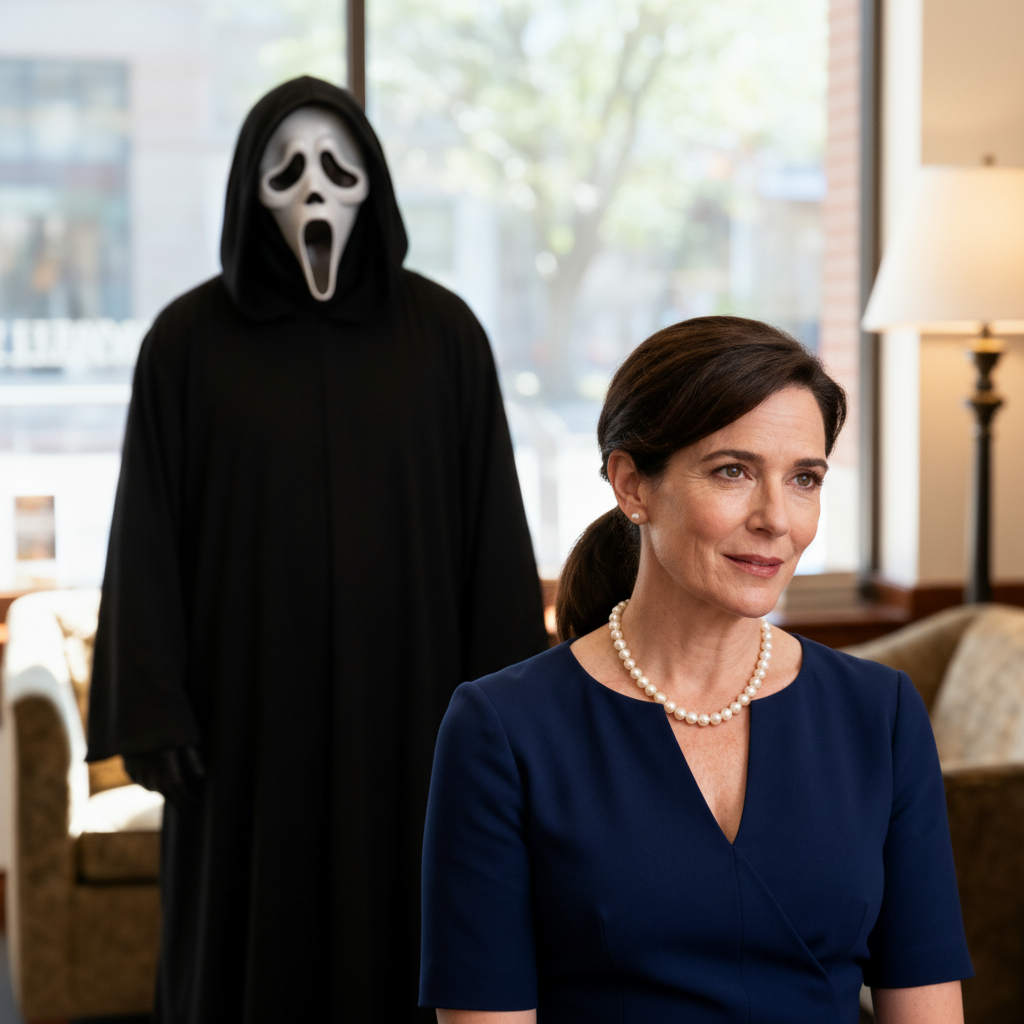
Case 67: AI Ghostface Effect (by @Supermaker AI)
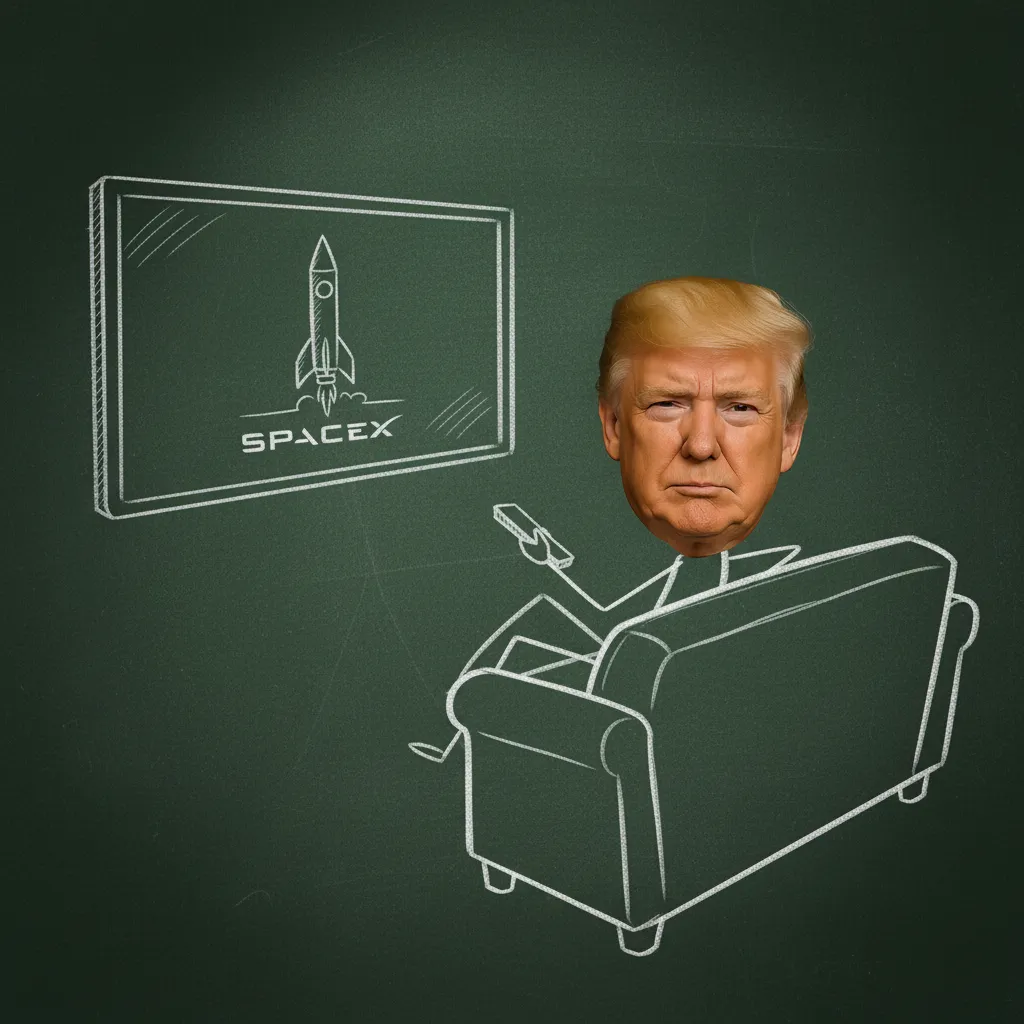
Case 66: Stick People Effect (by @Supermaker AI)
Case 65: Natural-looking Photoshoot (by @Kerroudjm)
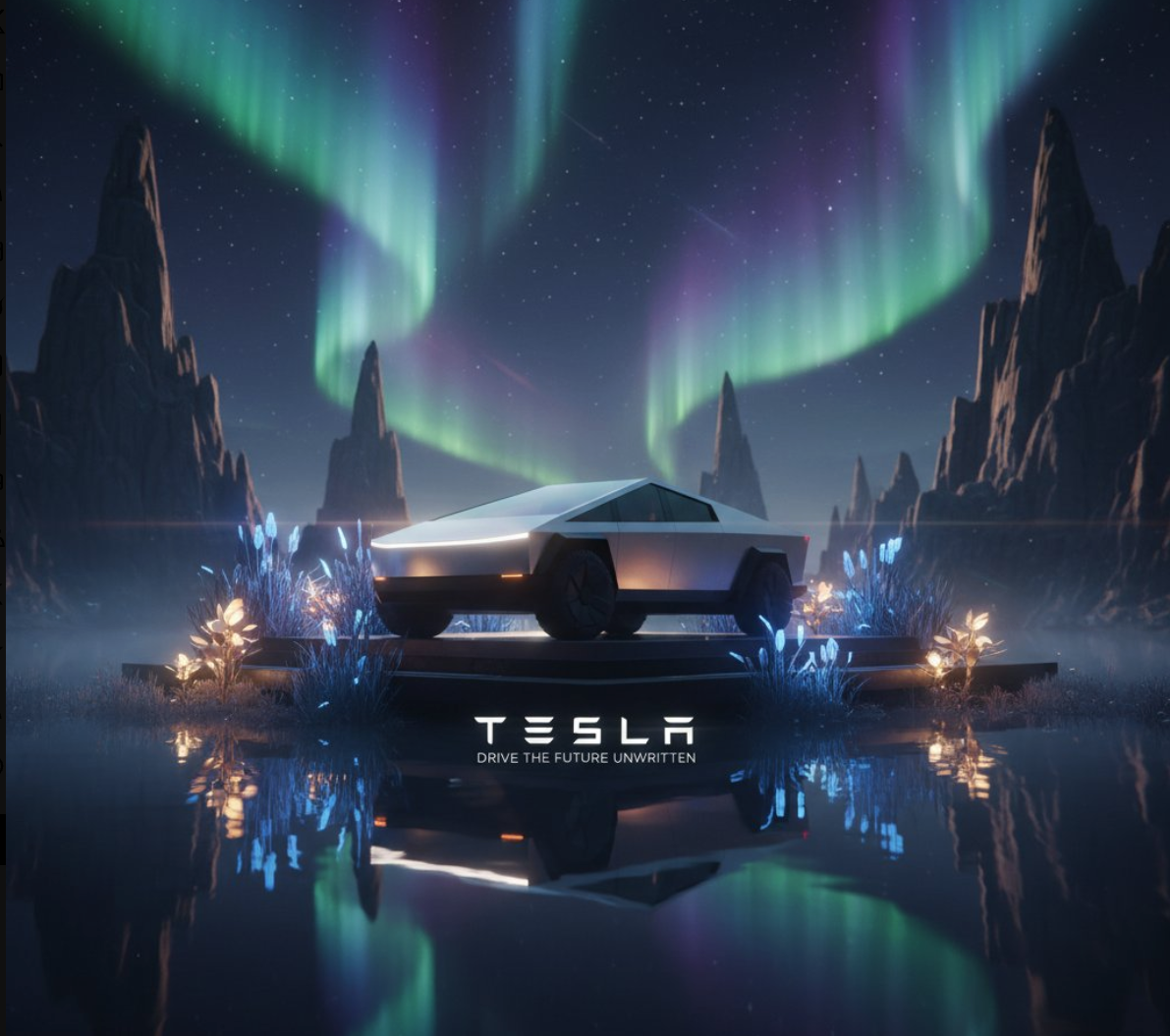
Case 64: Northern Lights Product (by @rovvmut_)
Case 63: Honor on the Football Field (by @rovvmut_)
Case 62: Pokemon Master (by @rovvmut_)
Case 61: Neon-powered Portraits (by @Arminn_Ai)
Case 60: Origami Food Art (by @TechieBySA)
Case 59: Pixelized Food (by @TechieBySA)
Case 58: Superhero Juice Boxes (by @TechieBySA)
Case 57: Vintage Technical Illustration (by @icreatelife)
Case 56: Superhero Plush Toys (by @TechieBySA)
Case 55: AI Cat Image Generator (by @Supermaker AI)
Case 54: Raincoat Effect (by @Supermaker AI)
Case 53: Private Photography (by @Josh_Gier)
Case 52: Close-up Cinematic Portrait (by @saniaspeaks_)
Case 51: Cinematic Street Vibes (by @Sheldon056)
Case 50: Visual Shock (by @Sheldon056)
Case 49: Origami Characters (by @TechieBySA)
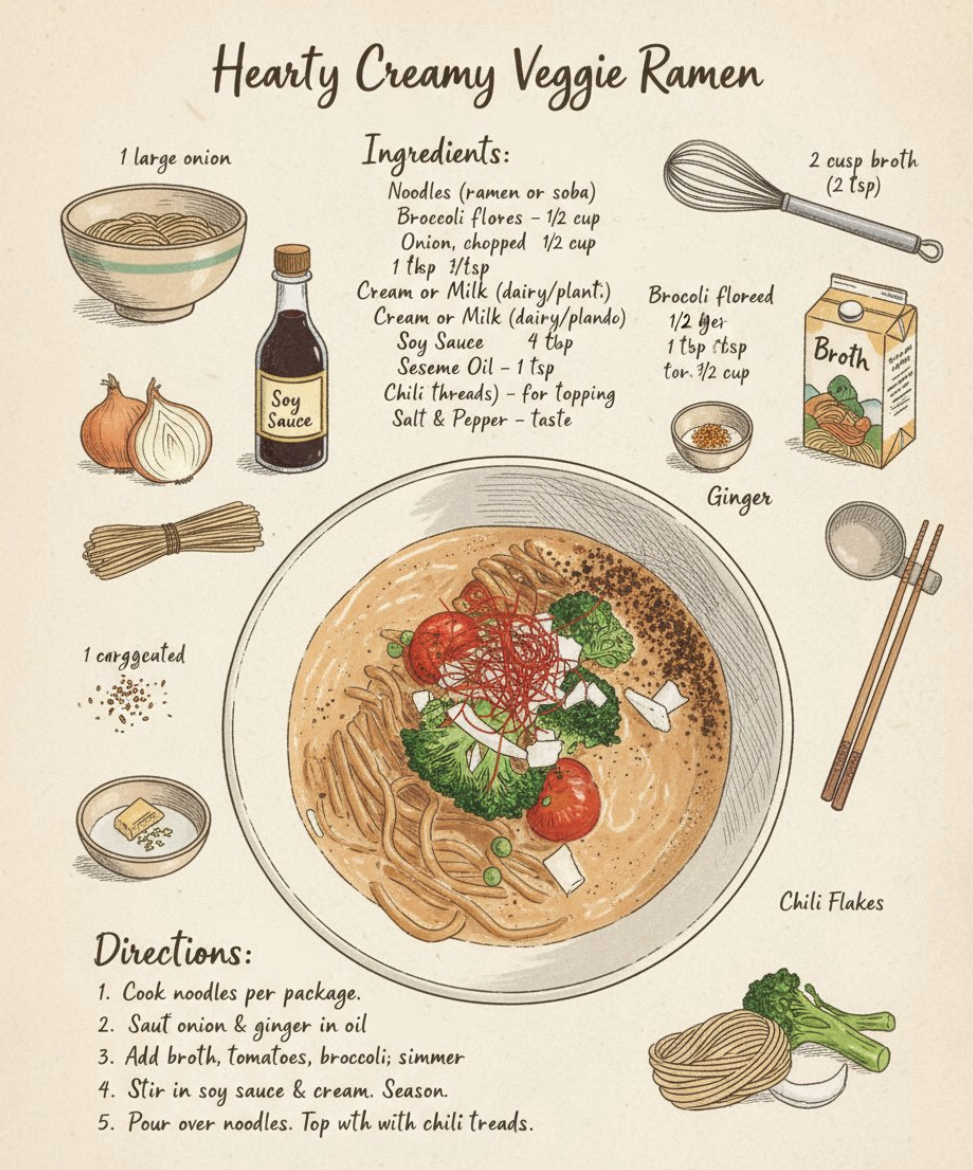
Case 48: Vintage Recipe Illustration (by @icreatelife)
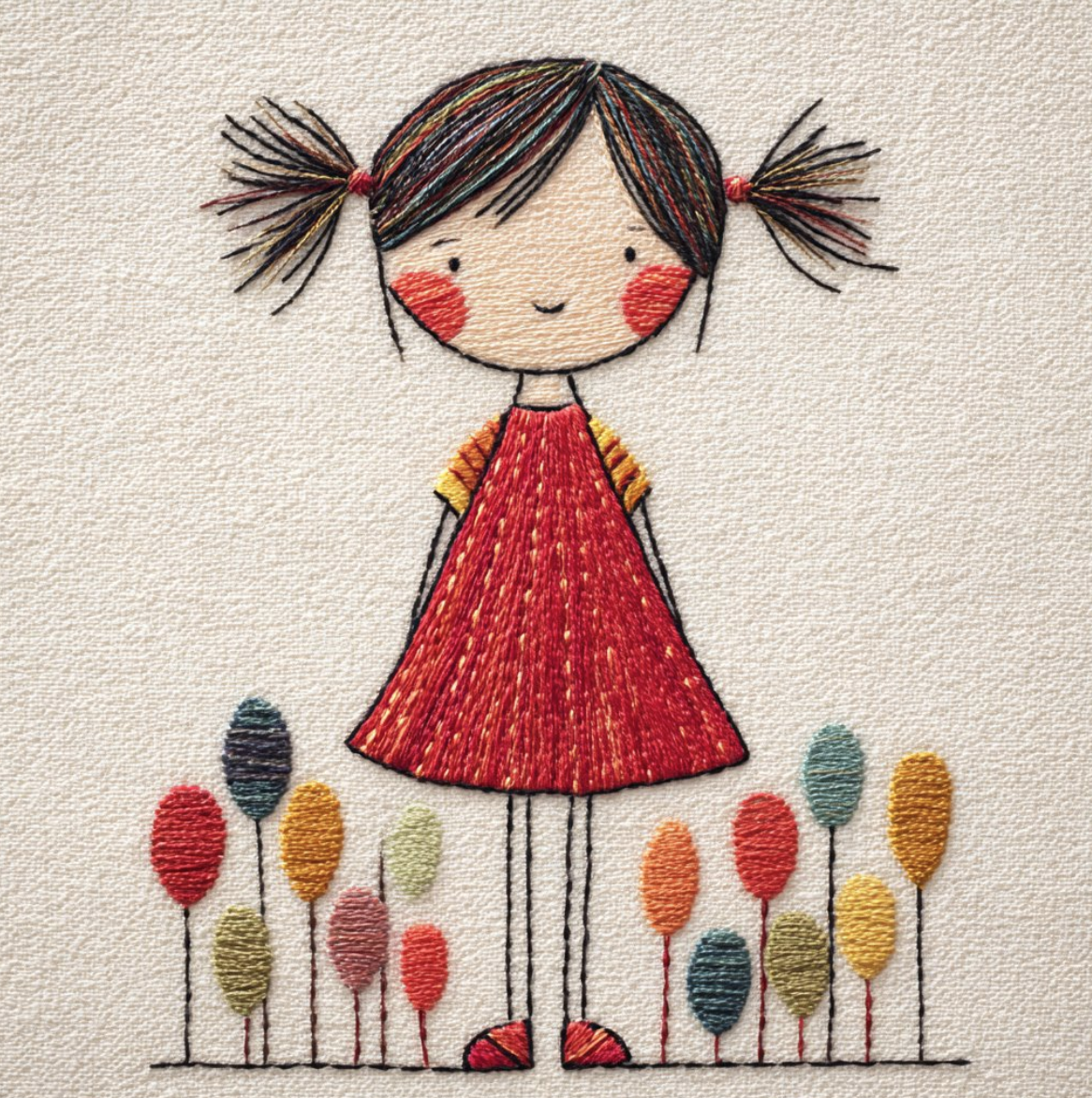
Case 47: Textured Embroidered (by @Artedeingenio)
Case 46: Food Art Portrait (by @AleRVG)
Case 45: AI Black And White Portrait Generator (by @Supermaker AI)
Case 44: Gemini Miniatur AI (by @Supermaker AI)
Case 43: Collectible Figure (by @Nano Banana Labs)
Case 42: Thoughts on a Moving Train (by @Heisenberg)
Case 41: Nightscape Photography (by @Heisenberg)
Case 40: Spotlight Photography (by @enitandev)
Case 39: Modern Advertisement (by @Heisenberg)
Case 38: Cinematic Portrait (by @Heisenberg)
Case 37: Hyper-realistic Statue (by @Nano Banana Labs)
Case 36: Polaroid Photography (by @Heisenberg)
Case 35: AI Group Photo (by @Supermaker AI)
Case 34: AI Pose Generator (by @Supermaker AI)
Case 33: Children's Drawing (by @Supermaker AI)
Case 32: AI Baby Filter (by @Supermaker AI)
Case 31: Google Map Transform (by @Supermaker AI)
Case 30: AI 3D Model Generator (by @Supermaker AI)
Case 29: Food Photography (by @Amira Zairi)
Case 28: Paint-style Outline (by @Amira Zairi)
Case 27: Vintage Comic Book (by @Amira Zairi)
Case 26: Cinematic Shots (by @Amira Zairi)
Case 26: Nano Banana Action Figure Generator (by @Supermaker AI)
Case 25: Concept Sheet (by @Amira Zairi)
Case 24: AI Photo Color (by @Supermaker AI)
Case 23: AI Photo Booth (by @Supermaker AI)
Case 22: AI Cosplay Generator (by @Supermaker AI)
Case 21: AI Sculpture Filter (by @Supermaker AI)
Case 20: Product Photography (by @Amira Zairi)
Case 19: Charcoal Sketch (by @Amira Zairi)
Case 18: Vintage Editorial Photography (by @Amira Zairi)
Case 17: Translucent Fabrics (by @LudovicCreator)
Case 16: Pixel-art (by @Amira Zairi)
Case 15: 3D Figure Printer (by @歸藏)
Case 14: Chinese Character Dance (by @歸藏)
Case 12: 3D Isometric Buildings (by @歸藏)
Case 11: Tiny Product Shots (by @Amira Zairi)
Case 10: AI Cinematic (by @Amira Zairi)
Case 9: 3D Architecture Rendering (by @levelsio)
Case 8: AI Recipe Generation (by @歸藏)
Case 7: Virtual Try-on (by @歸藏)
Case 6: Super Resolution for Vintage Anime (by @歸藏)
Case 5: Precise Object Replacement (by @歸藏)
Case 4: Sticker Generation (by @歸藏)
Case 3: AI Color Grading (by @歸藏)
Case 2: Jewelry Try-on (by @歸藏)
🏛️ Historical Art & Cultural Photography
Prompt
A Patrick Star wearing Tang Dynasty clothing is natural and realistic. It is a Northern Song Dynasty style oil painting with dark brown old version. It is high-definition and finely crafted. It is smooth, flexible and powerful, full of rhythm. The outline of the clothes is dense and well-arranged. The colors are elegant and good at using contrasting colors, which are rich and harmonious. He is wearing a Tang Dynasty hat.Reference Image
Usage Instructions
- 🏛️ Transform characters into Tang Dynasty historical art style
- 🎨 Perfect for cultural content and historical character design
- ✨ Elegant colors with rich and harmonious contrasting tones
💎 Commercial Photography & Product Advertising
Prompt
Frosted glass bottle; label planar: "First Rain".
Shallow pool with crisp caustics.
Natural crown from a falling lychee; transparent indigo ribbons; lychees some halved + eucalyptus sprigs ride arcs; base cluster partly submerged for refraction.
Condensation 50% 1.2 mm.
Light: sun leaf-gobo, silver rim 45°R, cool purple under-kicker, sky fill; clamp highs.
Cam: FF 100 mm, f/8, 1/2000, ISO100. 8K; no warp/banding.
Reference Image
Usage Instructions
- 💎 Create professional luxury product advertisements
- 📸 Perfect for high-end brand campaigns and product launches
- ✨ Features realistic lighting, condensation, and premium aesthetics
🦸 Celebrity Integration & Group Photography
Prompt
A ultra realistic group selfie, center is the person from the attached image (uploaded image facial details), wearing a fitted black shirt and ripped jeans, holding an iPhone for the selfie. Around are Chris Hemsworth as Thor, Gal Gadot as Wonder Woman, Scarlett Johansson as Black Widow, Mark Ruffalo as Hulk, Henry Cavill as Superman, RDJ in full armor all hugging, smiling, posing casually like close friends. Fun, joyful mood, bright daylight, cinematic quality, natural look, high detail.Reference Image
Usage Instructions
- 🦸 Create realistic group selfies with celebrity superheroes
- 📱 Perfect for fan content and social media posts
- ✨ Maintains facial features while adding authentic celebrity interactions
🗿 Monumental Art & Urban Sculpture
Prompt
A high-angle drone photograph of a massive, hyperrealistic statue of [SUBJECT]. The statue is in the middle of a town roundabout and is currently under construction, surrounded by intricate scaffolding, large cranes, and several construction workers. The background features a scenic town nestled against [BACKGROUND]. The lighting is bright, natural daylight, creating soft shadows. The image should be a highly detailed, photorealistic, 8K resolution, vertical shot. 1080×1080 resolution.Reference Image
Usage Instructions
- 🗿 Transform portraits into monumental urban sculptures
- 🏗️ Perfect for architectural visualization and city planning
- ✨ Features realistic construction scenes and urban atmosphere
☁️ Surreal Photography & Fantasy Art
Prompt
A cinematic studio photoshoot of a single [CHARACTER],
comfortably reclining in a large fluffy cloud placed directly on the ground.
The cloud is soft, voluminous, and vividly colored in [CLOUD_COLOR],
appearing like a natural cushion made of mist and cotton.

The [CHARACTER_DESCRIPTION] is lying relaxed inside the cloud,
as if sitting in a cozy armchair — legs slightly crossed, body leaned back, expression calm and peaceful.

The entire subject (person + cloud) is perfectly centered in the frame,
fully visible from head to toe.
The background is a clean studio environment with a smooth gradient in [COLOR], evenly lit, with no visible edges or props.

Lighting: soft cinematic studio lighting, diffused from multiple angles, creating smooth shadows and gentle highlights on the cloud texture. The atmosphere feels dreamy, surreal, and relaxing — like a fantasy portrait blending fashion and dreamlike comfort.

Camera setup: full-body shot, eye-level angle. Mood: calm, elegant, imaginative, and ultra-detailed.
Reference Image
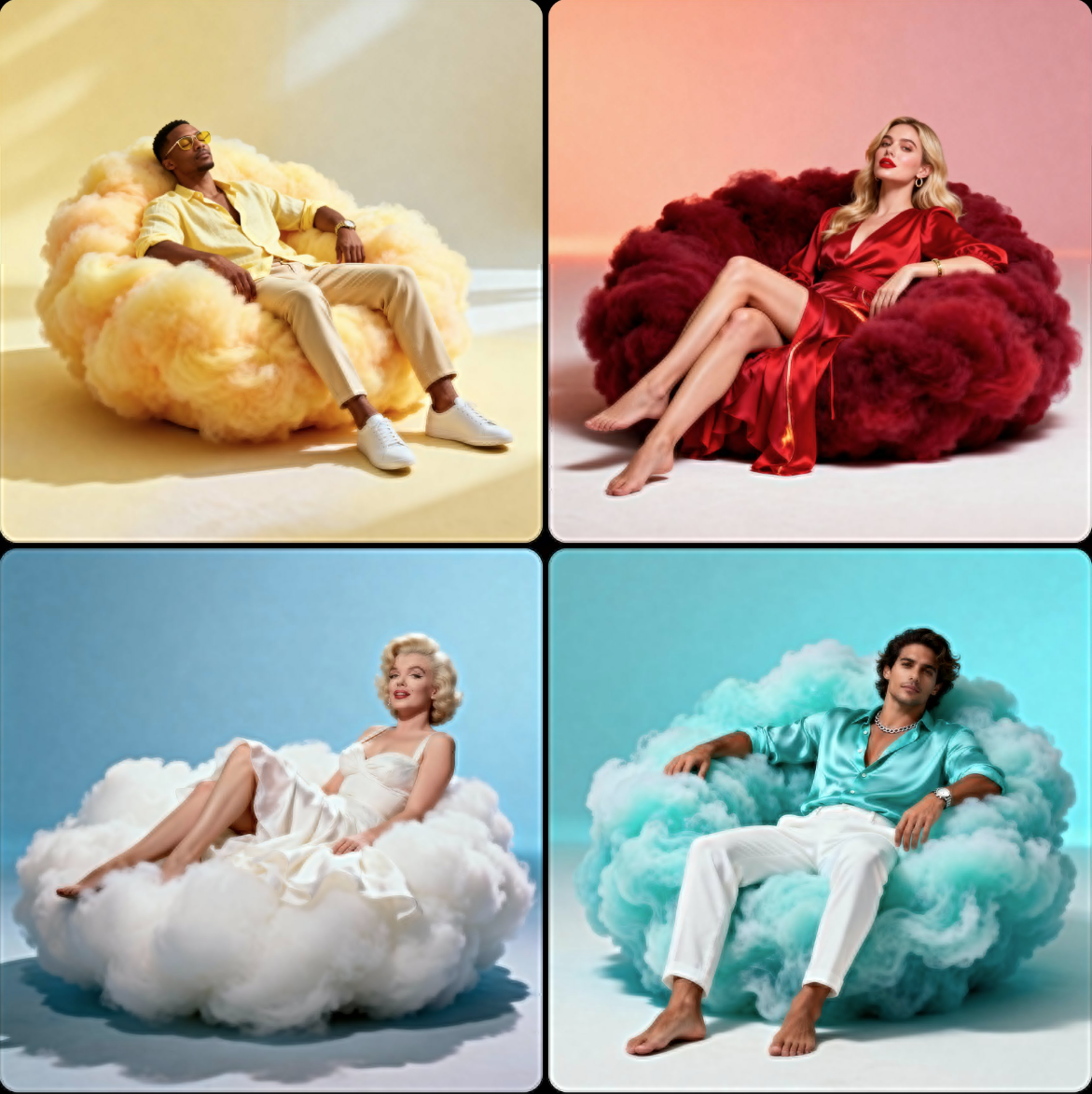
Usage Instructions
- ☁️ Create surreal fantasy portraits with cloud seating
- 🎨 Perfect for dreamy and imaginative photography
- ✨ Features soft cinematic lighting and dreamlike atmosphere
📦 Geometric Design & Studio Photography
Prompt
A hyper-realistic full-body studio portrait of [CHARACTER_DESCRIPTION]. The character is seated on a setup made of five large cubic objects of [OBJECT_TYPE_AND_MATERIAL], arranged in a compact and balanced structure.

• Two cubes are placed tightly side by side beneath the character, forming a stable elevated seat — high enough that their feet hang naturally above the studio floor without touching.
• Three additional cubes are stacked vertically right beside the seat, perfectly aligned and touching — forming a side column slightly above waist level, where the character rests one forearm casually on the top cube.

All cubes share identical dimensions and physically realistic volume, precise proportions, sharp edges, and real surface contact (no gaps or floating). Their material behavior under light is fully realistic, showing natural reflections, soft highlights, and subtle light falloff across surfaces.

Lighting: soft, neutral cinematic studio lighting with smooth global diffusion and balanced contrast, no harsh shadows.

Background: solid [STUDIO_COLOR] backdrop with a subtle gradient tone.  Floor: polished studio surface with a soft natural reflection of the cubes and the character.

Mood: clean, balanced, and visually elegant — focused on geometry, material, and composition.

Camera: full-body 3/4 studio shot from a slightly elevated angle to emphasize the cube geometry and the character's posture.

All materials are physically realistic  rendered with cinematic precision. Texture: ultra-detailedc, realistic reflections, material roughness, and soft light transitions rendered in photorealistic quality.
Reference Image
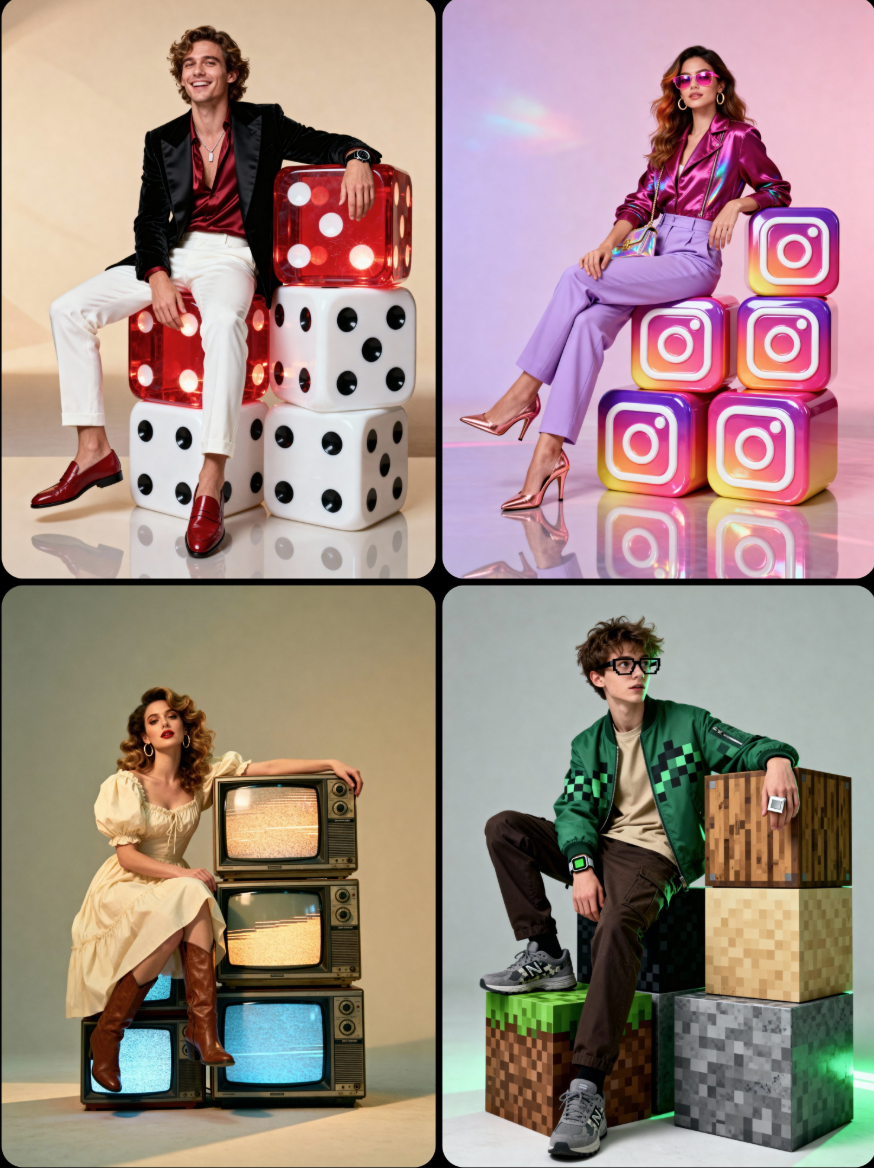
Usage Instructions
- 📦 Create elegant geometric studio portraits
- 🎨 Perfect for minimalist and architectural photography
- ✨ Features realistic material physics and clean composition
🖼️ Fashion Photography & Luxury Editorial
Prompt
A luxurious high-fashion portrait of [CHARACTER DESCRIPTION] sitting gracefully on the inner lower edge of a large ornate rectangular picture frame, subtly suspended slightly above the floor by short hooks/chains at the top edge. The frame is perfectly level and floating with a visible gap from the floor. The entire scene follows a refined [COLOR THEME] monochromatic palette.

Frame:
• Ornate Baroque / Rococo rectangular frame
• Painted in [FRAME COLOR & FINISH] to match or tastefully contrast the palette

Environment:
• Background: elegant studio wall with classic molded paneling in [COLOR], harmonized with the chromatic theme
• Floor: slightly reflective surface in [FLOOR COLOR], same tone family for cohesive luxury aesthetics

Lighting:
• High-key cinematic fashion lighting
• Soft diffused glow on the subject and frame
• Gentle rim-light for clean silhouette separation

Camera:
• Symmetrical centered full-body portrait
• Clean editorial fashion composition
• 8K ultra-detailed premium campaign quality

Style tags:
monochromatic | ornate suspended frame | cinematic studio fashion | luxury editorial aesthetic
Reference Image
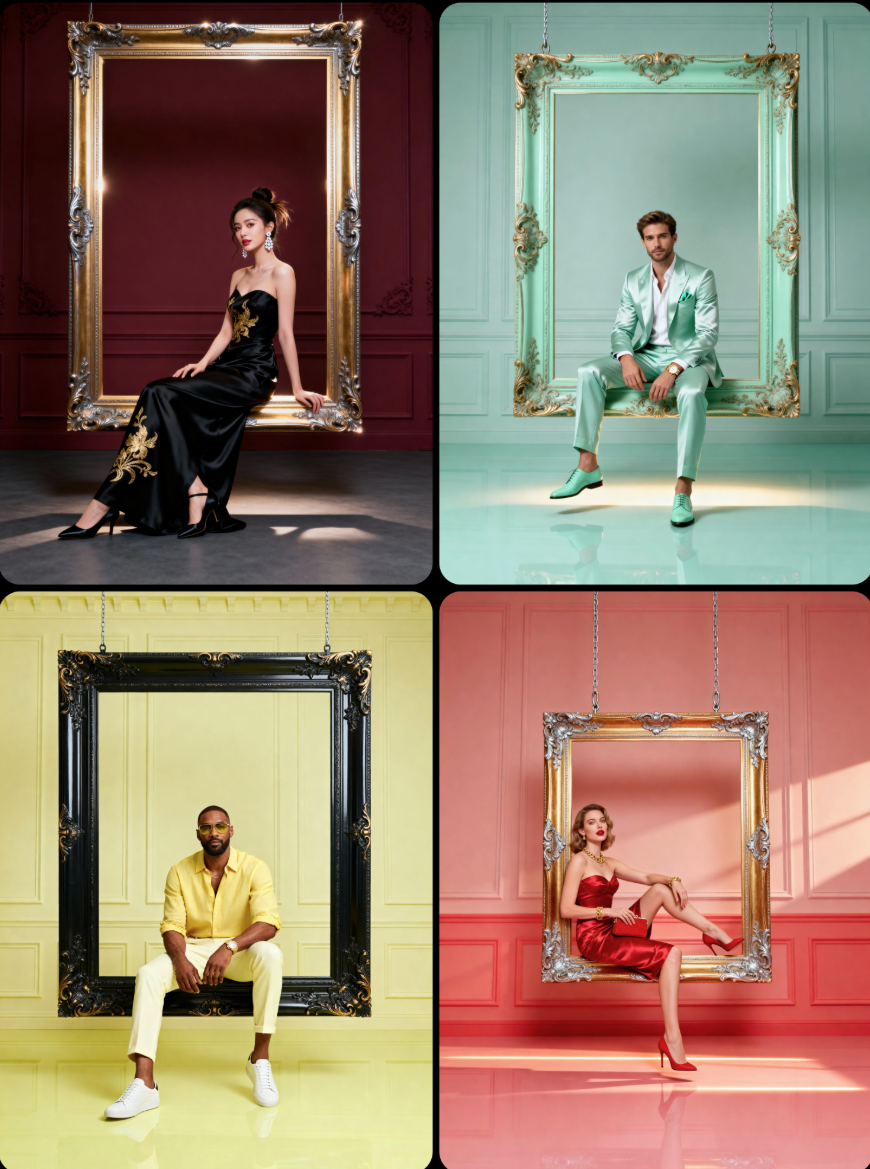
Usage Instructions
- 🖼️ Create luxury fashion portraits with ornate frames
- 👗 Perfect for high-end editorial and campaign photography
- ✨ Features monochromatic palette and cinematic lighting
🏠 Character Integration & Social Commentary
Prompt
Adding a homeless Filipino man to this image, with his dirty, tramp-like appearance, makes him look like an intruder.Reference Image
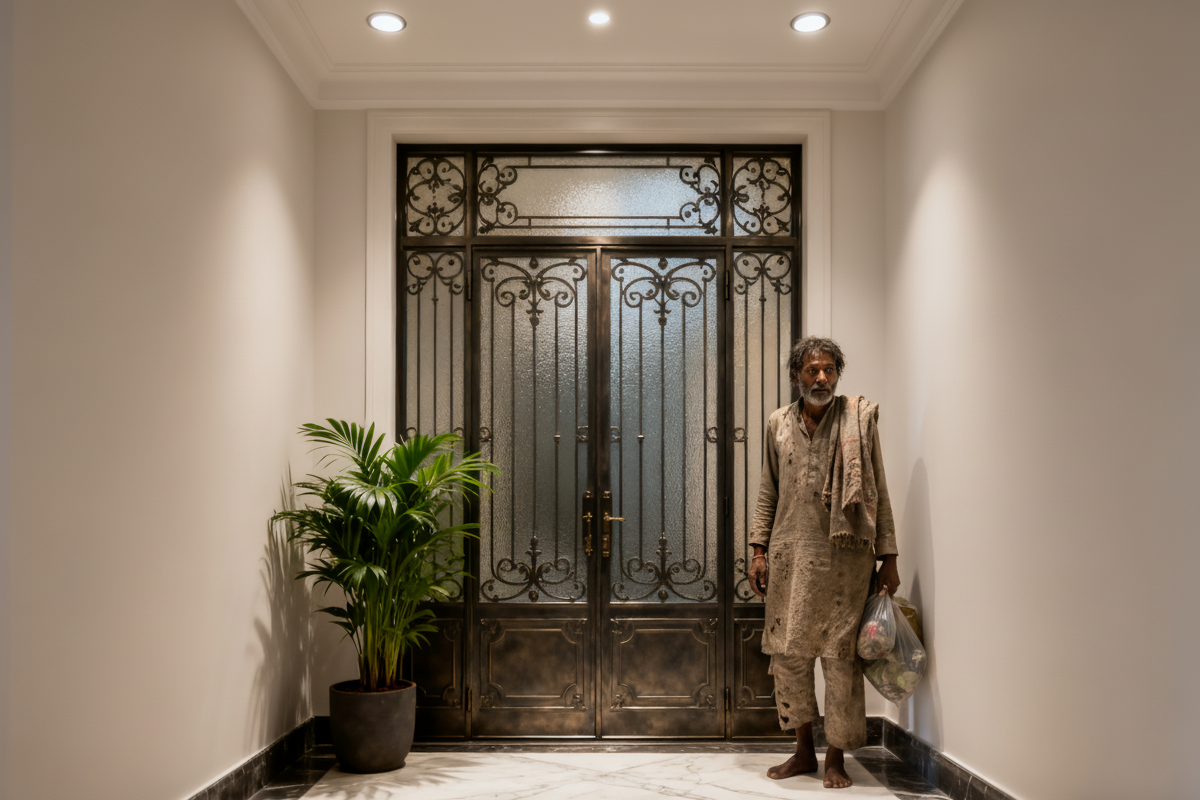
Usage Instructions
- 🏠 Add realistic homeless characters to existing scenes
- 📸 Perfect for social commentary and documentary-style photography
- ✨ Maintains scene authenticity while adding social elements
👻 Horror Effects & Background Integration
Prompt
Perform non-destructive background editing on an existing personal photo: preserve the foreground subject(s) entirely unchanged—including their original posture, facial features, expressions, clothing, hairstyle, and all fine details—with zero alterations to their appearance or positioning. Only modify the background area to naturally integrate the iconic Ghostface character (from the Scream franchise), creating the illusion that Ghostface was part of the original scene (a 'hidden in the background' prank effect).
Ghostface Details: Depict it with its classic, recognizable design—white mask with sharp black eye/ mouth details, full black hooded robe, and a subtle, menacing yet understated posture (e.g., standing partially obscured by background objects like walls/ furniture, leaning in from a corner, or standing a few steps behind the foreground subject(s) to avoid overshadowing them).
Style: Emulate Hollywood horror movie aesthetics while ensuring visual consistency with the original photo:
Match the original photo's lighting logic

Realism Requirements:

Ensure Ghostface feels like a natural, unplanned part of the scene—like a hidden Easter egg in a horror movie—so the prank effect lies in others noticing it only after a second glance.
Reference Image
Usage Instructions
- 👻 Add hidden Ghostface characters to personal photos
- 🎭 Perfect for horror-themed pranks and Halloween content
- ✨ Maintains original photo integrity while adding subtle horror elements
🎨 Educational Art & Character Design
Prompt
A [STICKWOMAN / STICKMAN] character with a photorealistic 3D-rendered [FEMALE / MALE] head is shown [DOING SOMETHING]. Created Using: digital chalkboard-style concept illustration with 3D head rendering, white chalk-like vector linework for body on textured [COLOR] surface, soft spotlight simulating classroom lighting, dynamic composition with exaggerated body language and joyful posture, slightly top-down camera perspective, subtle ambient shadows, clean background texture simulating real chalk residue, minimalistic educational aesthetic blended with character-driven visual storytellingReference Image
Usage Instructions
- 🎨 Create educational stick figure illustrations with realistic heads
- 📚 Perfect for teaching materials and educational content
- ✨ Combines 3D realism with chalkboard-style aesthetics
📸 Product Photography & Editorial Style
Prompt
A high-end editorial photo of a [IMAGE UPLOADED] placed flat on a [YOUR SURFACE], captured from a direct top-down view. The surface is gently disturbed to suggest recent motion or interaction. The front of the product is fully visible and properly oriented upright. The area around the product is intentionally left open to optionally place [YOUR ELEMENTS] that visually enhance the scene. Natural sunlight from the upper left casts warm, realistic shadows. 3D realism, luxury product photography, shallow depth of field, 1:1 format.Reference Image
Usage Instructions
- 📸 Create high-end editorial product photography
- 🎨 Perfect for luxury brand marketing and e-commerce
- ✨ Natural lighting with realistic shadows and 3D realism
🌌 Cinematic Product Photography & Atmospheric Design
Prompt
Design a hyperrealistic cinematic poster showcasing the [PRODUCT] as the centerpiece. The device on a sleek obsidian pedestal at the edge of a tranquil reflective lake. Surrounding it are glowing bioluminescent plants and tall reeds swaying gently in the breeze, giving the scene an ethereal, futuristic feel. In the background, jagged cliffs rise dramatically, their edges kissed by a glowing aurora in the night sky. Use moody, atmospheric lighting with cool blues and purples contrasted by warm golden highlights reflecting off the device. Capture the scene from a slightly low angle to emphasize grandeur, with a shallow depth of field to sharpen the [PRODUCT] while softening the surrounding mist. Add subtle lens flares, crisp polished textures, and a cinematic vignette for a premium editorial aesthetic. Write the brand name and a tagline as well.Reference Image
Usage Instructions
- 🌌 Create cinematic product posters with atmospheric lighting
- 🎬 Perfect for premium brand campaigns and tech product launches
- ✨ Features aurora effects and bioluminescent elements
⚽ Sports Photography & Celebrity Integration
Prompt
A handsome man in the uploaded image (100% matching face) is standing in the middle of Real Madrid stadium, surrounded by a full crowd and bright green grass. He is wearing the Real Madrid jersey and dark blue jeans, smiling while wrapping his arm around Cristiano Ronaldo beside him. They both are holding the same Real Madrid's jersey, showing Ronaldo's name and number 7 on the back. The camera composition is eye-level, with nighttime stadium lighting and spotlights. The style is high-quality realism.Reference Image
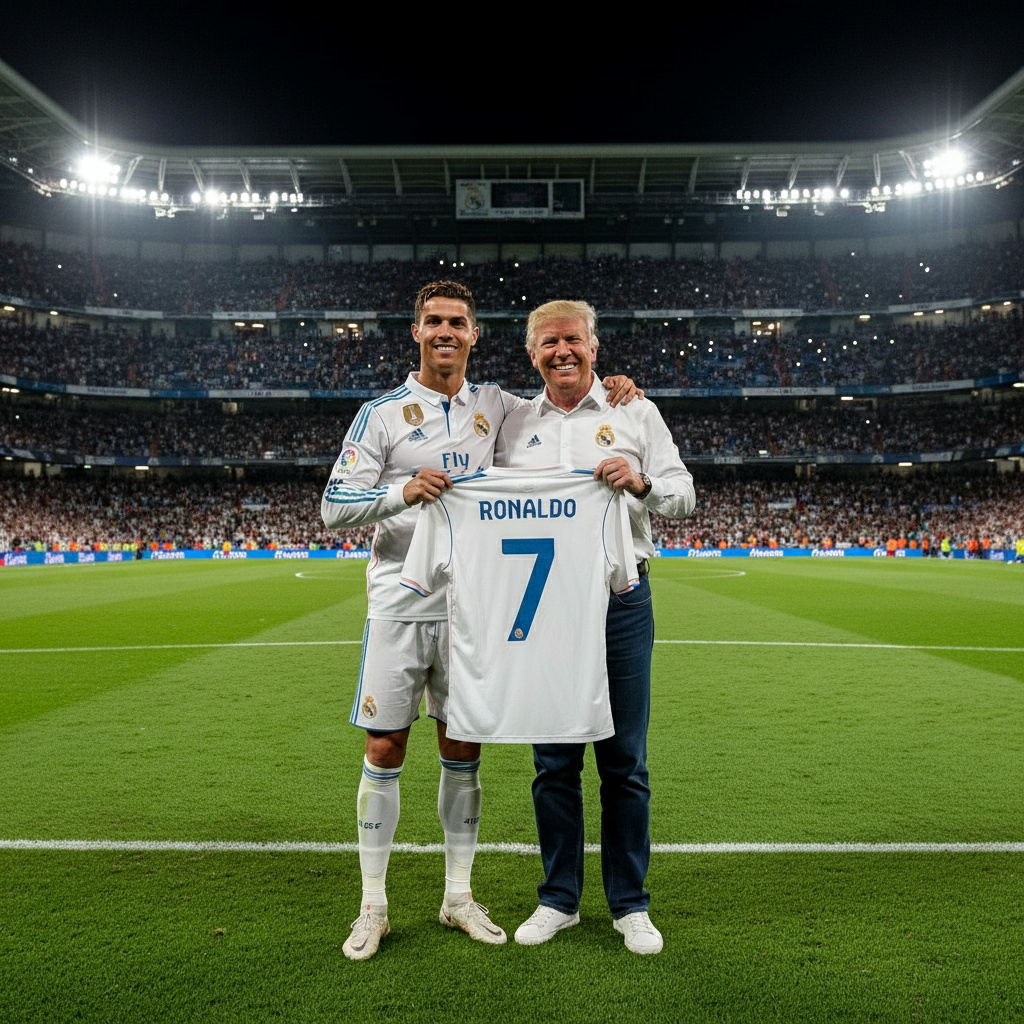
Usage Instructions
- ⚽ Create realistic sports photography with celebrity integration
- 🏟️ Perfect for fan content and sports marketing
- ✨ Maintains facial features while adding authentic stadium atmosphere
⚡ Character Design & Fantasy Photography
Prompt
Create a hyper-realistic editorial portrait of a person, generated from the provided image (same face 100%, same hairstyle, expression preserved). The subject stands confidently on a reflective glossy floor wearing a coordinated bright yellow and crimson outfit (hooded jacket or sweatshirt and tailored joggers) with lightning bolt-inspired linework and subtle embroidered electric motifs running along sleeves, chest and pant seams. Matching crimson and yellow sneakers complete the look. Beside the subject stands a large Pikachu-like creature, scaled to be equal to or taller than the person, with realistic textured fur and a vibrant palette of electric yellows and deep crimson accents that echo the clothing. Background is a moody electric yellow to deep crimson gradient that enhances the vibrant palette; both subject and creature are clearly reflected on the floor. Lighting uses dramatic warm key light and sculpting rim light to emphasize skin, fur and fabric detail, cinematic shallow depth of field, slight film grain for editorial grit, photoreal creature integration, ultra-detailed 8K quality.Reference Image
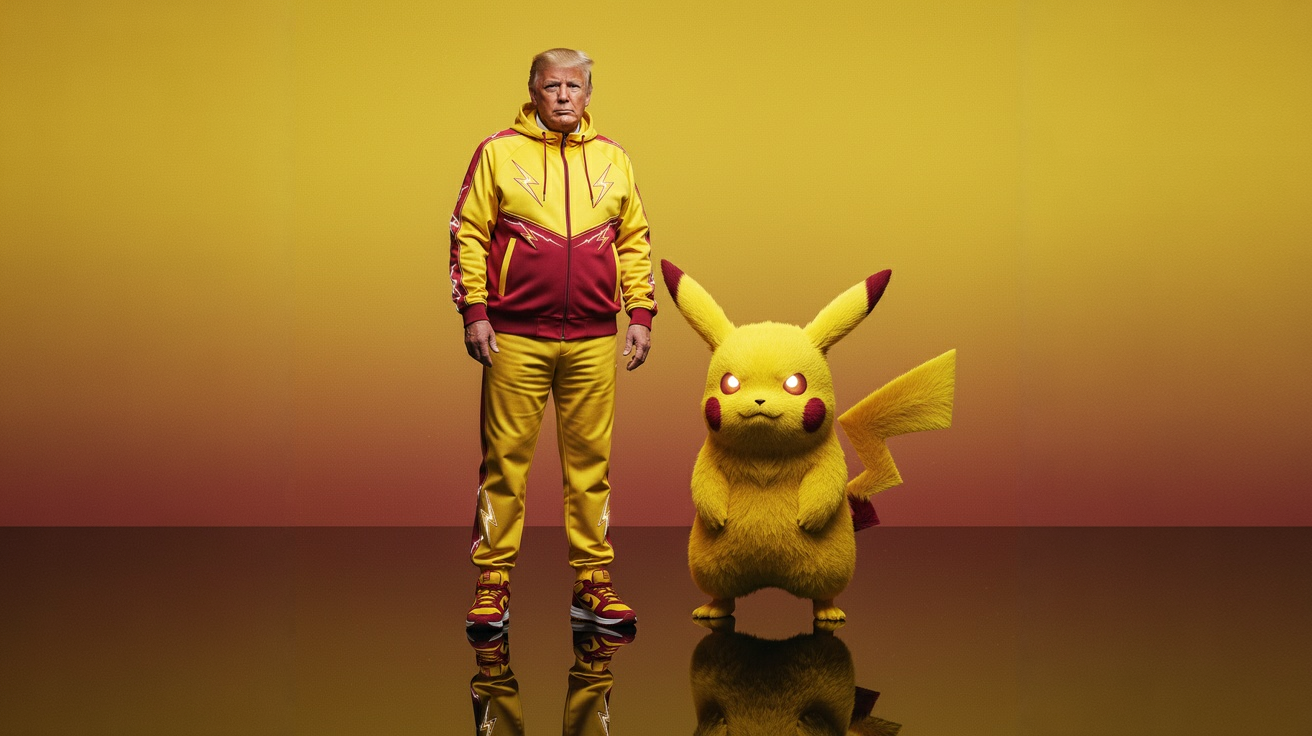
Usage Instructions
- ⚡ Create fantasy character portraits with realistic creature integration
- 🎮 Perfect for gaming content and character cosplay
- ✨ Maintains facial features while adding detailed creature companions
💫 Cyberpunk Photography & Neon Aesthetics
Prompt
A futuristic, neon-lit portrait of [SUBJECT_DESCRIPTION], crouching confidently in a moody, [COLOR]-toned room.
They hold a large, glowing [NEON_OBJECT_SHAPE] that cuts through the center of the image, casting bright [COLOR] reflections across their skin, outfit, and surroundings.

They wear [OUTFIT_DESCRIPTION], blending [STYLE_REFERENCE] with cyberpunk aesthetics.
The entire scene is bathed in electric [PRIMARY_COLOR] and deep [SECONDARY_COLOR] lighting, creating a high-contrast, edgy, and surreal atmosphere with a sci-fi fashion vibe.
Reference Image
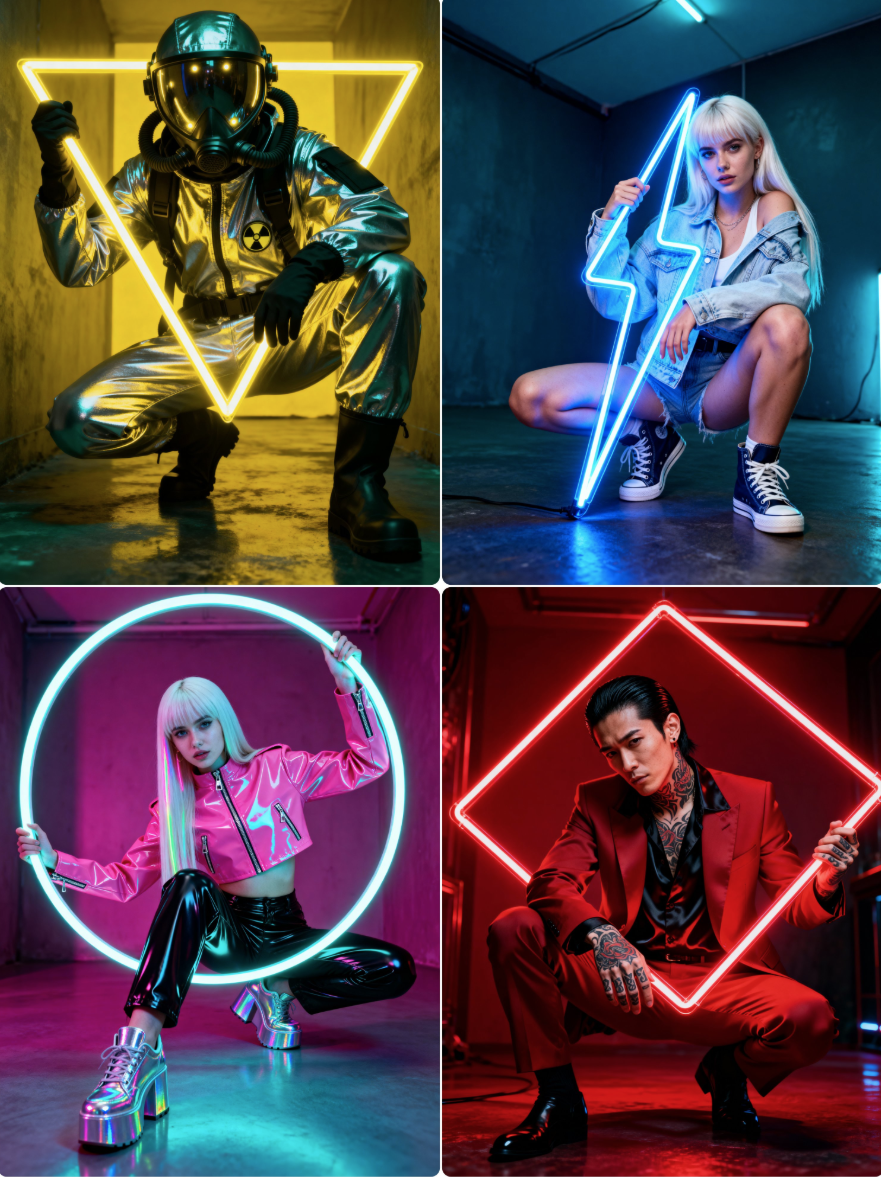
Usage Instructions
- 💫 Create futuristic cyberpunk portraits with neon lighting
- 🌃 Perfect for sci-fi content and edgy fashion photography
- ✨ High-contrast lighting with electric color schemes
🍱 Food Art & Paper Craft Design
Prompt
A hyper-detailed origami [FOOD ITEM] folded from realistic colored paper with visible creases and paper texture. Complex geometric folds capture the food's shape, layers, and distinctive features. Placed on clean surface with soft shadows, minimalist food art photography style. 1080x1080 squareReference Image
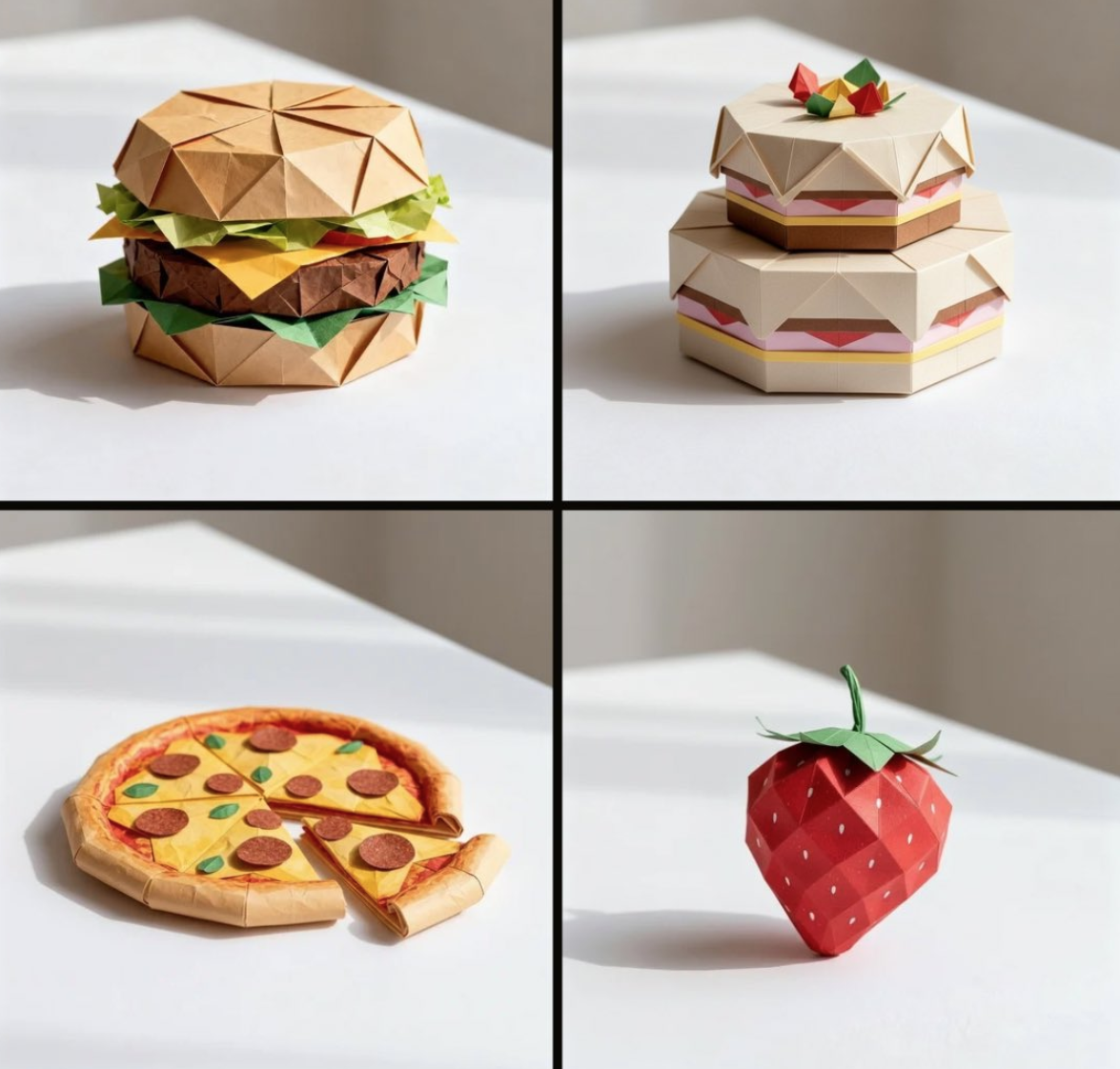
Usage Instructions
- 🍱 Transform food items into detailed origami art
- 🎨 Perfect for creative food photography and art projects
- ✨ Realistic paper textures with geometric folding details
🎮 Food Photography & Digital Art
Prompt
Minimalist food photograph, [1080x1080] – a single [FOOD] rests on a light, matte surface and is captured mid-transformation into a 3D pixelized form: one half remains intact while the other organically fragments into large, floating cubes that drift outward, each cube revealing the object's texture, ingredients, and colors. Studio lighting with soft, realistic shadows, shallow depth of field, tasteful perspective and composition, hyperrealistic detail, stylish geometric abstraction, subtle motion blur on the cubes, high resolution, cinematic close-upReference Image
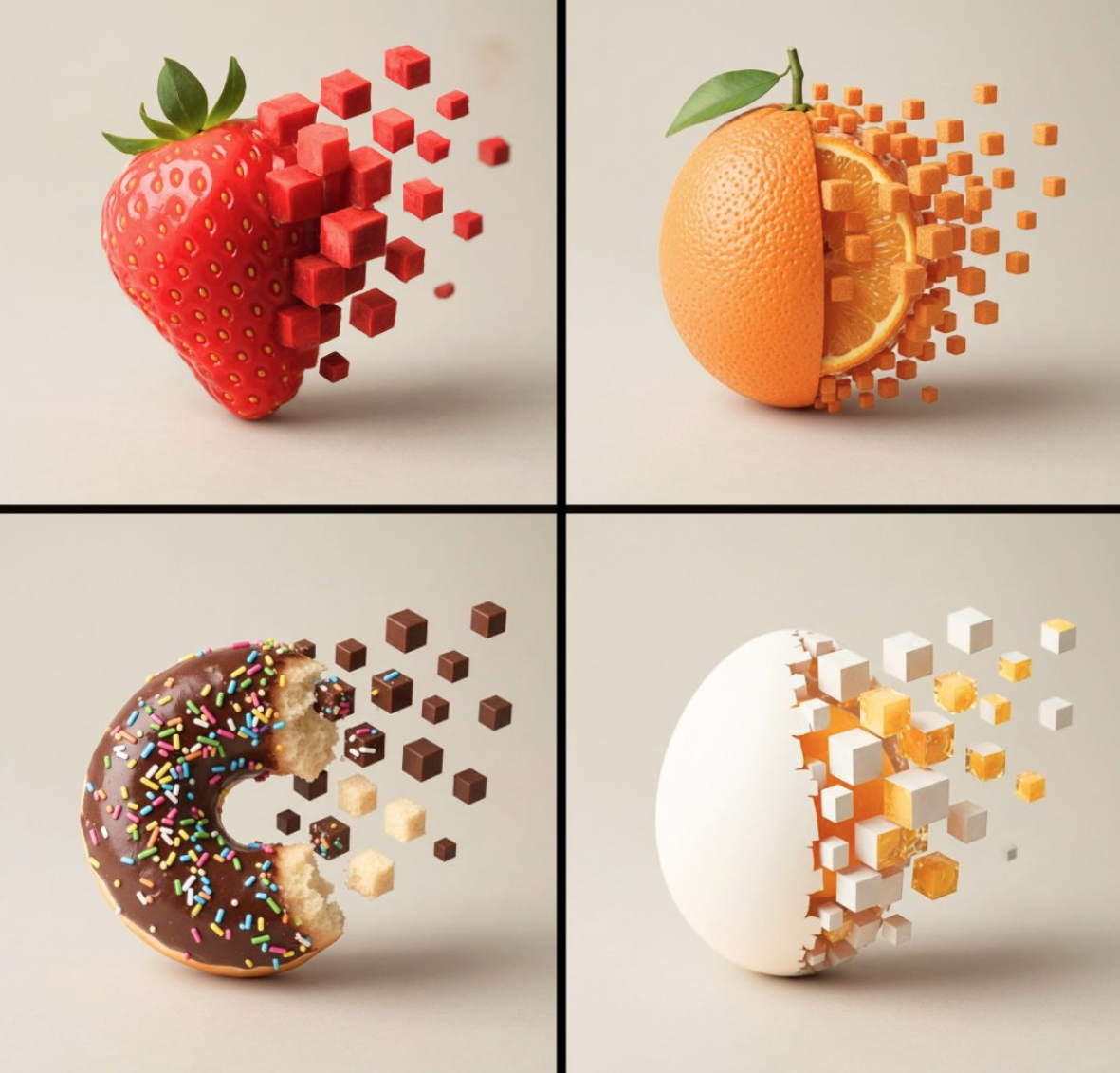
Usage Instructions
- 🎮 Create dynamic food photography with pixelization effects
- 📸 Perfect for modern food blogs and digital art projects
- ✨ Combines realism with geometric digital transformation
🥤 Product Design & Packaging
Prompt
A playful, photorealistic render of a juice box packaging featuring the [SUPERHERO]. The carton is glossy with condensation droplets and a plastic straw attached. Bright, minimal background for a clean product-shot feel. Crisp details in typography, colors true to brand identity. Studio commercial photography aesthetic. 1080x1080 squareReference Image
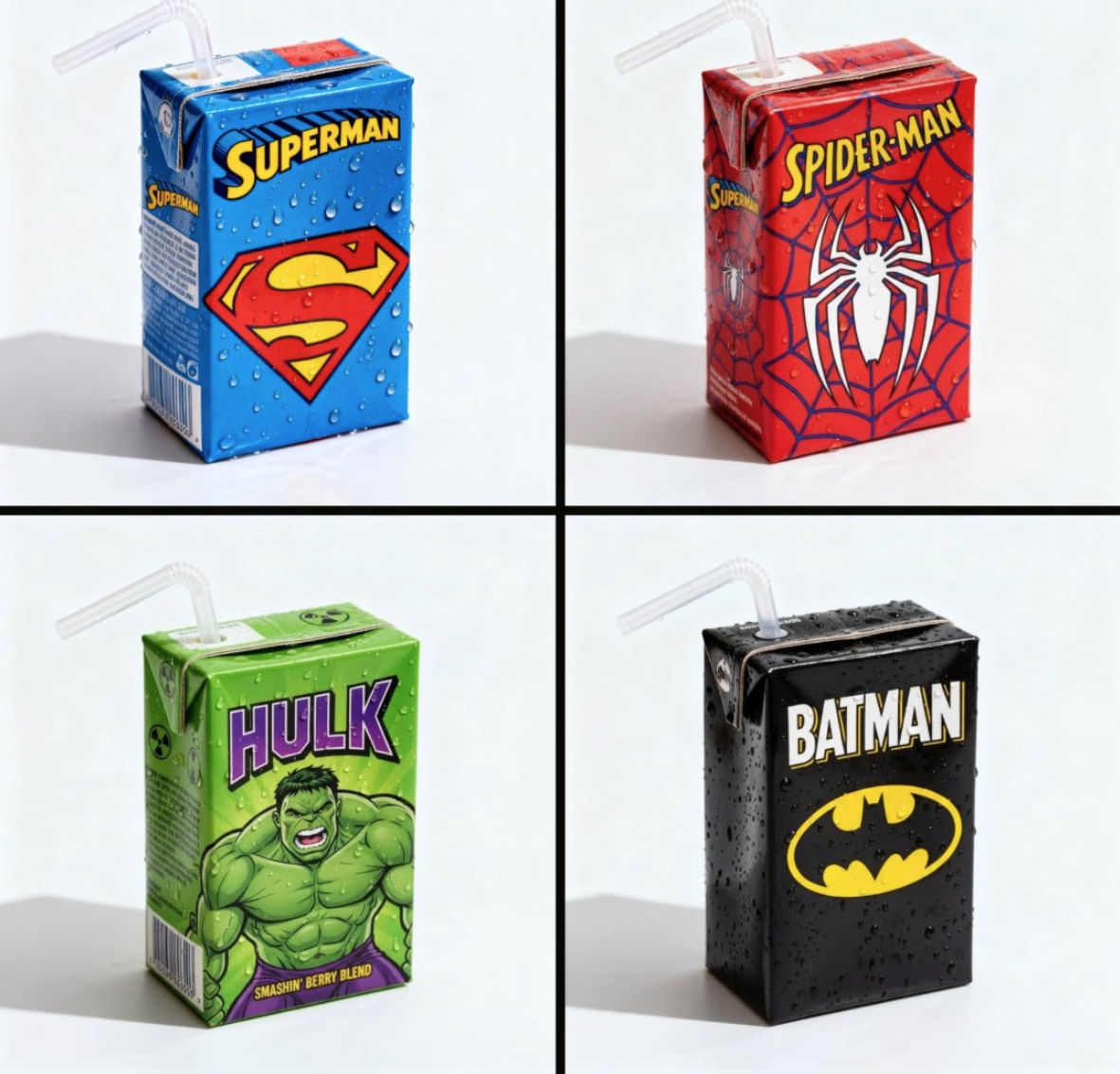
Usage Instructions
- 🥤 Create realistic product packaging with character branding
- 📦 Perfect for food packaging design and marketing
- ✨ Professional commercial photography with brand consistency
📐 Technical Design & Vintage Aesthetics
Prompt
A vintage technical illustration poster of [OBJECT], [NUMBER] different views of the object. Panel 1 is a side profile. Panel 2 is a top-down view. Panel 3 is a detailed close-up of [OBJECT]. Panel 4 is a clean cross-section. The style is that of [YEAR] product catalog, with bold lines, a simple [COLOR 1] and [COLOR 2] color scheme, and clear labels on a textured, [COLOR 3] backgroundReference Image
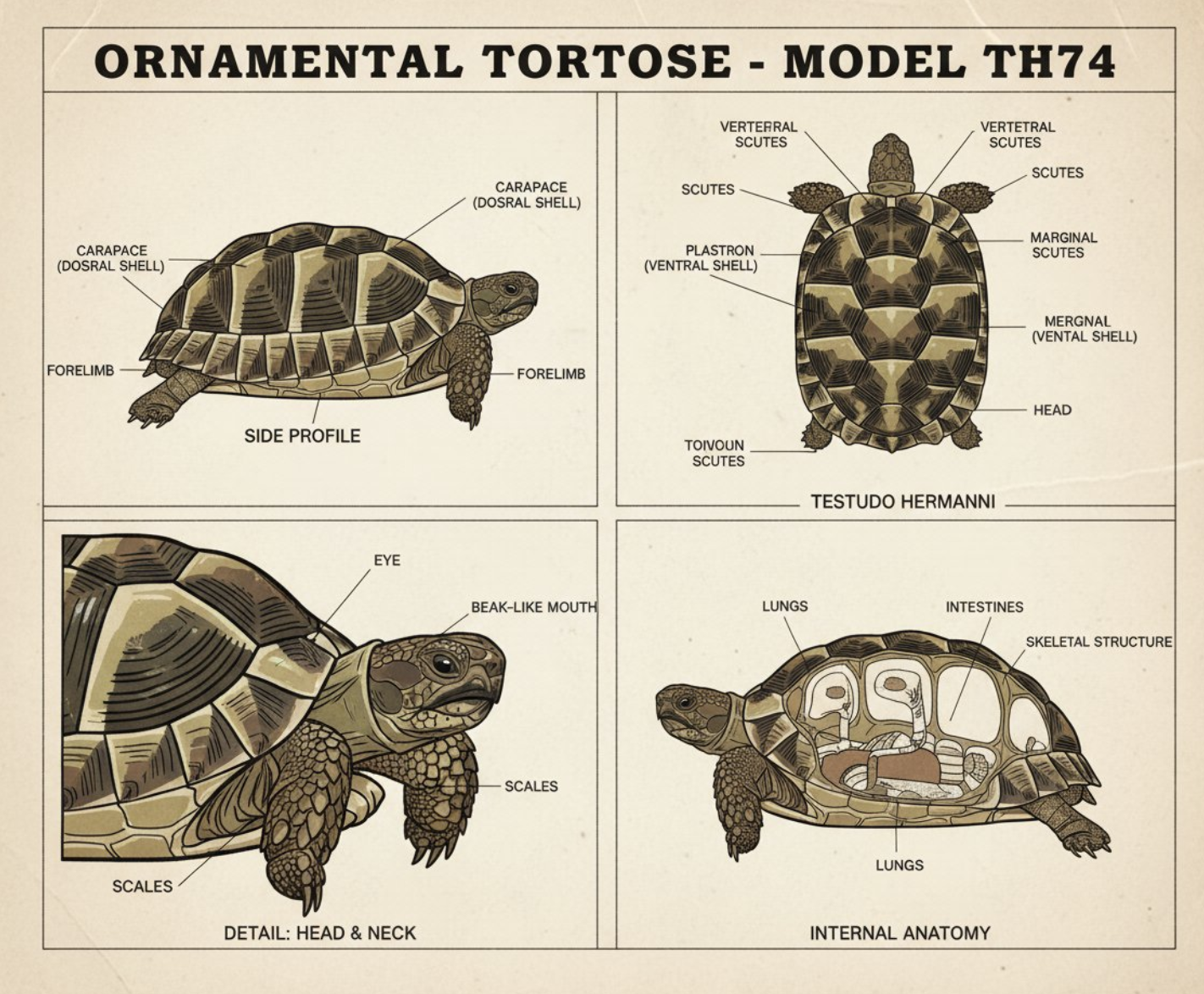
Usage Instructions
- 📐 Create vintage-style technical illustrations and blueprints
- 🎨 Perfect for product catalogs and instructional materials
- ✨ Classic design aesthetic with clear technical details
🧸 Toy Design & Collectibles
Prompt
A soft, high-quality plush toy of a [SUPERHERO], with an oversized head, small body, and stubby limbs. Made of fuzzy fabric with embroidered facial features, natural colors, and expressive details. The toy is sitting or standing against a neutral background, centered in full view. Soft studio lighting, even shadows, photorealistic textures, collectible plush style. 1080x1080 squareReference Image
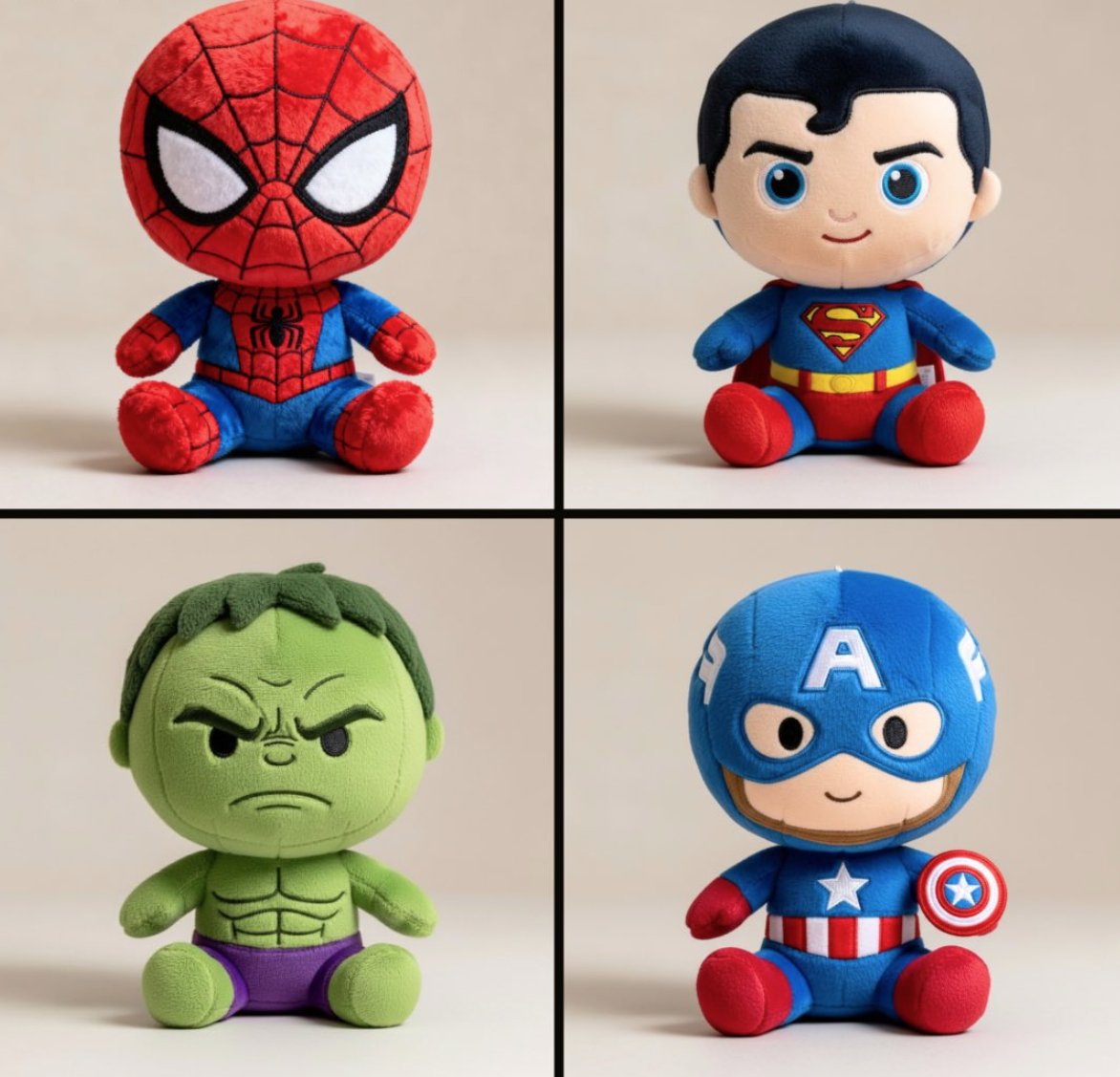
Usage Instructions
- 🧸 Transform characters into adorable plush toy designs
- 🎁 Perfect for collectible merchandise and toy design
- ✨ Realistic fabric textures with cute, chibi proportions
🐱 Pet Photography & Virtual Pet Adoption
Prompt
Based on user-uploaded photos of a scene, a hyper-realistic, lifelike cat is generated, allowing it to blend naturally into the existing environment and meet the user's "Cloud Cat Adoption" needs.

Cats must meet the following criteria:

Realistic Details: Rendering naturally soft fur textures (including subtle color variations and lighting), clear facial features (bright, expressive eyes, delicate whiskers, and realistic noses/mouths), and smooth, natural body contours (no cartoonish or stiff elements).

Seamless Flow: Ensure the cat appears to exist naturally in the scene by adding subtle shadows underneath the cat (aligning with the scene's lighting direction) and avoiding any obvious "cut-and-paste" edges. If the scene contains textures (e.g., fabric, wood, grass), the cat's contact with these surfaces should appear realistic (e.g., fur gently clinging to a soft sofa).

The end result should make users feel like they are seeing a real cat in the uploaded scene
Reference Image
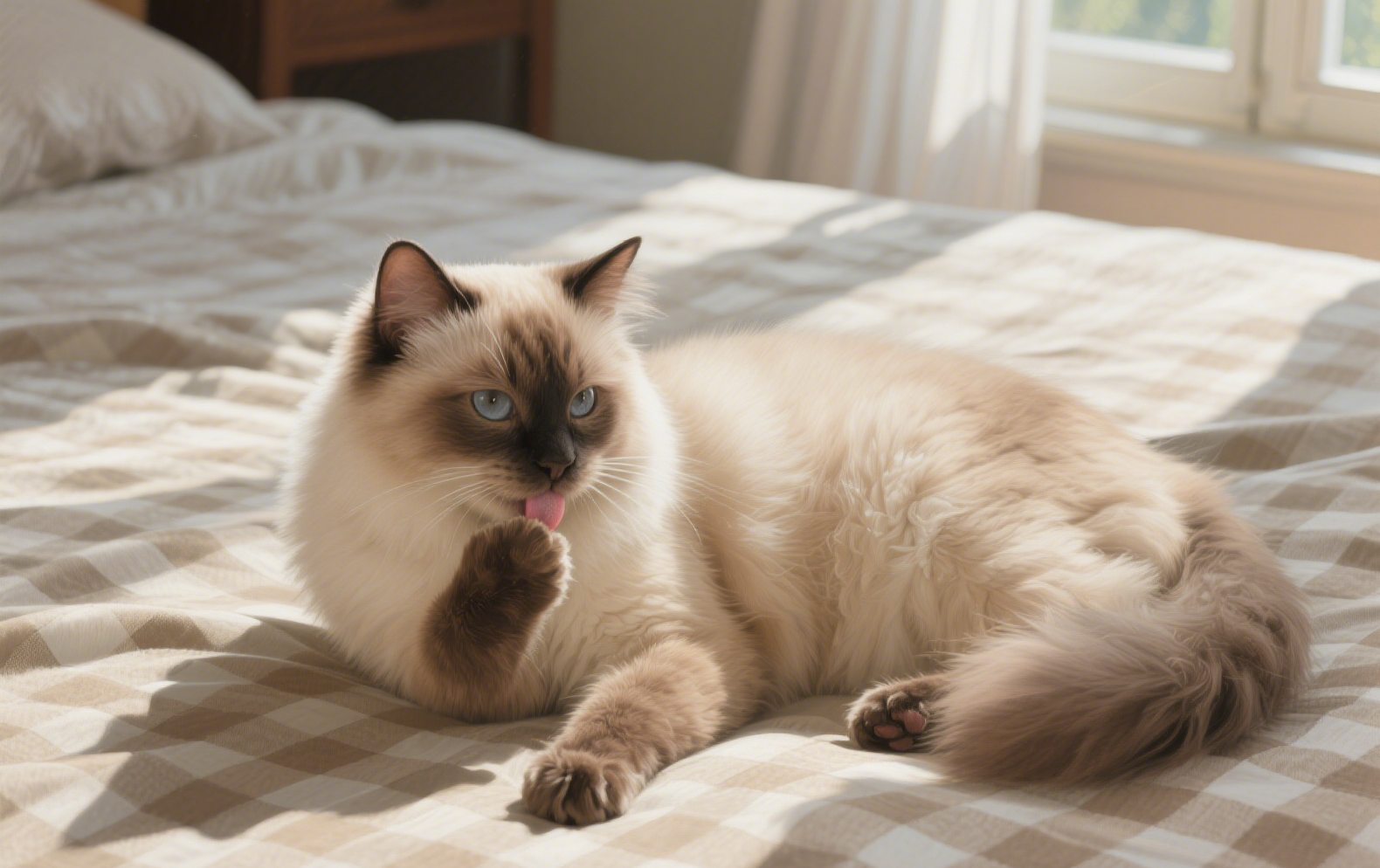
Usage Instructions
- 🐱 Generate hyper-realistic cats that blend naturally into any scene
- 🏠 Perfect for virtual pet adoption and home decoration
- ✨ Seamless integration with realistic shadows and textures
🌧️ Weather Effects & Atmospheric Photography
Prompt
Transform the uploaded single-person photo into a realistic close-up portrait with the following key elements:
The person must be wearing a well-fitted black raincoat (with visible texture details like fabric wrinkles, possible slight water absorption effects, and natural collar/hem shapes).
The scene must depict a heavy downpour—show distinct, dense rain streaks falling around the person, splashes of rain on the ground (if lower body is visible), and subtle water droplets on the raincoat surface, hair, or shoulders to enhance authenticity.
Maintain the original person's core facial features, posture, and basic appearance (avoid altering key identifiers like facial structure, hairstyle length/color, or obvious accessories) while integrating them naturally into the rainy environment.
Adjust the lighting to match a heavy rain scenario: soft, diffused ambient light (simulate overcast weather), possible subtle highlights on wet surfaces (e.g., raincoat fabric, skin), and avoid harsh shadows.
Ensure the close-up framing focuses on the upper body (at least from shoulders up, or extending to mid-torso if appropriate) to highlight the raincoat details and the interaction between the person and the rain.
Keep the overall tone realistic and immersive—avoid overly stylized or cartoonish effects; prioritize natural rain dynamics and realistic material textures of the raincoat.
Reference Image
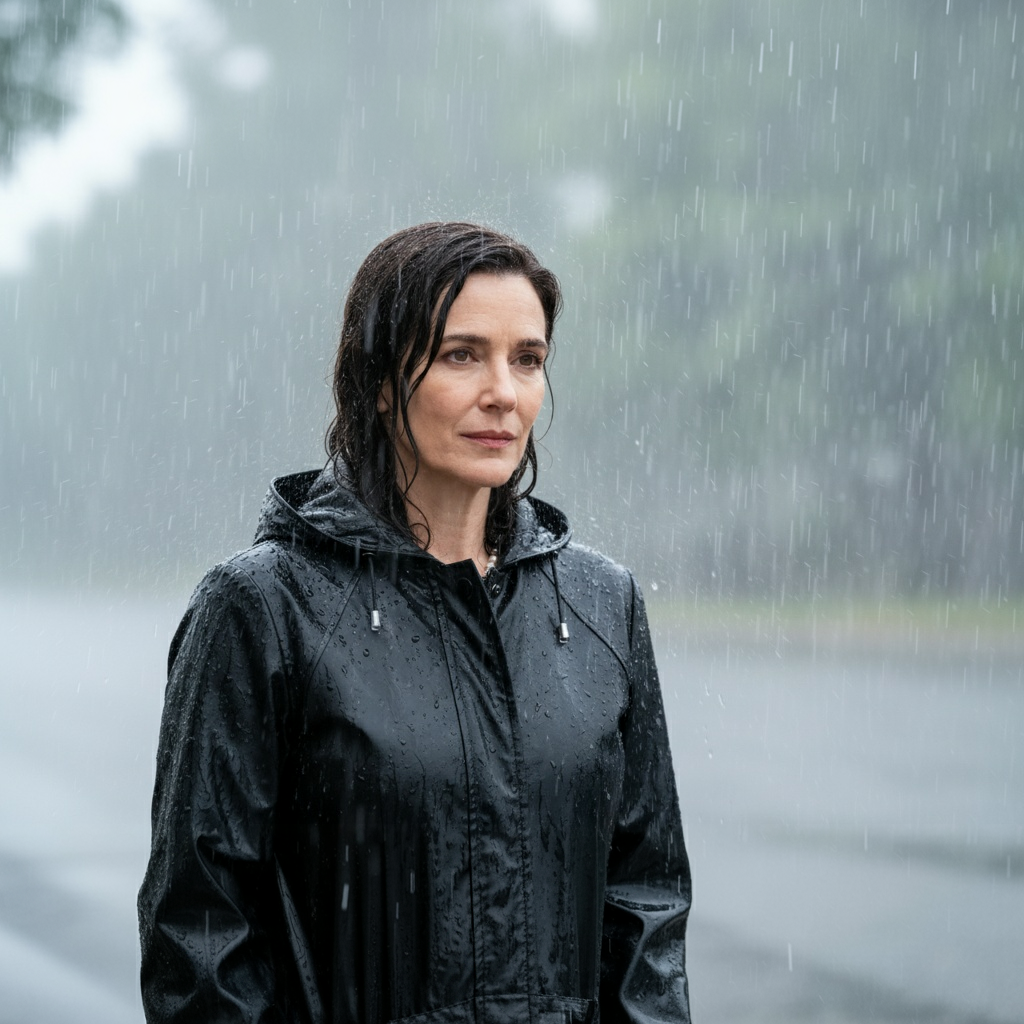
Usage Instructions
- 🌧️ Transform photos into dramatic rainy weather scenes
- 📸 Perfect for atmospheric and moody photography
- ✨ Realistic rain effects with authentic raincoat textures
📸 Fashion Editorial & Artistic Photography
Prompt
A slender adult woman with long dark hair stands in an apartment centered between a window (left) and wall (right). She wears an opaque blue lace bra and matching briefs.

Pose: 3/4 angle to camera, weight on left leg, right knee crossed, head tilted down, right hand at hip, left arm relaxed. Calm expression.

Full body shot (head to toes visible), vertical format. Camera slightly above eye level, 55mm lens.
Window backlight creates rim lighting on shoulders and body. Moody, low-key lighting.

The entire photo is BLACK AND WHITE except the bra and briefs which stay BLUE (use blue shades: #1E3A8A, #2563EB, #60A5FA). Everything else monochrome.

Fashion editorial style, photorealistic quality
Reference Image
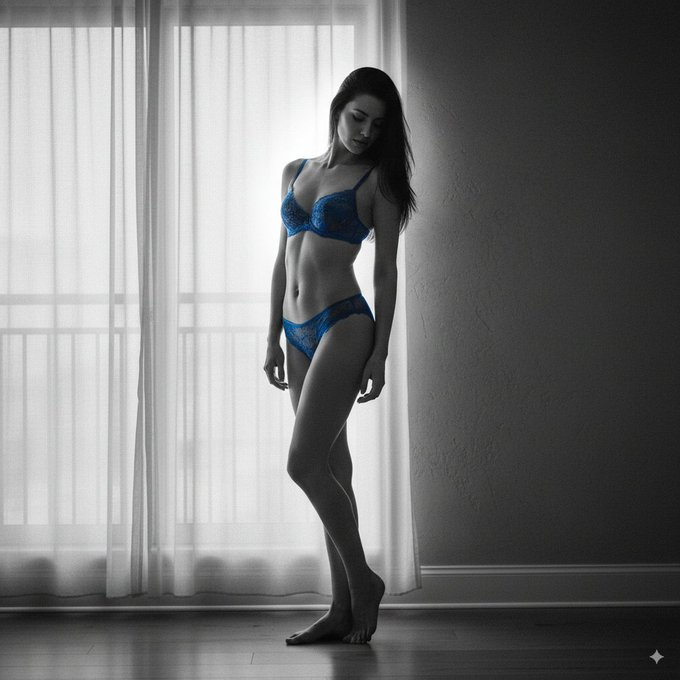
Usage Instructions
- 📸 Create artistic fashion editorial photography
- 🎨 Perfect for selective color effects and moody lighting
- ✨ Professional fashion photography with dramatic lighting
🌸 Portrait Photography & Floral Aesthetics
Prompt
Using the uploaded picture exactly face
A super close-up cinematic portrait of a young woman framed by small, delicate pale pink and pastel blue flowers with light greenery, arranged sparsely so they are not too crowded. Sunlight casts soft shadows of petals and leaves across her face. She has slightly tousled dark hair falling around her shoulders.
Reference Image
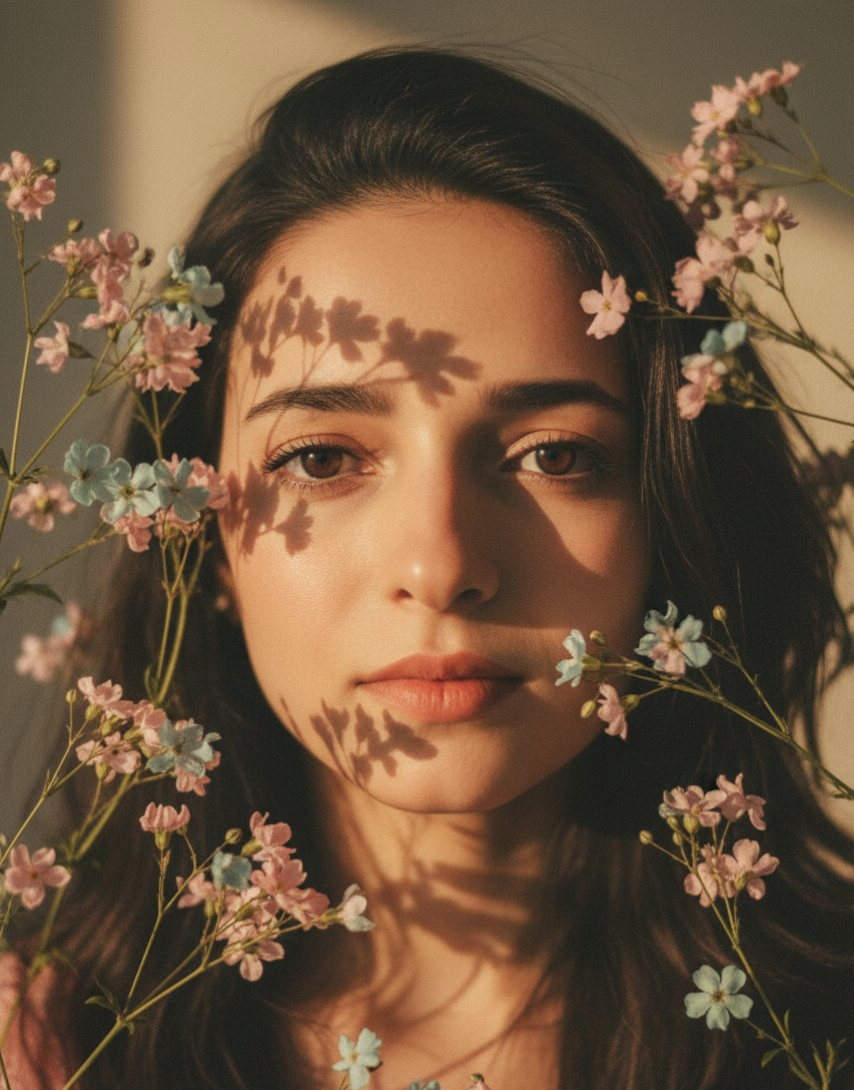
Usage Instructions
- 🌸 Create intimate close-up portraits with floral elements
- 📸 Perfect for romantic and artistic photography
- ✨ Soft natural lighting with delicate flower arrangements
🌃 Urban Photography & Street Aesthetics
Prompt
A cinematic low-angle photo of a young man as uploaded image on a rain-soaked flyover bench at dusk. He wears a colorblock denim jacket over a yellow hoodie, khaki cargo pants, and high-top sneakers. Sharp 8K focus on him, with blurred foreground. Behind, a vibrant cityscape glows with neon lights, reflections in puddles, mist, and bokeh trails from passing cars. Moody color grading merges warm streetlights with cool neon glows for dramatic depth.Reference Image
Usage Instructions
- 🌃 Create cinematic urban street photography
- 🎬 Perfect for moody and atmospheric city scenes
- ✨ Dynamic lighting with neon reflections and bokeh effects
🌄 Landscape Photography & Contemplative Mood
Prompt
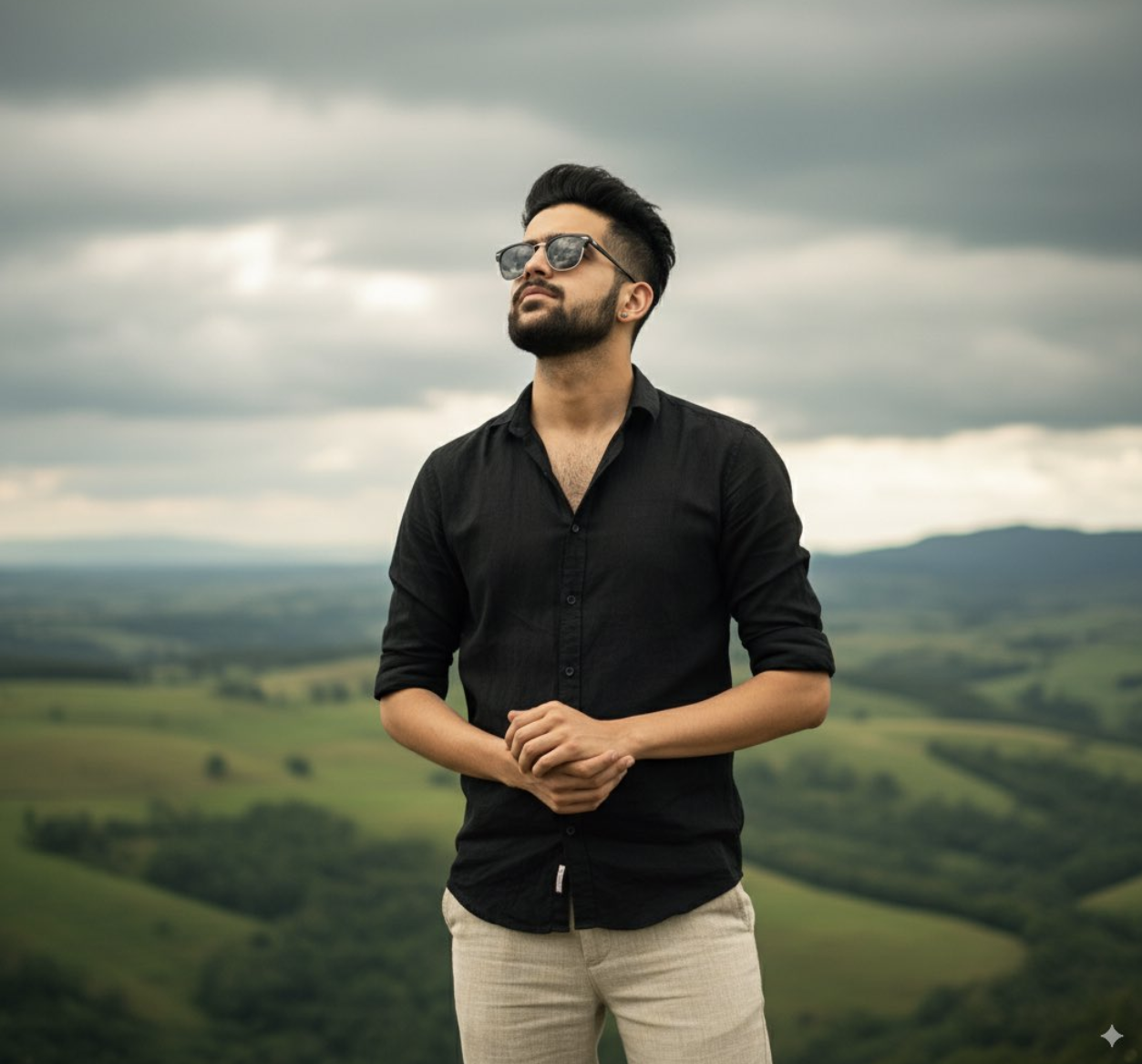
A stylish man with dark hair and sunglasses, wearing a black short-sleeved button-up shirt and light-colored pants, stands outdoors. He is looking upwards with a contemplative expression. The background features rolling green hills under a cloudy sky. The lighting is natural, highlighting the textures of his clothing and the landscape. The photo should capture a serene and slightly dramatic mood, face should match with the attached imageReference Image
Usage Instructions
- 🌄 Create contemplative outdoor portraits
- 📸 Perfect for lifestyle and nature photography
- ✨ Natural lighting with dramatic landscape backgrounds
📄 Paper Art & Geometric Design
Prompt
A hyper-detailed origami version of [SUBJECT], folded from high-quality paper with crisp edges and realistic paper texture. Intricate folds capture its iconic shape and features in simplified geometric form. Placed on a clean studio surface with soft shadows. Minimalist collectible art style, photorealistic. 1080x1080 squareReference Image

Usage Instructions
- 📄 Transform any subject into detailed origami art
- 🎨 Perfect for geometric and minimalist design
- ✨ Realistic paper textures with clean studio presentation
📖 Culinary Art & Recipe Design
Prompt
Turn this ramen into a cute recipe page with illustrations in the style of a vintage cookbook that was hand-drawn. A carefully drawn ingredients with labels, measures, and implements like bowls, whisks, or spoons should surround the composition's focal point. To create a homey, nostalgic vibe, use textured shading, warm pastel colors, and fine, ink-like outlines. Add recipe writing in the handwritten manner, including the ingredients and directions organically into the layout. Make sure the page has an artistic and educational tone, combining the beauty of colorful illustrations with a cookbook aesthetic.Reference Image
Usage Instructions
- 📖 Create charming vintage-style recipe illustrations
- 🍜 Perfect for cookbook design and culinary content
- ✨ Hand-drawn aesthetic with warm, nostalgic colors
🧵 Textile Art & Embroidery Design
Prompt
A whimsical embroidered illustration of a little girl with pigtails wearing a red dress, outlined with stitched black threads, filled with colorful fabric textures, childlike proportions, warm and playful mood, textile embroidery art --ar 1:1 --raw --pReference Image
Usage Instructions
- 🧵 Create whimsical embroidered illustrations
- 👗 Perfect for textile art and children's book illustrations
- ✨ Colorful fabric textures with playful, warm mood
🍰 Conceptual Food Art & Surreal Photography
Prompt
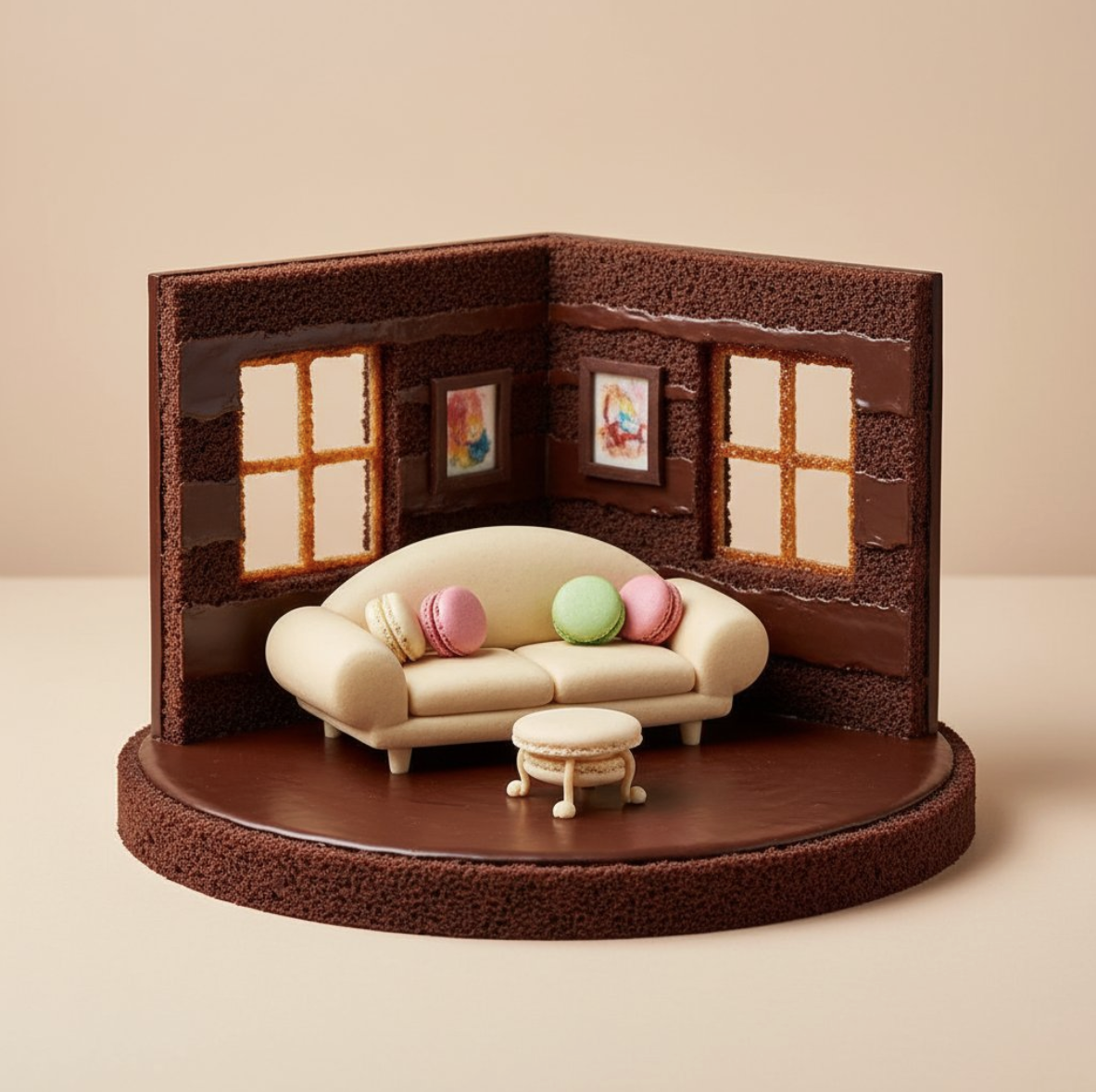
Photorealistic conceptual food art portrait, a minimalist representation of a [SITE OF THE HOUSE] recreated entirely with [TYPE OF FOOD]. The main structure is built from [MAIN INGREDIENTS], with details such as [KEY ELEMENTS] made from [SECONDARY INGREDIENTS]. Optional features include [ADDITIONAL OBJECTS OR FURNITURE] created from [EXTRA INGREDIENTS].

Set against a [COLOR] background to emphasize the surreal food sculpture. Bright soft studio lighting, evenly diffused, casting subtle natural shadows that highlight the textures of [FOOD TEXTURES]. Fine atmospheric detail enhance realism.

Captured with a Canon EOS 5D, 85mm f/1.8 lens, shallow depth of field focusing on the cake-bed sculpture, crisp detail with soft falloff in the background. Composition framed at tabletop eye-level, medium close-up, perfectly centered. Clean high-resolution food photography style, vibrant natural colors, editorial dessert photography aesthetic
Reference Image
Usage Instructions
- 🍰 Create surreal food art sculptures
- 🏠 Perfect for conceptual photography and food styling
- ✨ Professional food photography with artistic presentation
📸 Black & White Portrait & Fine Art Photography
Prompt
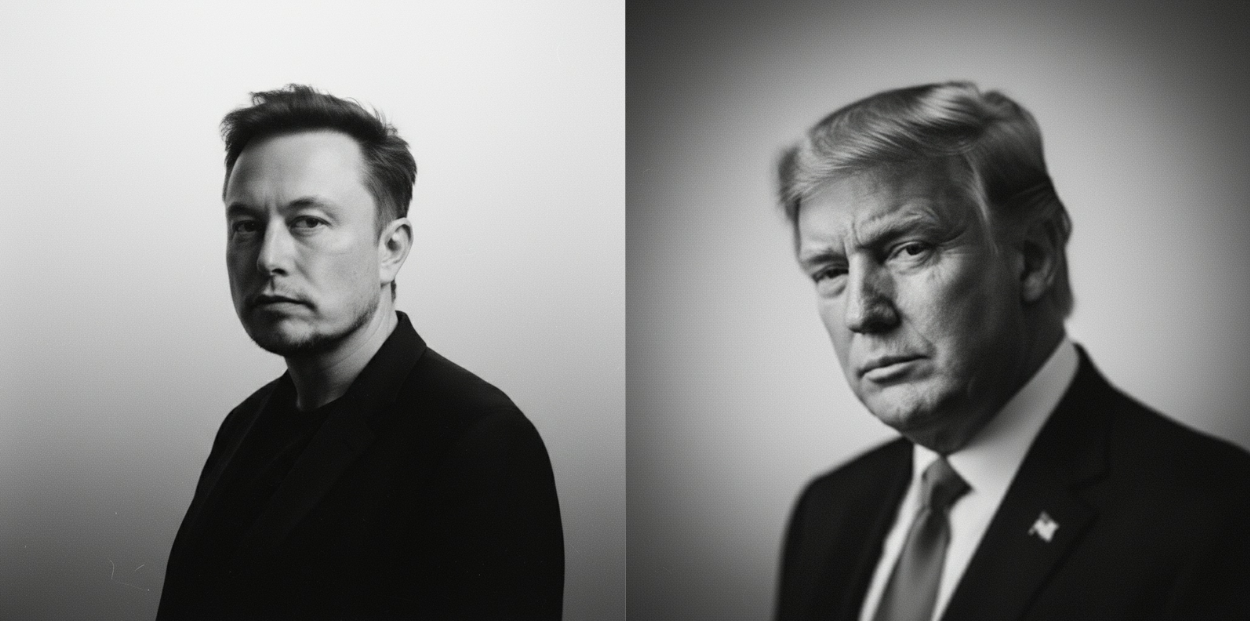
Uploaded photos are transformed into high-resolution black-and-white portrait artworks in a documentary-style, fine-art photography style. The background features a soft gradient, transitioning from mid-gray to near-white, creating a sense of depth and a sense of silence. The subtle film grain lends the image a tactile, analog-like softness, reminiscent of classic black-and-white photography.
The subject's blurred yet striking face emerges from the shadows, not in a traditional pose, but rather as if captured in a moment of reflection or breath. His face, contoured by light, evokes a sense of mystery, intimacy, and elegance. His features are refined and profound, radiating a melancholic and poetic beauty without seeming artificial.
A gentle, directional light, softly diffused, caresses the curve of his cheek or creates a glint in his eye—this is the emotional core of the image. The rest, occupied by ample negative space, is deliberately kept simple, allowing the image to breathe freely. There are no words or logos in the image—only a play of light and shadow, interwoven with emotion. The overall atmosphere is abstract yet deeply human, like a fleeting glance or a memory half-awake: intimate, timeless, and wistfully beautiful.
Reference Image
Usage Instructions
- 📸 Transform photos into elegant black-and-white fine art portraits
- 🎨 Perfect for documentary-style photography and artistic expression
- ✨ Creates intimate, timeless, and wistfully beautiful results
🎯 Action Figure Creation & Collectibles
Prompt
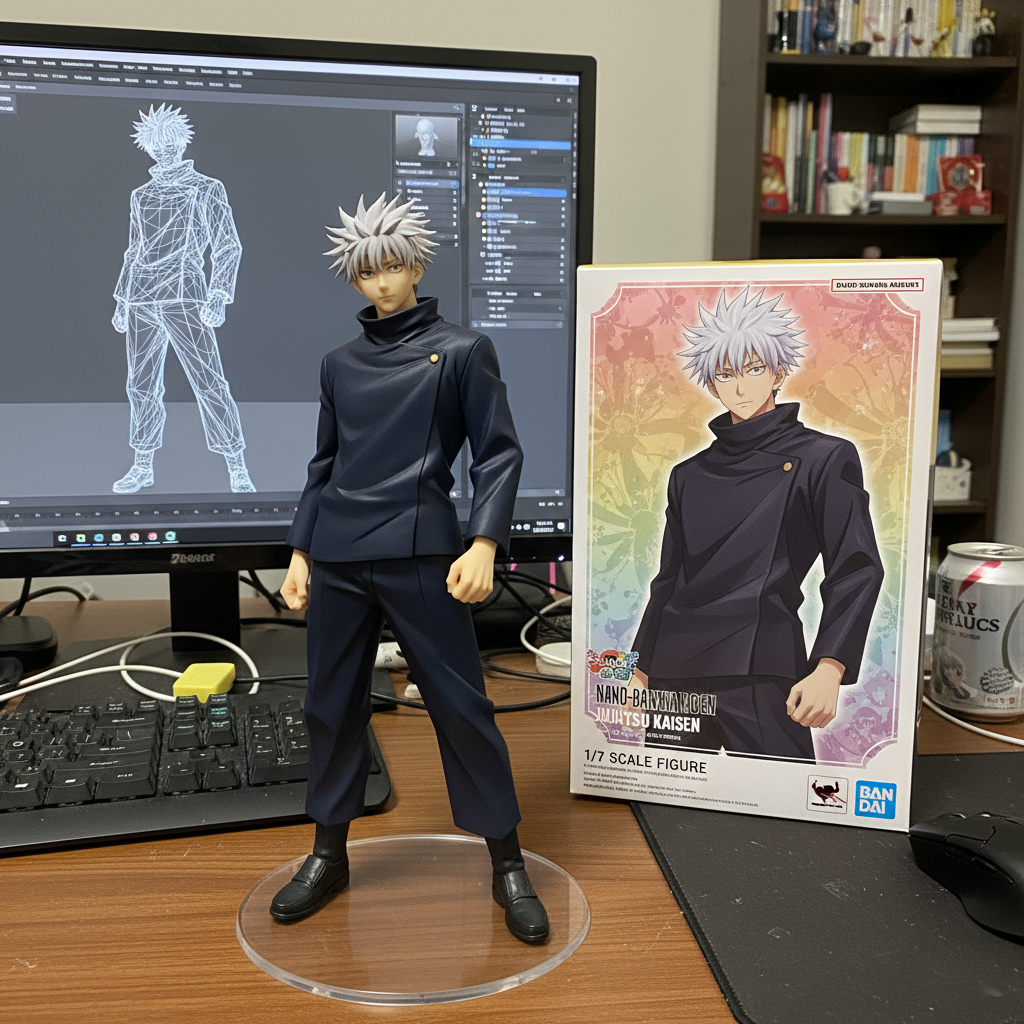
Use the nano-banana model to create a 1/7 scale commercialized figure of the character in the illustration, in a realistic style and environment.Place the figure on a computer desk, using a circular transparent acrylic basewithout any text.On the computer screen, display the ZBrush modeling process of the figure.Next to the computer screen, place a BANDAl-style toy packaging box printedwith the original artwork.Reference Image
Usage Instructions
- 🎯 Transform illustrations into realistic action figures
- 📦 Perfect for collectibles and toy design visualization
- 🖥️ Includes modeling process and packaging design
🎯 Collectible Design & Miniature Diorama
Prompt
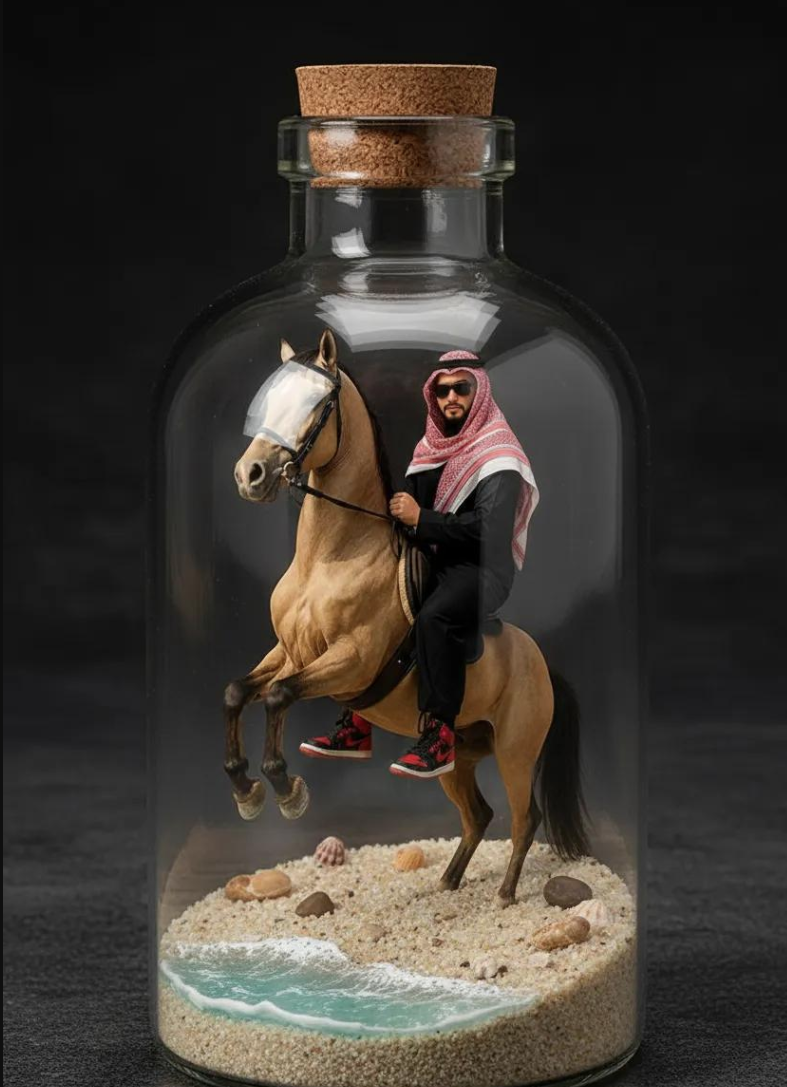
A 1/7 scale commercialized collectible figure of the character from the photo, crafted in a highly realistic style. The figure is placed in a detailed beach environment with sand, seashells, and gentle ocean waves. The entire toy display is enclosed inside a clear souvenir glass bottle, giving it a premium miniature diorama look, with realistic lighting and shadows.Reference Image
Usage Instructions
- 🎯 Transform characters into realistic collectible figures
- 📦 Perfect for miniature diorama and collectible design
- 🏖️ Includes detailed environmental settings and premium presentation
🚂 Cinematic Photography & Cyberpunk Atmosphere
Prompt
A cinematic portrait of a young man/woman sitting by a train window at night, wearing a dark hoodie. Neon city lights reflect on the glass, creating colorful bokeh in shades of orange, pink, and blue. His/her face is softly illuminated by the glow. High detail, filmic lighting, cyberpunk atmosphere, shallow depth of field.Reference Image
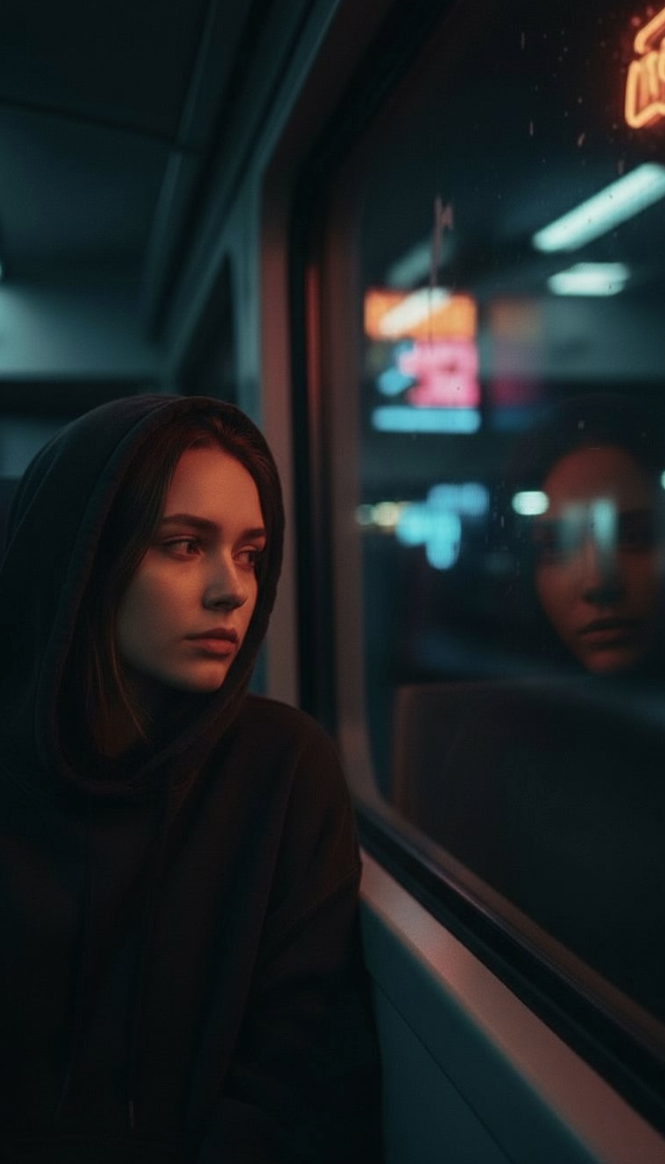
Usage Instructions
- 🚂 Create cinematic portraits with cyberpunk atmosphere
- 🌃 Perfect for moody, introspective photography
- ✨ Features neon reflections and shallow depth of field
🌃 Urban Photography & Night Scenes
Prompt
A low-angle, wide-shot photograph of a stylish young man standing confidently on a city street at dusk or night. He is looking directly at the camera with a neutral but engaging expression. He is wearing a simple, slightly oversized t-shirt and loose-fitting cargo pants, with sneakers. The lighting is dramatic, with bright, colorful neon signs and illuminated buildings blurred in the background, suggesting motion and urban energy. The perspective makes his appear tall and powerful against the cityscape. The overall mood is modern, urban, and slightly edgy, with a cinematic feel due to the dynamic composition and lighting.Reference Image
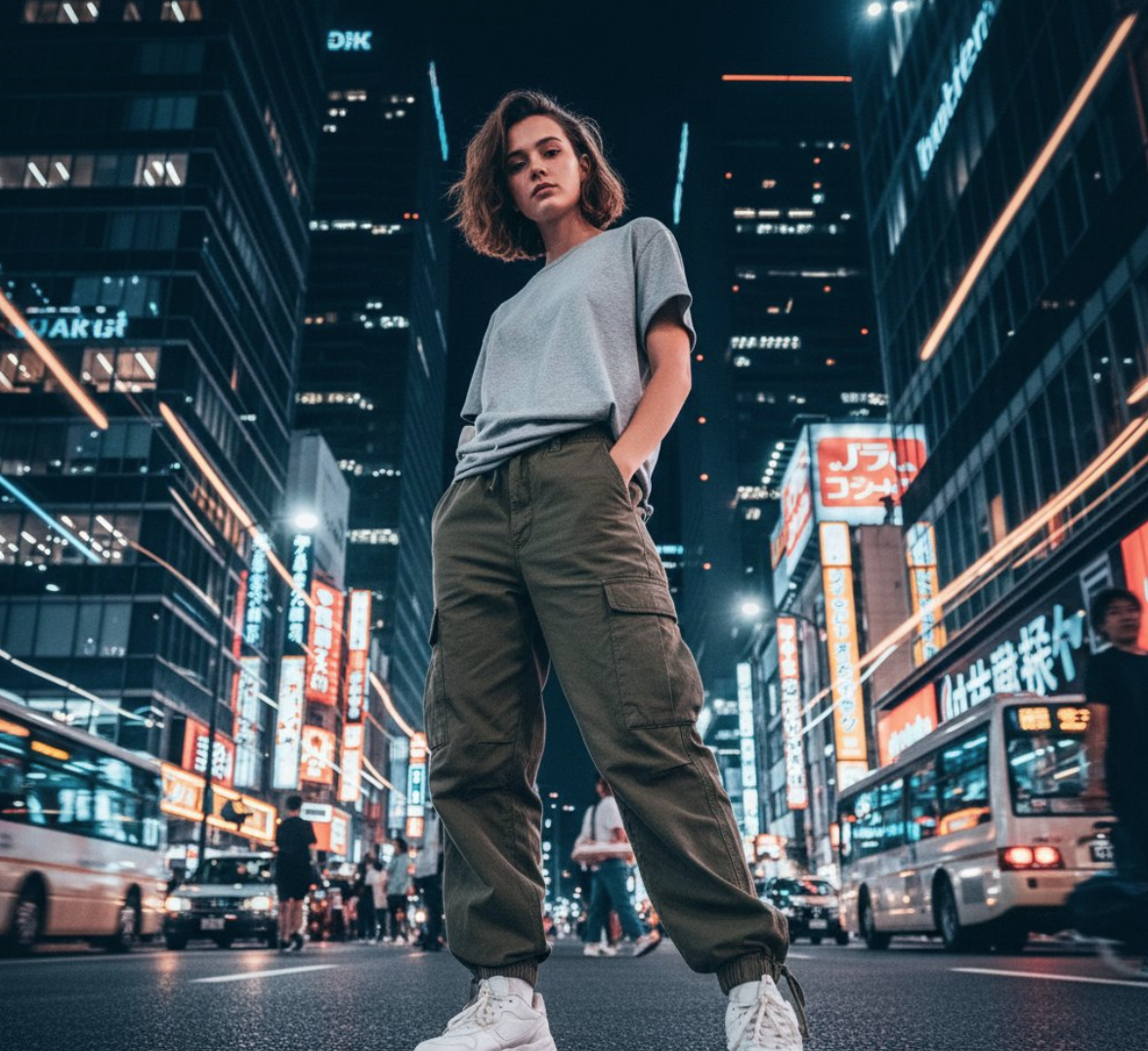
Usage Instructions
- 🌃 Create dramatic urban night photography
- 🏙️ Perfect for modern, edgy street photography
- ✨ Features neon lighting and cinematic composition
📸 Celebrity Photography & Red Carpet Style
Prompt
Ultra-realistic candid photo of the person in the reference image, wearing a sharp black suit with a white shirt, standing in the middle of a large excited crowd. Fans and photographers surround him, holding up cameras and smartphones, capturing his every move. The atmosphere is lively and chaotic, filled with cheering and flashing cameras, creating an authentic celebrity red-carpet vibe. The photo is taken slightly from above eye-level, capturing the crowd density and the central figure waving naturally. Natural daylight, sharp details, realistic skin tones, authentic expressions, cinematic realism.Reference Image
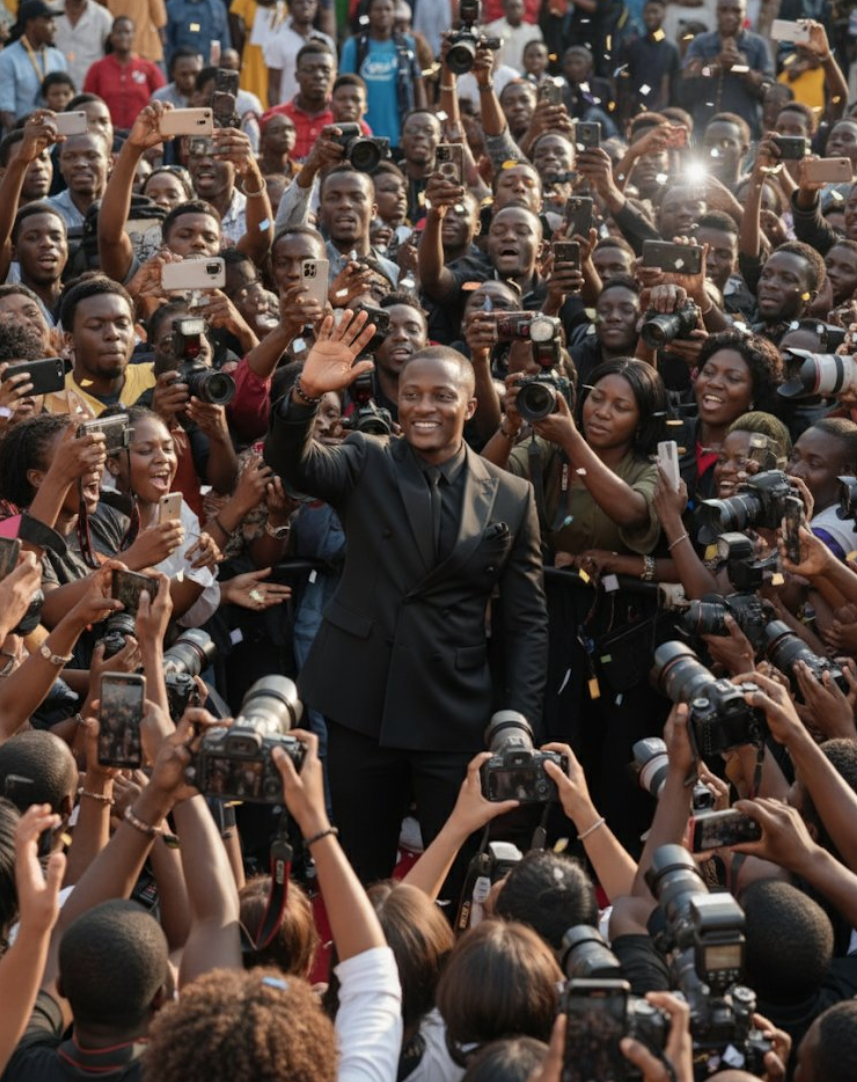
Usage Instructions
- 📸 Create authentic celebrity red-carpet photography
- 🌟 Perfect for paparazzi-style and event photography
- ✨ Features realistic crowd scenes and authentic expressions
📢 Commercial Photography & Brand Advertising
Prompt
A striking, modern advertisement featuring a handsome male (my face 100% match), with short, stylish hair and glasses, sitting comfortably in a vibrant blue, plush, rounded armchair. He is dressed in a contemporary, athletic-inspired outfit: bright blue pants and a matching blue and yellow patterned long-sleeved top. His sneakers are a light neutral color, and he wears white socks. He is looking directly at the viewer with a friendly, confident smile. The background is a clean, gradient blue, with a large, stylized white letter "H" subtly placed behind him. There are also faint, placeholder text elements in the top left and top right corners of the image, characteristic of a magazine or product advertisement.Reference Image
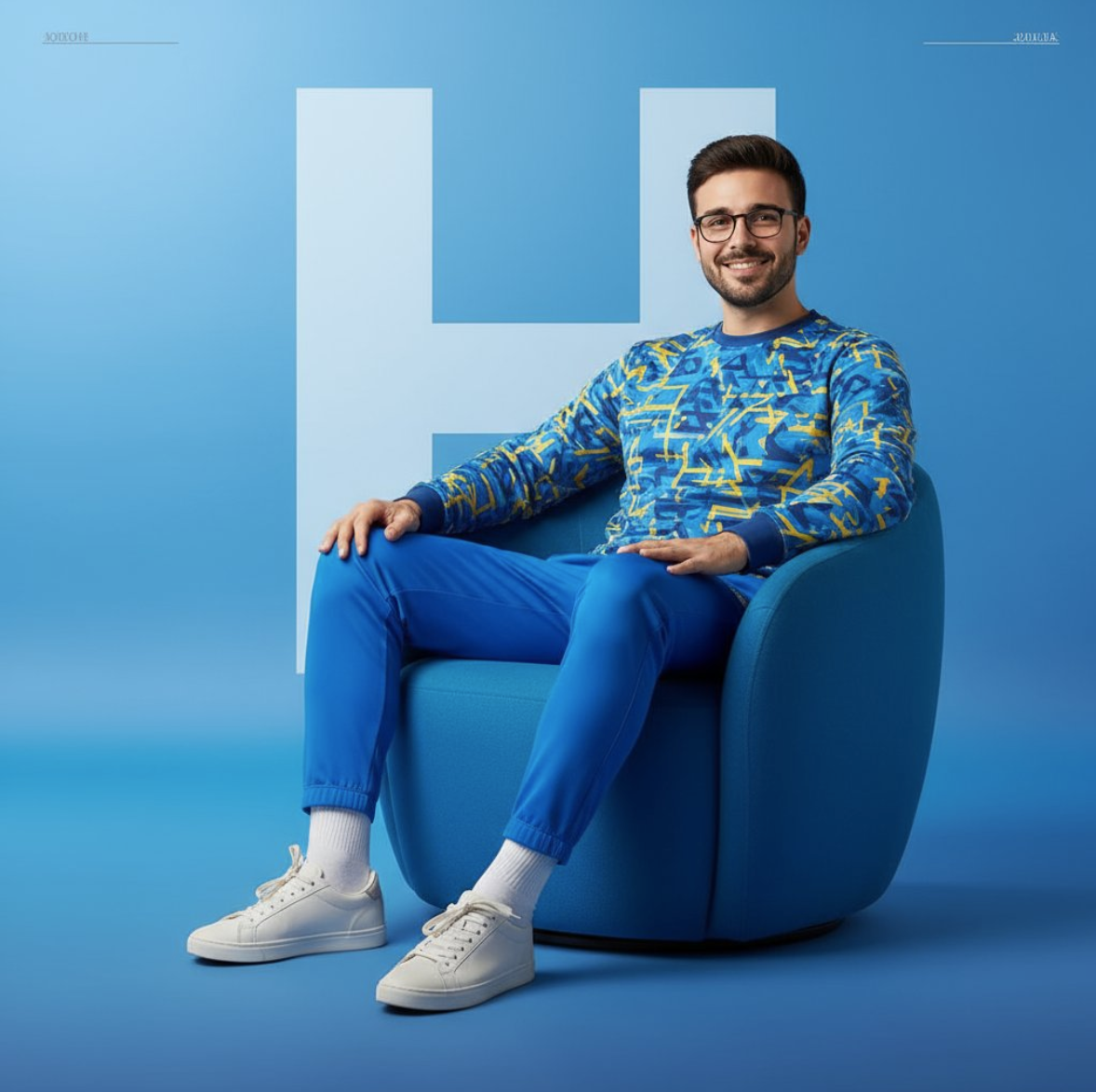
Usage Instructions
- 📢 Create professional modern advertisements
- 🎨 Perfect for brand marketing and commercial photography
- ✨ Features clean backgrounds and confident expressions
🎬 Portrait Photography & Dramatic Lighting
Prompt
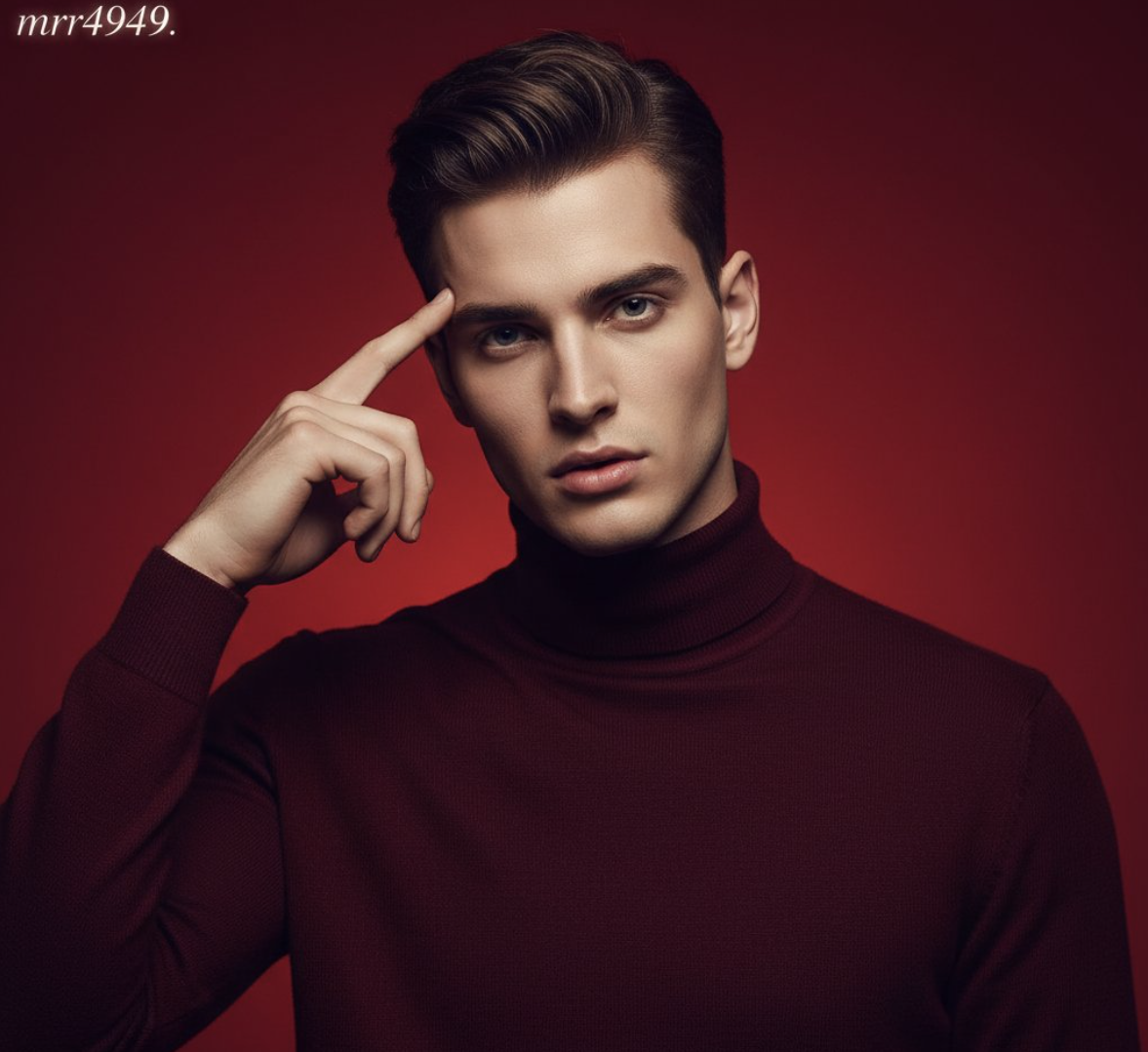
Create a vertical potrait shot in 1080x1920 format using the exact same face features, characterized by stark cinematic lighting and intense contrast. Captured in a slightly low, upward-facing angle that dramatized the subject's jawline and neck, the composition evokes quite dominance and sculptural elegance. The background is a deep, saturated crimson red, creating a bold visual clash with the model's luminous skin and dark wardrobe.Reference Image
Usage Instructions
- 🎬 Create dramatic cinematic portraits with intense lighting
- 📸 Perfect for fashion photography and artistic portraits
- ✨ Features bold color contrasts and sculptural elegance
🗿 Monument Design & Urban Sculpture
Prompt
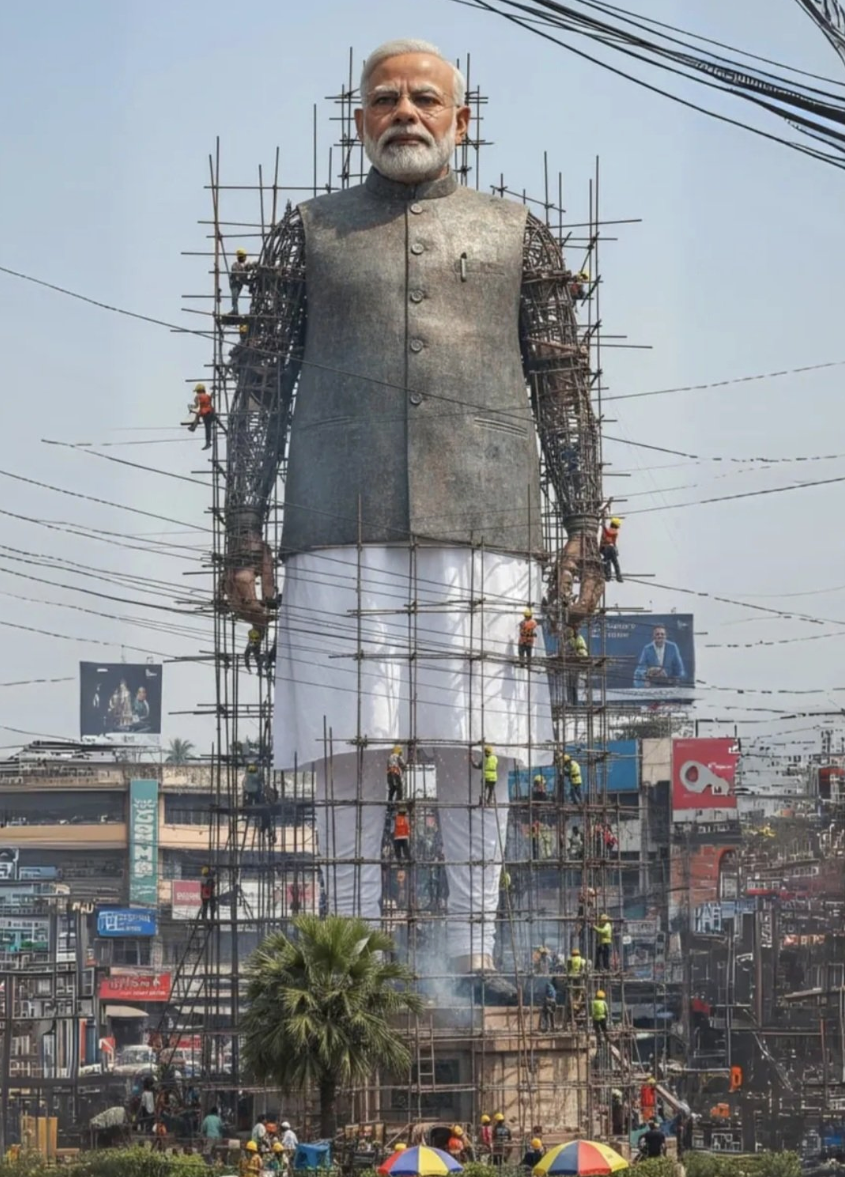
Create a giant hyper-realistic statue based on the given photo, keeping the original face exactly the same without changes. The statue stands tall in the middle of a roundabout in Dhaka, near a famous historical landmark. The statue is still under construction, surrounded by scaffolding, with many construction workers in yellow helmets and orange vests climbing, welding, and working on it. Parts of the statue's body are still exposed metal framework, while other sections are already detailed and finished. The background shows the realistic atmosphere of VARANASI CITY: crowded streets with colorful rickshaws, packed buses, and small cars circling the roundabout. Street vendors with tea stalls, fruit carts, and colorful umbrellas line the roadside. Shop signs, big billboards, and messy hanging electric wires crisscross above the streets, creating the typical Dhaka city vibe. The bright daytime sky shines above, with tropical trees and a bustling, lively atmosphere. Style: photorealistic, vibrant, and full of lifeReference Image
Usage Instructions
- 🗿 Transform portraits into monumental urban sculptures
- 🏗️ Perfect for architectural visualization and city planning
- ✨ Features realistic construction scenes and urban atmosphere
📷 Vintage Photography & Instant Camera Style
Prompt
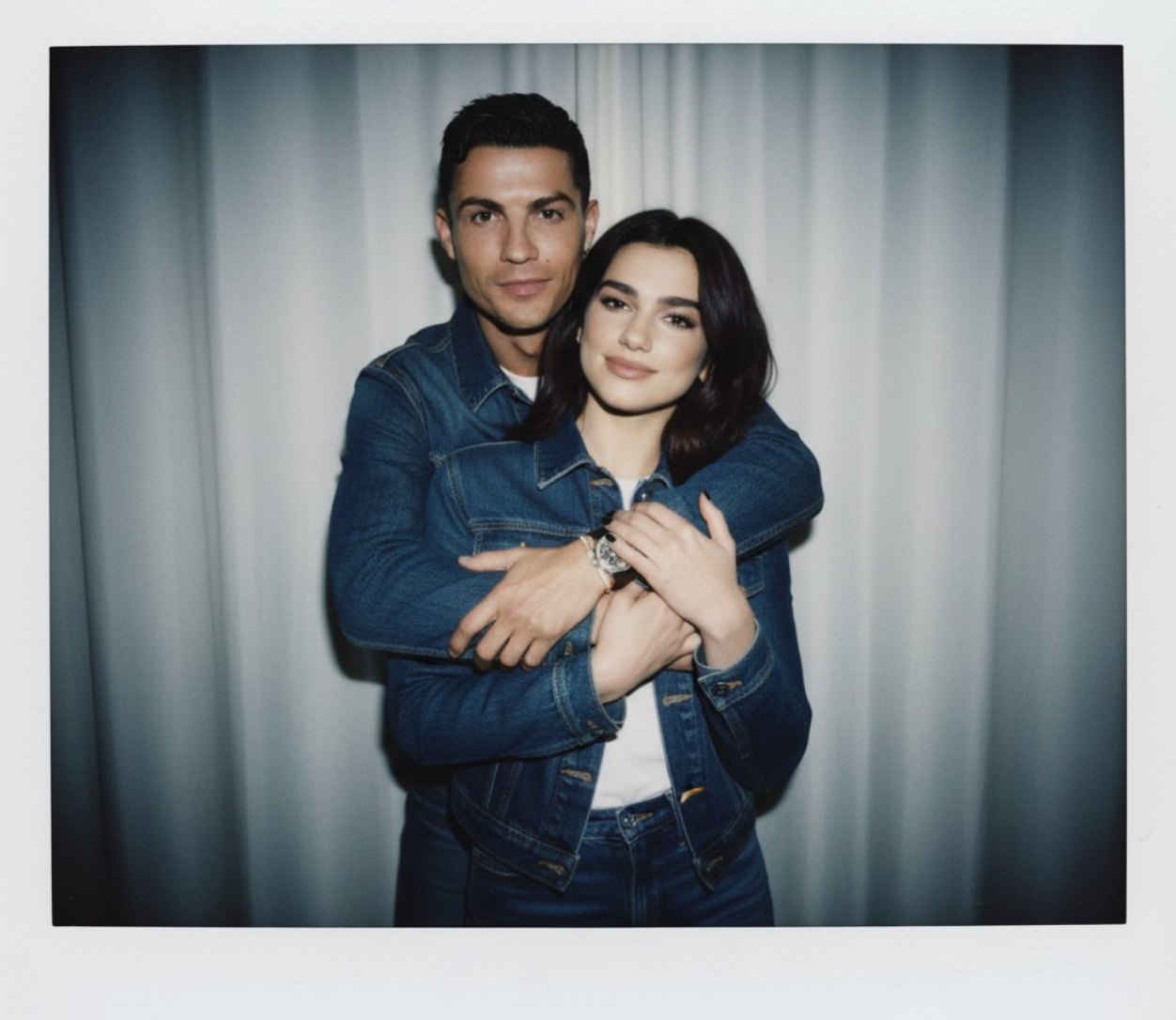
Take a picture with a Polaroid camera. The photo should look like a normal photo, without any clear subject or props. The photo should have a slight blur a a consistent light source. Such as a flash from a dark room, spread throughout the photo. Do not change the faces. Replace the background behind the two people with a white curtain. (With the guy hugging girl) Change outfits with matching couple.Reference Image
Usage Instructions
- 📷 Create authentic Polaroid-style instant photography
- 💕 Perfect for couple photos and vintage aesthetics
- ✨ Features characteristic flash lighting and slight blur effects
👥 Group Photo Generation & Social Media
Prompt
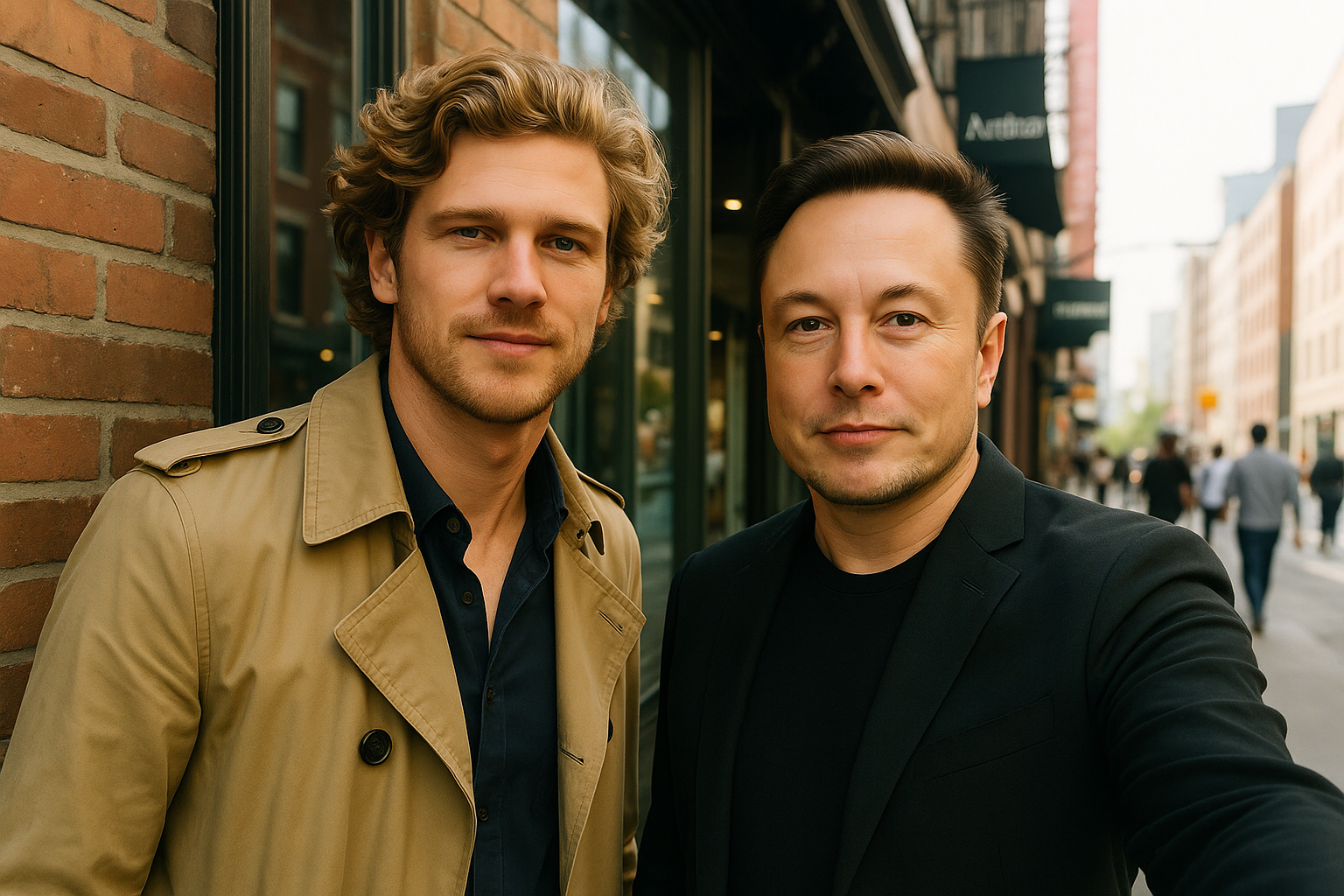
Using photo 1 as a reference, this realistic selfie shows the people in photos 2 and 3 posing naturally, set against the backdrop of photo 2. The scene is filled with natural light, and the people's expressions are relaxed and natural, exuding a candid, everyday atmosphere. In the background, architectural details are clearly visible, and the lighting is warm and natural.Reference Image
Usage Instructions
- 👥 Create realistic group photos with multiple people
- 📸 Perfect for social media and family photos
- ✨ Natural lighting and candid expressions
🎭 Pose Transfer & Character Animation
Prompt
Please adjust the pose of the character in Figure 1 to exactly match the pose of the character in Figure 2. Key requirements are as follows:
Do not modify any facial features of the character from Figure 1, including but not limited to facial shape, eyes, nose, mouth, eyebrows, and hairstyle—these must remain 100% consistent with the original.
Ensure the final effect is smooth and natural: avoid awkward proportions, rigid transitions, or unnatural postural details. The character should look like it naturally adopts Figure 2's pose
Reference Image
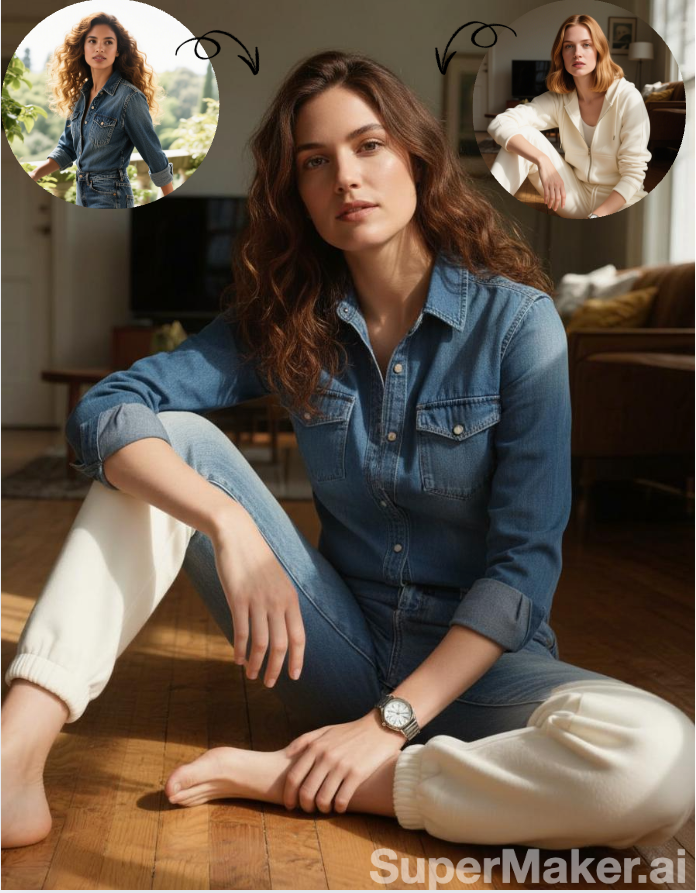
Usage Instructions
- 🎭 Transfer poses between characters while maintaining facial features
- 🎨 Perfect for character animation and pose reference
- ✨ Natural and smooth pose transitions
🎨 Child-like Art Style & Illustration
Prompt
Generate a minimalist children's drawing based on an uploaded photo. The requirements are as follows: a minimalist children's drawing-style [Subject], using thick white lines and a glowing outline. The background is softly blurred by [Environmental Details]. Floating elements like [Floating Details] add a touch of whimsy. A full-body perspective creates a warm, minimalist aesthetic.Reference Image
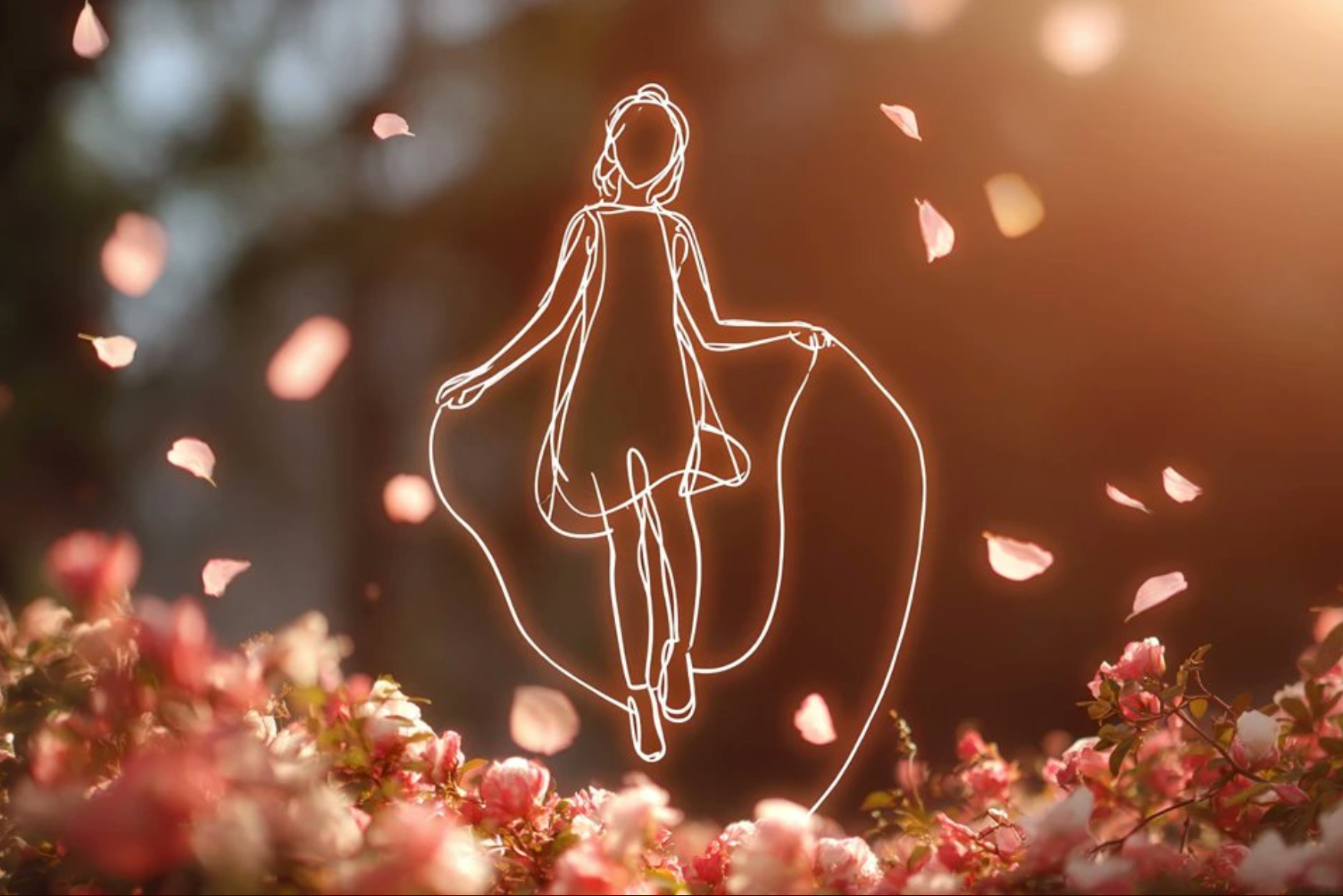
Usage Instructions
- 🎨 Transform photos into charming children's drawing style
- ✨ Perfect for children's books and educational materials
- 🌟 Warm and whimsical aesthetic with glowing outlines
👶 Age Transformation & Baby Version
Prompt
Based on the uploaded single-person reference photo, transform the person in the image into an adorable, realistic infant/baby version. Key requirements are as follows:
Clothing Consistency: Strictly retain the exact same style, design, color, fabric texture, and detailed elements (such as collars, cuffs, buttons, patterns, or logos) of the clothing worn by the original person. Ensure the clothing fits the baby's body proportionally—neither too loose nor too tight—to maintain a natural, cute look.
Professional Characteristic Reflection: Authentically incorporate the original person's professional traits into the baby's image.
nsure these professional details are age-appropriate for an infant—small, delicate, and not overwhelming the baby's cute appearance.
Facial & Overall Coherence: Keep the baby's facial features recognizable as a "younger, infant version" of the original person (e.g., similar eye shape, eyebrow curve, or facial contour), while maintaining natural baby-like traits (chubby cheeks, soft skin, innocent expression). The background style should align with the original photo to preserve context.
Realism & Aesthetics: Avoid exaggerated or unnatural elements; ensure the baby's posture, clothing fit, and professional details look realistic and visually pleasing (warm, cute tone)
Reference Image
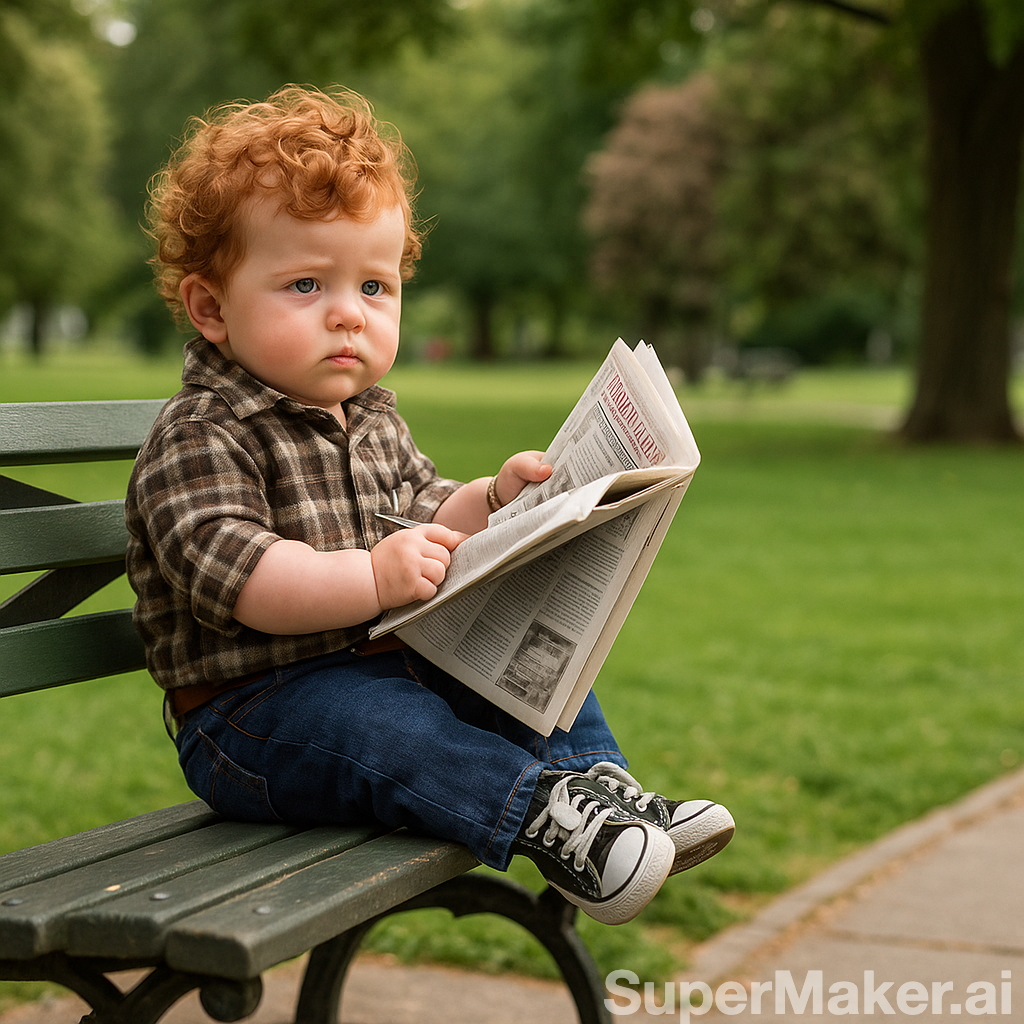
Usage Instructions
- 👶 Transform adults into adorable baby versions
- 👔 Maintains clothing consistency and professional traits
- ✨ Perfect for family photos and creative projects
🗺️ Map Visualization & Street View
Prompt
draw what the red arrow seesReference Image
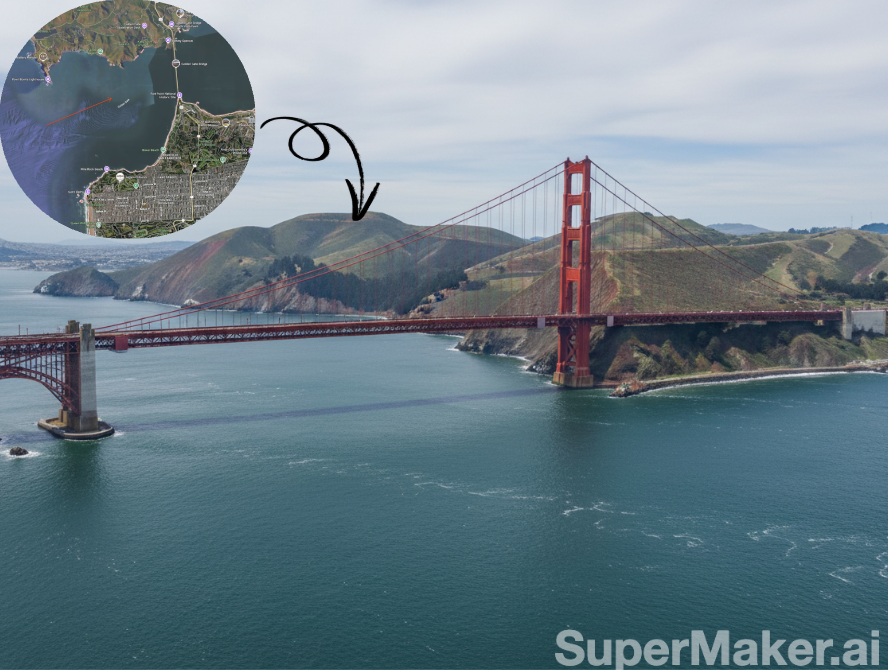
Usage Instructions
- 🗺️ Transform Google Maps into artistic visualizations
- 🎨 Perfect for travel blogs and location-based content
- ✨ Creative interpretation of street views
🏗️ 3D Modeling & Isometric Design
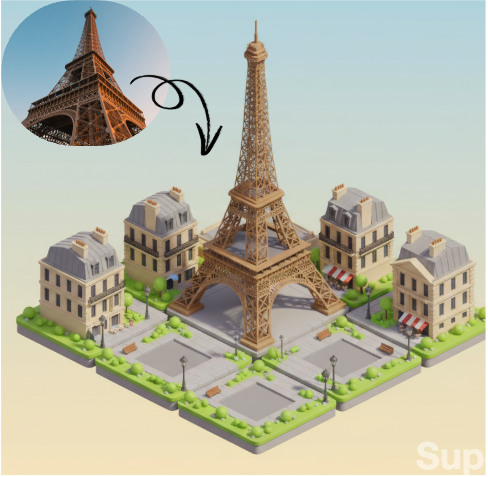
Prompt
Convert this photo of a building into isometric tiles, similar in style to the first 3D rendered imageReference Image
Usage Instructions
- 🏗️ Convert photos into 3D isometric models
- 🎮 Perfect for game development and architectural visualization
- ✨ Professional 3D rendering quality
🍽️ Culinary Photography & Food Styling
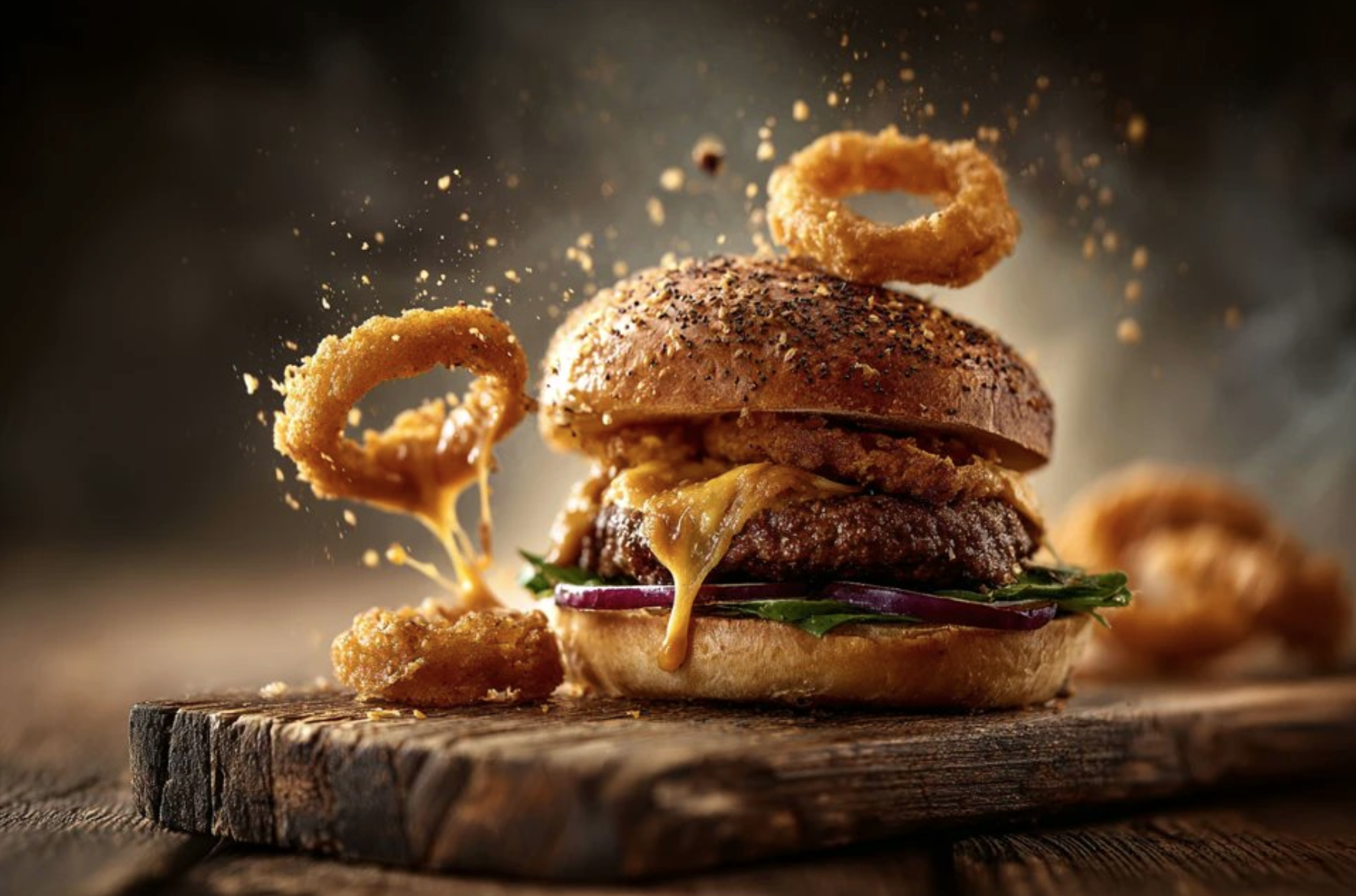
Prompt
Minimalist paint-style outline of a [subject], flowing black lines, clean composition, simple yet dramatic pose, fluid movement captured with elegant negative space, expressive and graceful silhouetteReference Image
Usage Instructions
- 🍽️ Create stunning food photography with artistic flair
- 📸 Perfect for restaurant menus and food blogs
- ✨ Professional culinary styling and presentation
🎨 Artistic Outline & Minimalist Design
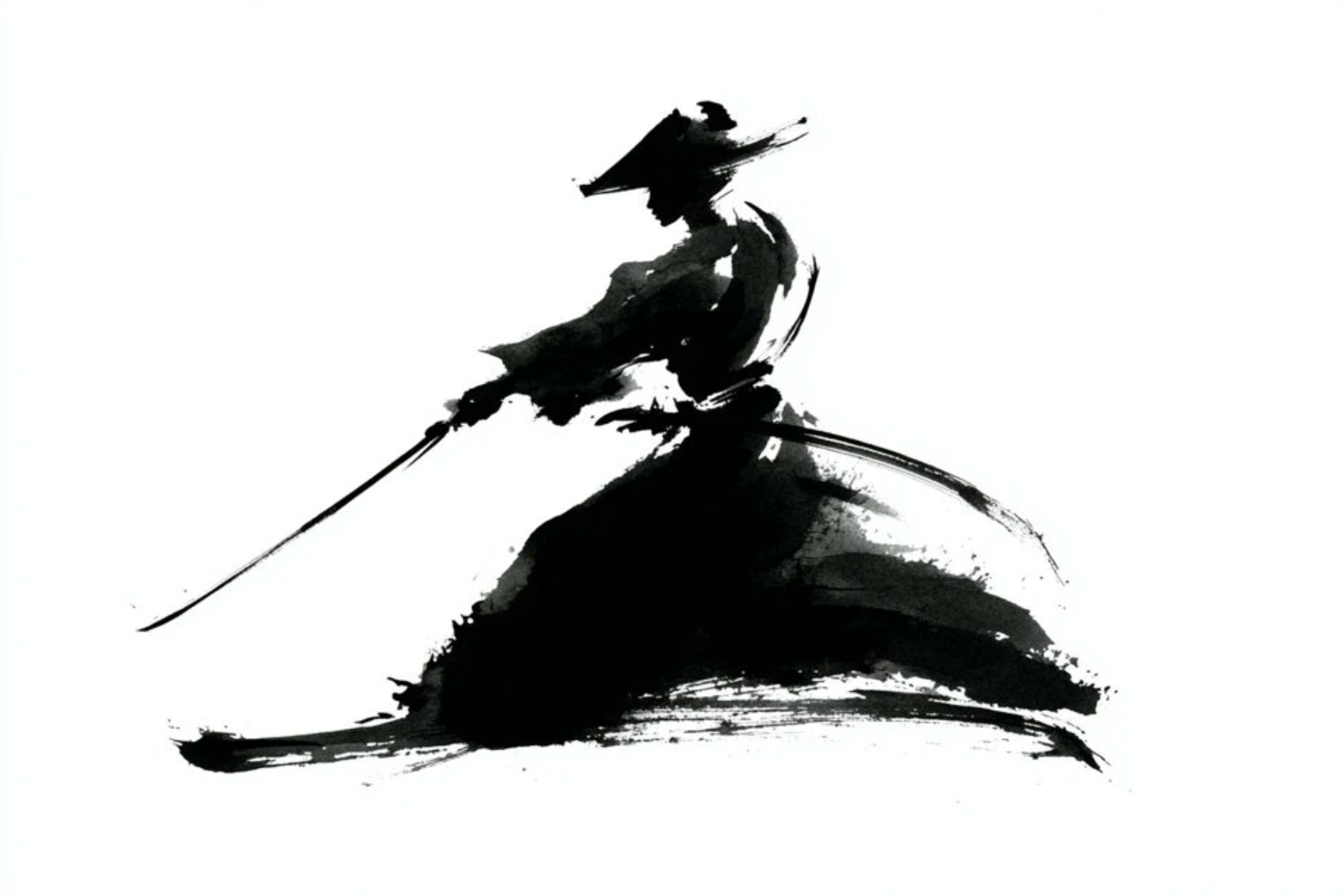
Prompt
Minimalist paint-style outline of a [subject], flowing black lines, clean composition, simple yet dramatic pose, fluid movement captured with elegant negative space, expressive and graceful silhouetteReference Image
Usage Instructions
- 🎨 Create elegant minimalist outlines with flowing lines
- ✨ Perfect for logo design and artistic illustrations
- 🖌️ Expressive and graceful silhouette design
📚 Comic Book Art & Retro Illustration
Prompt
Urban street battle at dusk, armored hero confronting a towering monster, shattered glass and sparks flying | cinematic action realism | dynamic lighting, dramatic shadows, lens flare | realistic textures on rubble, heroic poses, motion blur, epic wide-angle compositionReference Image

Usage Instructions
- 📚 Create vintage comic book style illustrations
- 🦸 Perfect for superhero and action scene artwork
- ✨ Dynamic lighting and dramatic composition
🎬 Cinematic Photography & Action Scenes
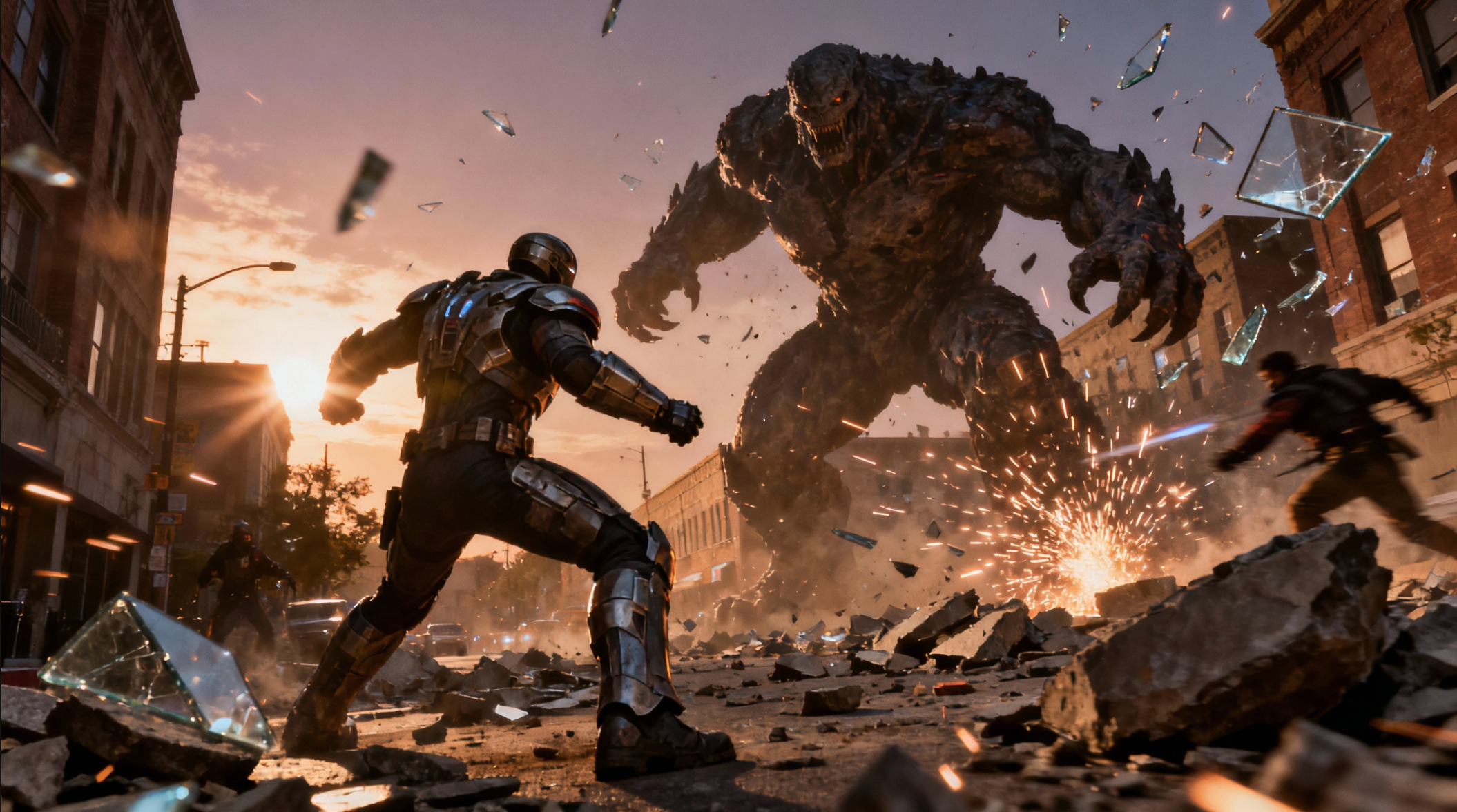
Prompt
Urban street battle at dusk, armored hero confronting a towering monster, shattered glass and sparks flying | cinematic action realism | dynamic lighting, dramatic shadows, lens flare | realistic textures on rubble, heroic poses, motion blur, epic wide-angle compositionReference Image
Usage Instructions
- 🎬 Create epic cinematic action scenes
- 🦸 Perfect for movie posters and action photography
- ✨ Dynamic lighting and dramatic composition
📋 Character Design & Concept Art
Prompt
A concept sheet for a [character], detailed with front, back, and side views, including close-up sketches of facial features and accessories, annotated with design notes and labeled components, drawn in blueprint style with glowing trim in [color1] and base structure in [color2], presented on a clean white backgroundReference Image
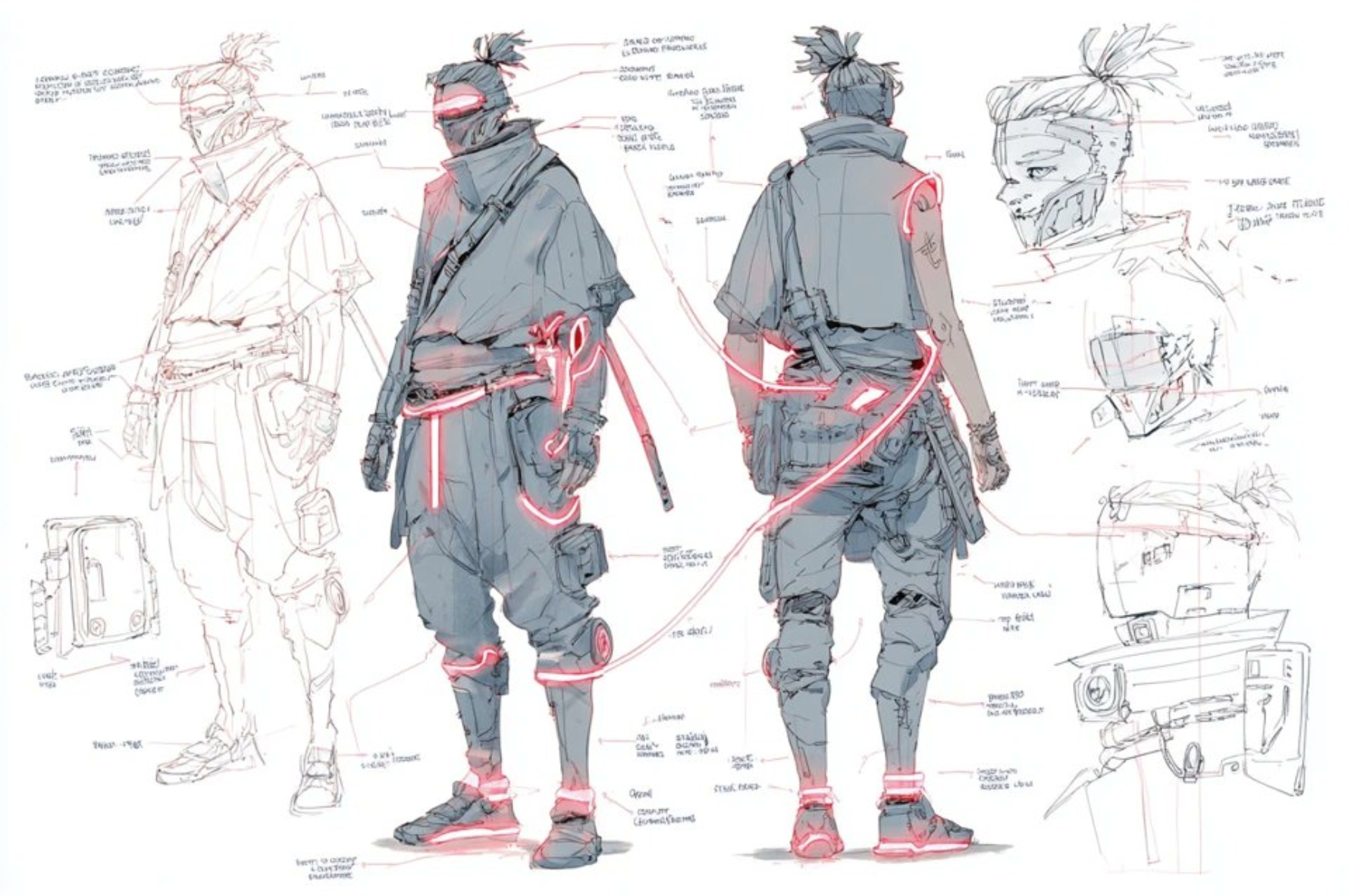
Usage Instructions
- 📋 Create professional character concept sheets
- 🎨 Perfect for game development and character design
- ✨ Blueprint style with detailed annotations
🎯 Action Figure Creation & Collectibles
Prompt
Use the nano-banana model to create a 1/7 scale commercialized figure of the character in the illustration, in a realistic style and environment.Place the figure on a computer desk, using a circular transparent acrylic basewithout any text.On the computer screen, display the ZBrush modeling process of the figure.Next to the computer screen, place a BANDAl-style toy packaging box printedwith the original artwork.Reference Image
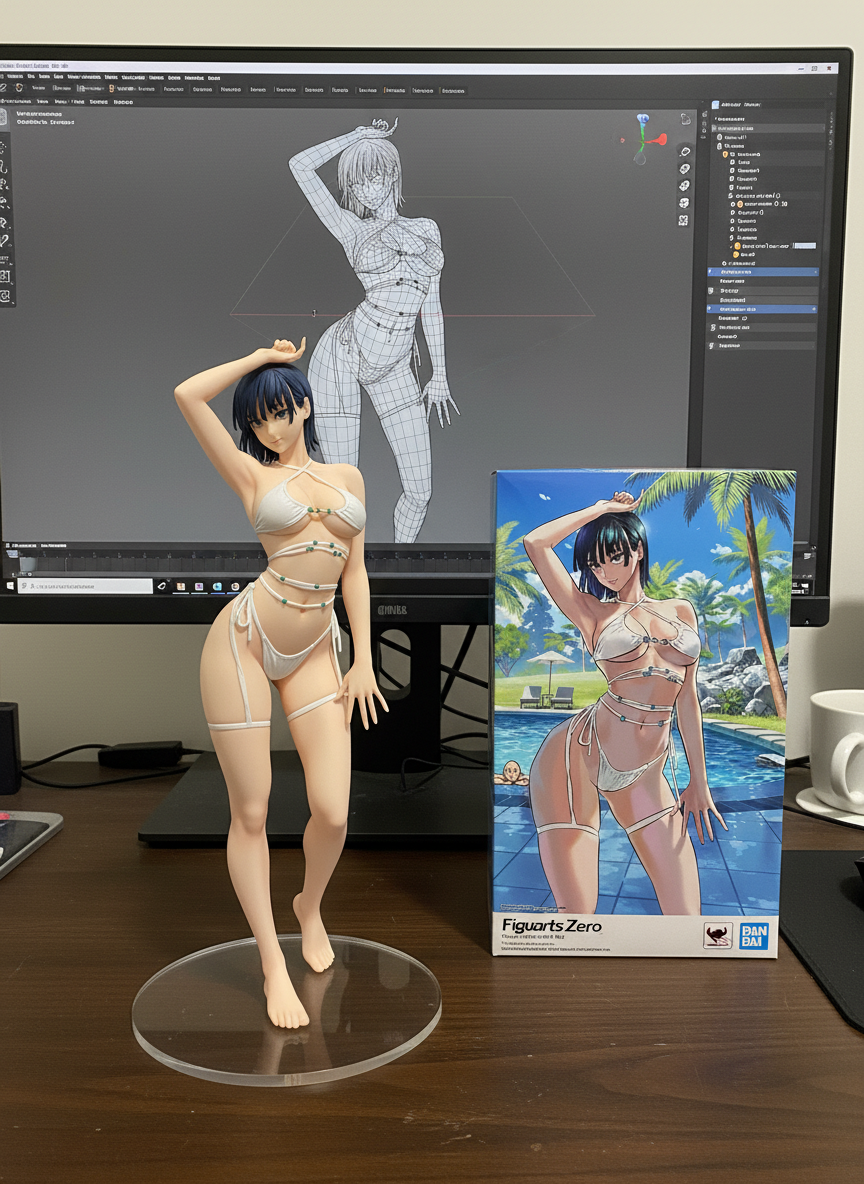
Usage Instructions
- 🎯 Transform illustrations into realistic action figures
- 📦 Perfect for collectibles and toy design visualization
- 🖥️ Includes modeling process and packaging design
🎨 Photo Restoration & Colorization
Prompt
Colorize this black-and-white photograph with photorealistic, natural colors that strictly align with real-world color logic and the scene's context
Ensure colors blend seamlessly with the original photo's lighting and shadows—darker areas should have deeper, muted hues (not flat black), and highlighted areas should have softer, lighter tones (not harsh white). Avoid over-saturation, neon/unnatural shades, or color bleeding outside subject boundaries. Preserve the original photograph's texture (e.g., film grain, fine details of faces, fabric, or landscapes) to maintain authenticity, without distorting the subject's shape or details. The final colorized result should look organic, as if the photo was originally taken in color.
Reference Image
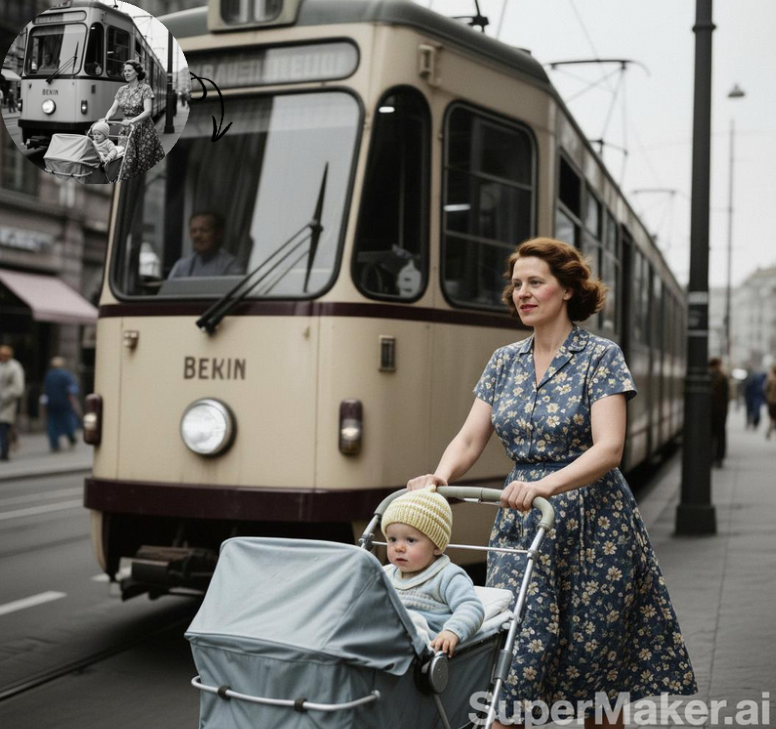
Usage Instructions
- 🎨 Restore vintage black-and-white photos with realistic colors
- 📸 Perfect for historical photo restoration
- ✨ Maintains original texture and authenticity
📸 Portrait Variations & Photo Booth
Prompt
Use this photo to make a 3*3 photo booth grid. Each photo should have a different pose and expression. No repetition allowed.Reference Image
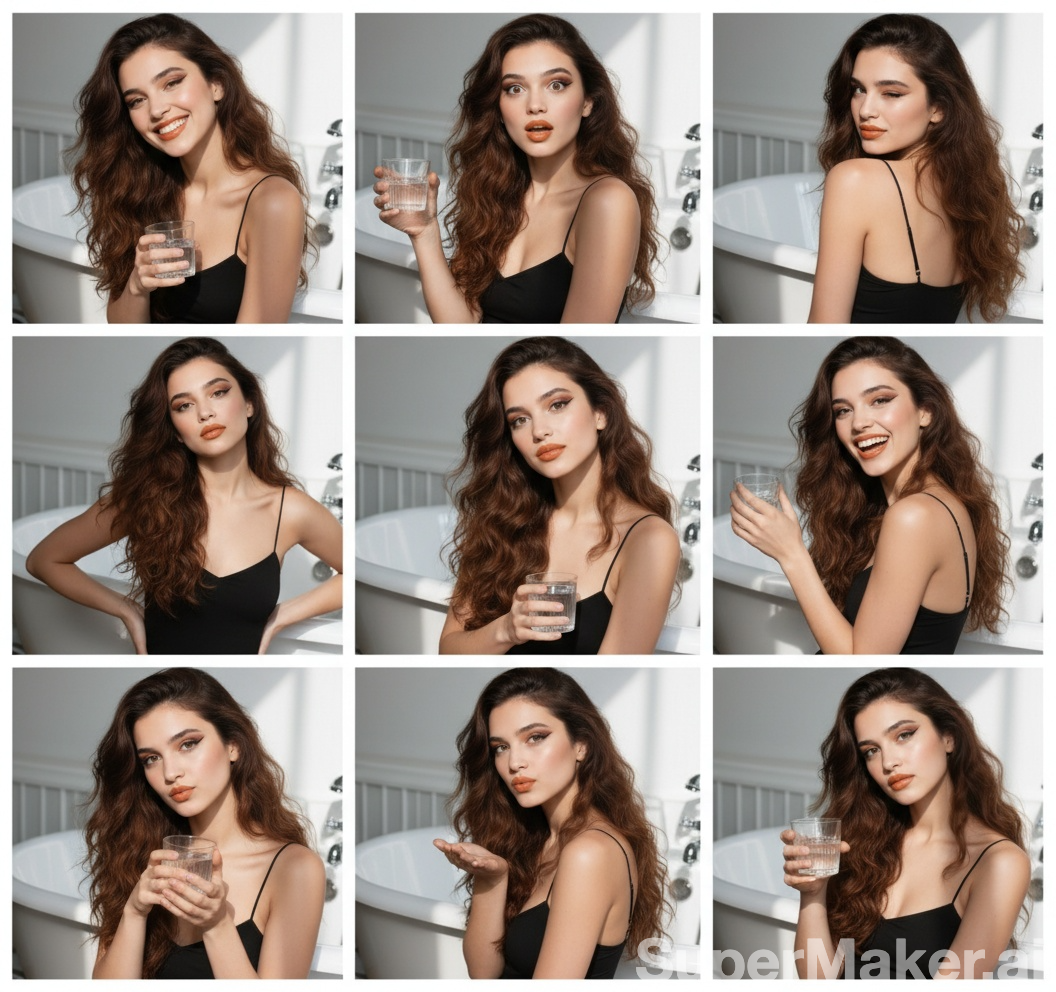
Usage Instructions
- 📸 Create photo booth-style grids with varied poses
- 🎭 Perfect for social media content and profile pictures
- ✨ Each photo has unique pose and expression
🎭 Cosplay & Character Recreation
Prompt
Generate a highly detailed photo of a girl cosplaying this illustration, at Comiket. Exactly replicate the same pose, body posture, hand gestures, facial expression, and camera framing as in the original illustration. Keep the same angle, perspective, and composition, without any deviationReference Image
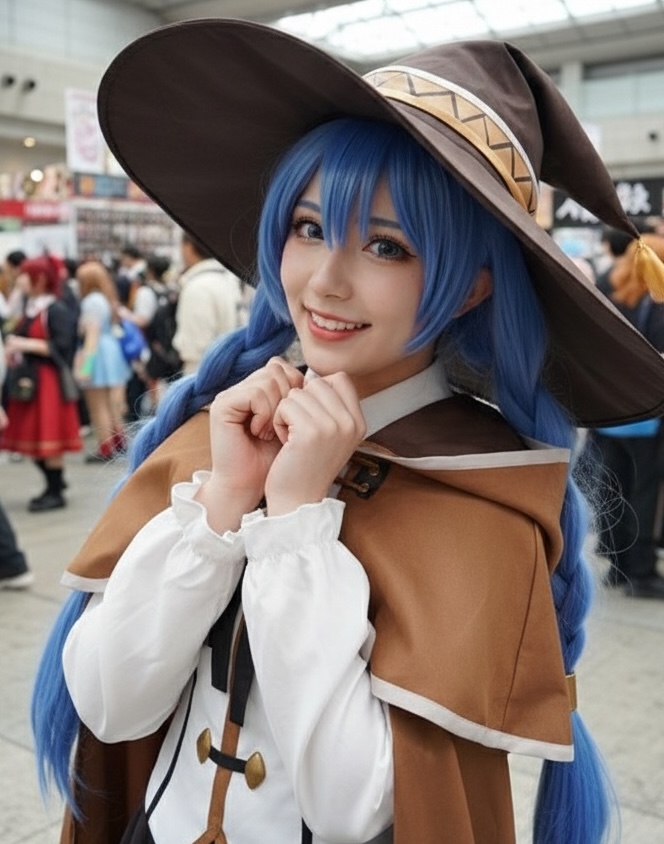
Usage Instructions
- 🎭 Perfect for cosplay enthusiasts and character recreation
- 📸 Maintains exact pose and composition from original
- 🎪 Ideal for anime and manga character visualization
🗿 Artistic Transformation & Sculpture
Prompt
A photorealistic image of an ultra-detailed sculpture of the subject in image made of shining marble. The sculpture should display smooth and reflective marble surface, emphasizing its luster and artistic craftsmanship. The design is elegant, highlighting the beauty and depth of marble. The lighting in the image should enhance the sculpture's contours and textures, creating a visually stunning and mesmerizingReference Image
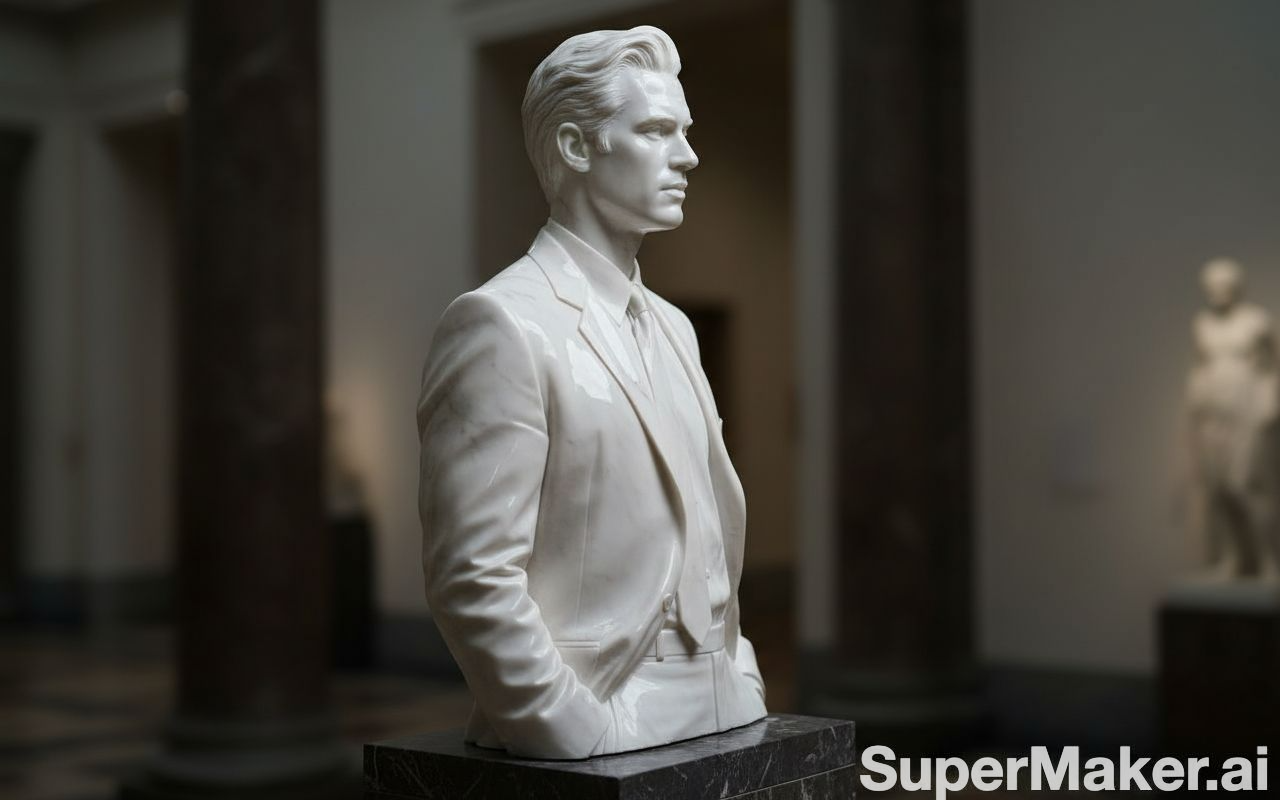
Usage Instructions
- 🗿 Transform any subject into elegant marble sculptures
- ✨ Perfect for artistic projects and creative visualization
- 💎 High-quality marble texture and lighting effects
📦 Commercial Product Photography
Prompt
Studio shot of a [PRODUCT], elegantly positioned on a [background], soft ambient shadows, smooth gradient backdrop, high-key lighting, shallow depth of field, ultra-sharp focus on the subject, subtle reflections, minimal aesthetic, professional DSLR, premium commercial lighting setup, optimized for high-end product presentationReference Image
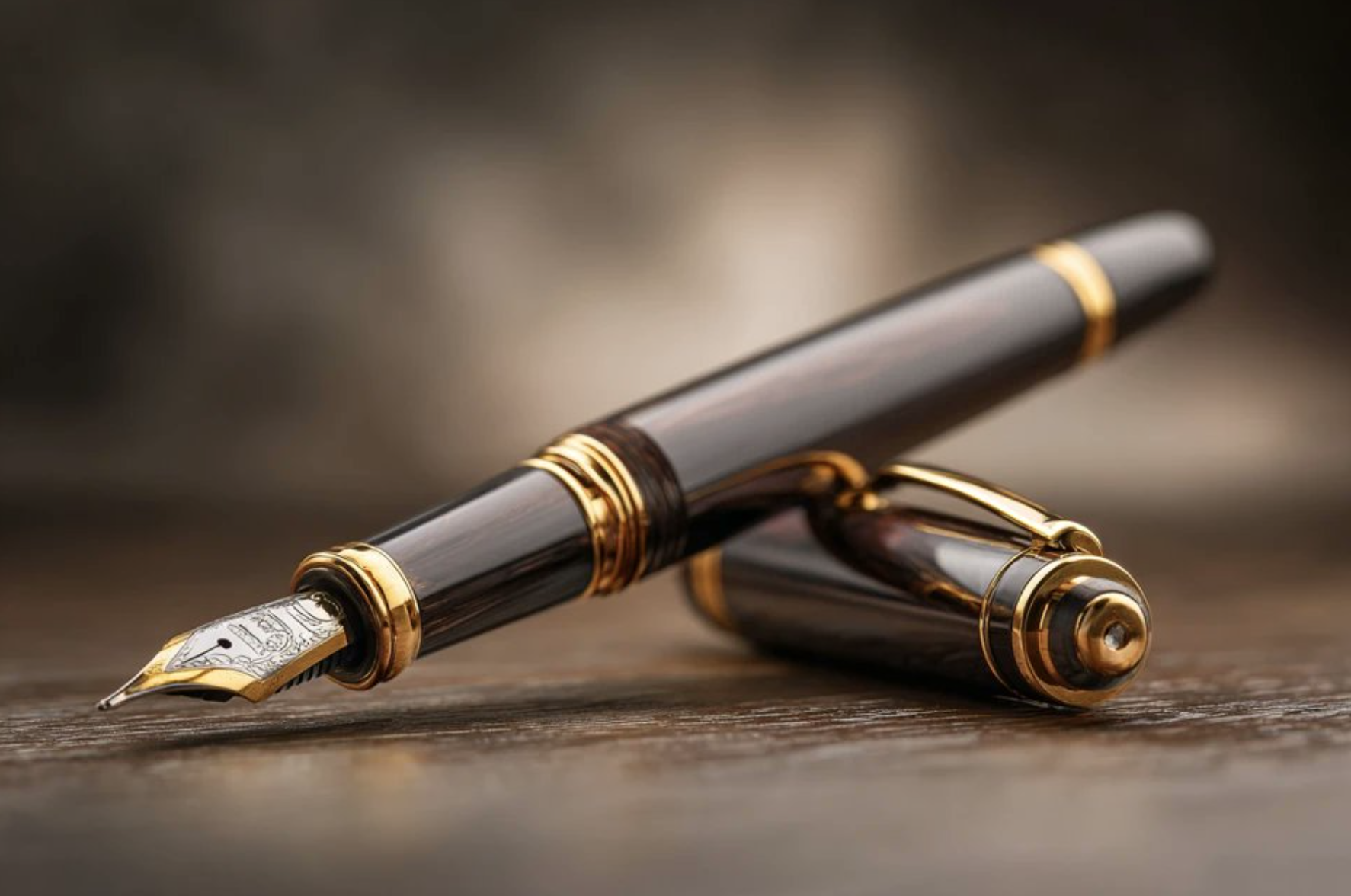
Usage Instructions
- 📸 Create professional product photography for e-commerce
- 💼 Perfect for catalog and marketing materials
- ✨ High-end commercial lighting and composition
🎨 Artistic Drawing & Sketching
Prompt
A charcoal sketch of a [subject], raw and textured with expressive shading and bold linework. The background is filled with smudged gradients and sketchbook marks, giving it a gritty, unrefined elegance.Reference Image
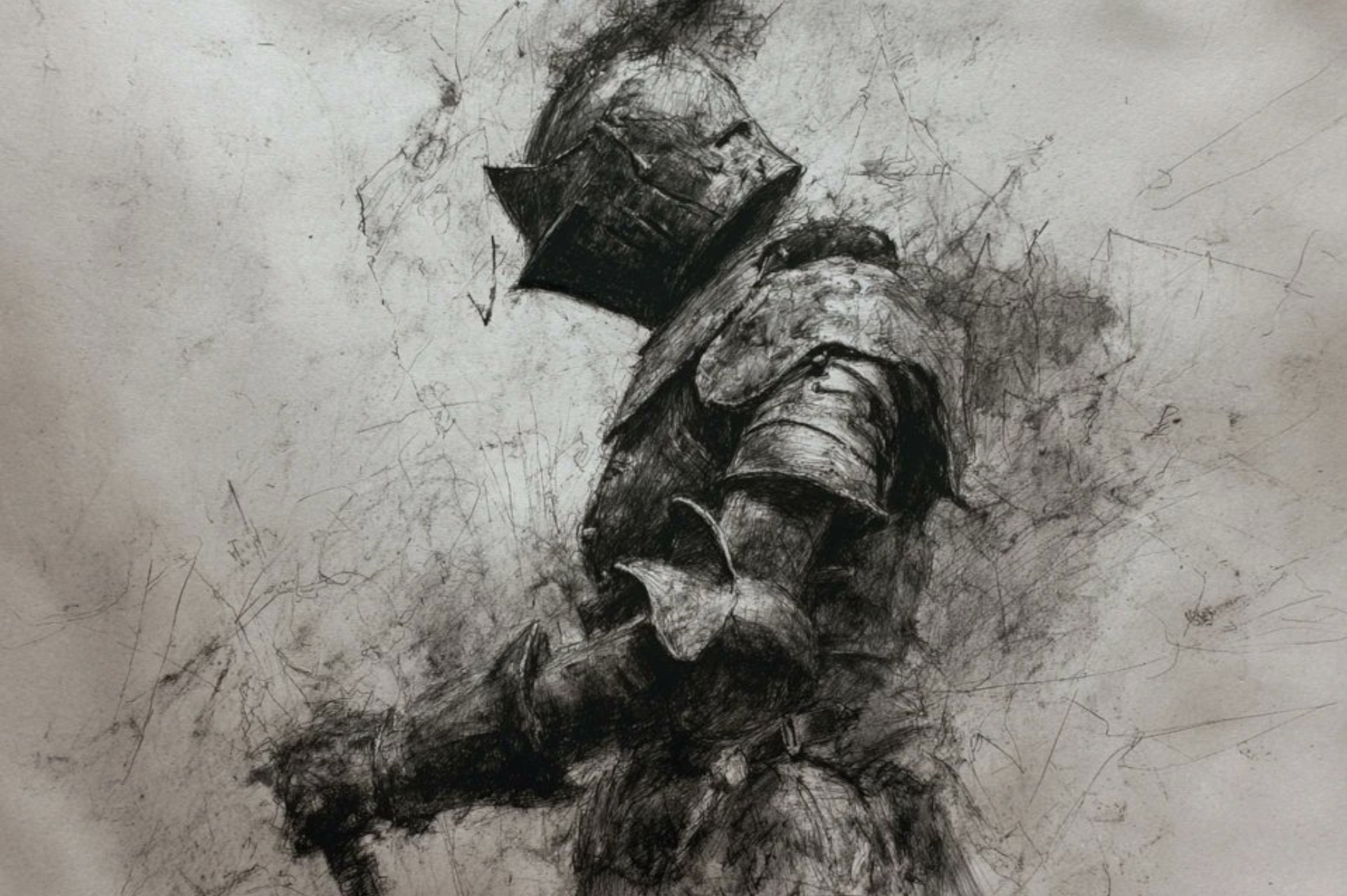
Usage Instructions
- ✏️ Transform photos into expressive charcoal sketches
- 🎨 Perfect for artistic projects and creative illustrations
- 📝 Maintains raw, textured artistic feel
📸 Editorial & Fashion Photography
Prompt
Cinematic portrait of [subject], [background], soft ambient lighting, warm earthy tones, nostalgic 1970s wardrobe, reflective mood, gentle film grain texture, shallow depth of field, vintage editorial photography styleReference Image

Usage Instructions
- 📰 Perfect for magazine-style editorial photography
- 🎬 Creates cinematic portraits with vintage aesthetics
- 📸 Ideal for fashion and lifestyle photography
👗 Fashion & Artistic Photography
Prompt
Mysterious [COLOR] and [COLOR] vision of a [SUBJECT] veiled in translucent fabricsReference Image
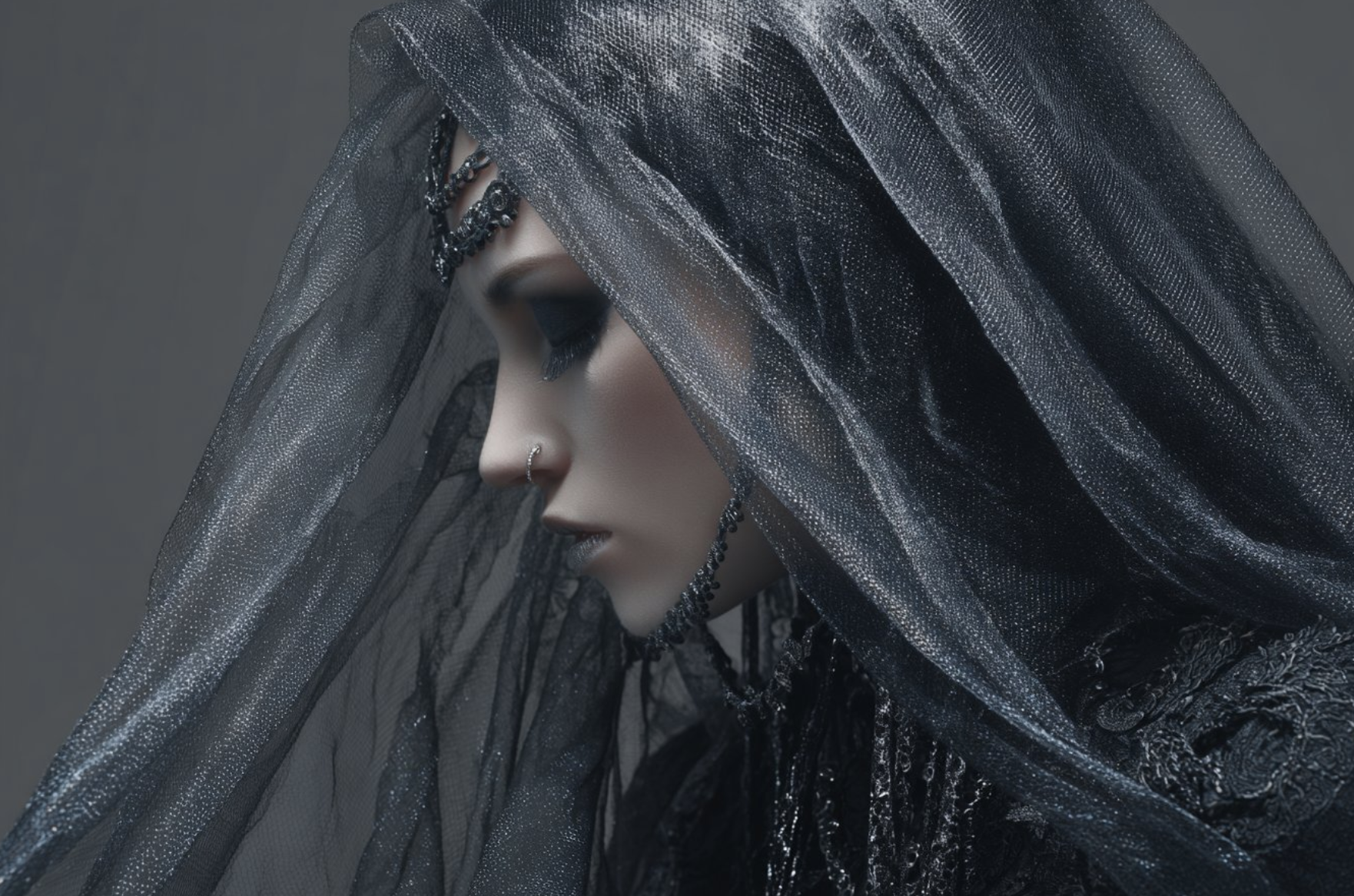
Usage Instructions
- 🌟 Create ethereal and mysterious fashion photography
- 👗 Perfect for artistic portraits and fashion editorials
- ✨ Translucent fabrics add depth and visual interest
🎮 Retro Gaming & Pixel Art
Prompt
Pixel-art scene of a [subject], viewed through a simulated lens, [background], retro game overlay aesthetic, chunky pixel textures, vibrant limited color palette of [color1] and [color2], HUD interface elements, low-resolution charm, subtle CRT screen distortion, nostalgic arcade vibe, stylized as an 8-bit game screenshotReference Image
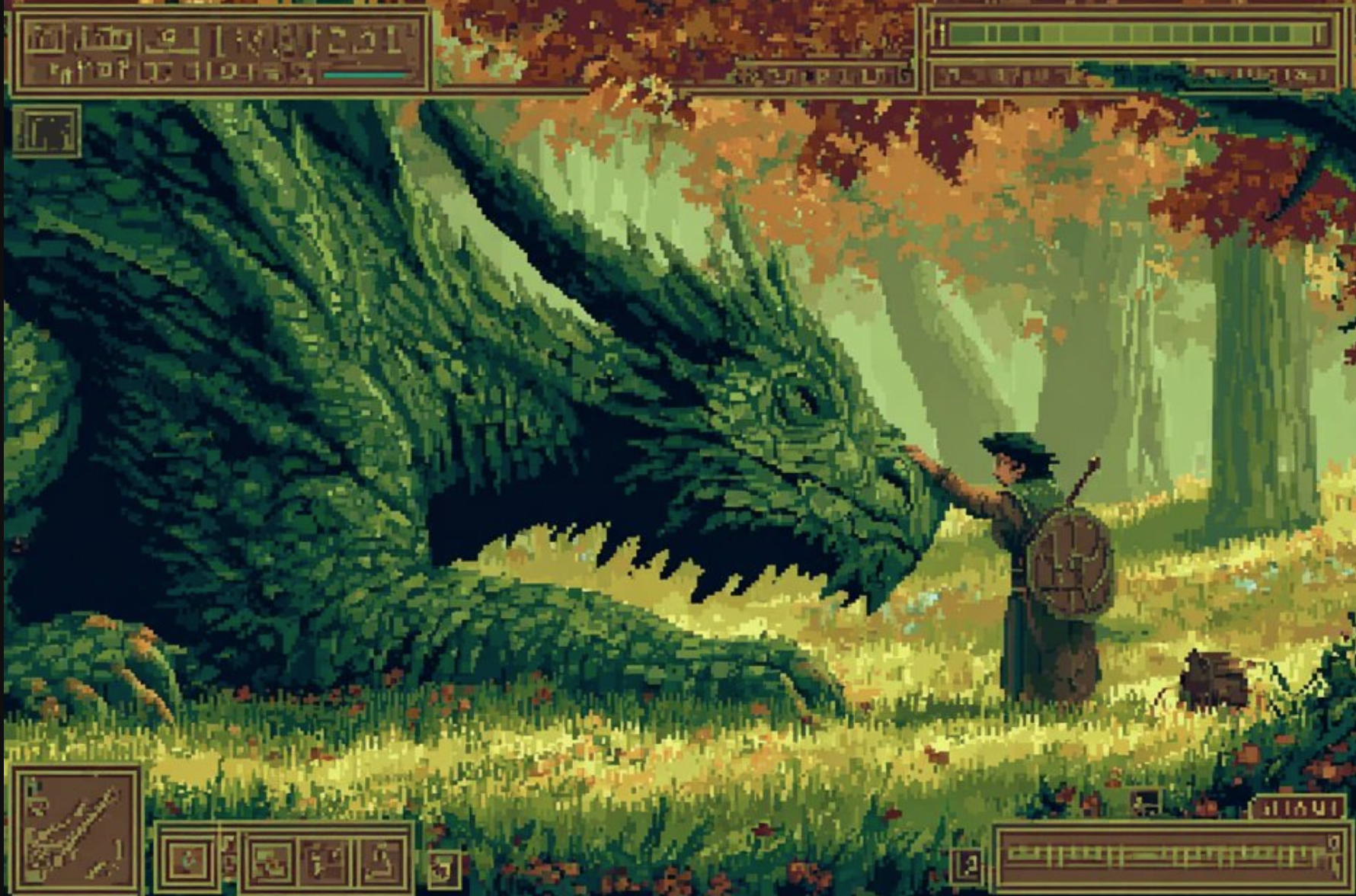
Usage Instructions
- 🎮 Create nostalgic pixel-art scenes with retro gaming aesthetics
- 🎨 Perfect for indie game development and retro art projects
- 📺 Includes CRT distortion effects for authentic vintage feel
🎨 3D Printing & Collectibles
Prompt
Please transform this car rendering into a collectible figurine.

Behind it, place a figurine box printed with the car's image and the name "Xiaomi YU7." Next to it, add a high-end 3D printer that is currently printing the figurine. In front of the figurine box, add a round plastic base for the figurine to stand on.

The PVC material of the base should have a crystal-clear, translucent texture, and set the entire scene indoors.
Reference Image
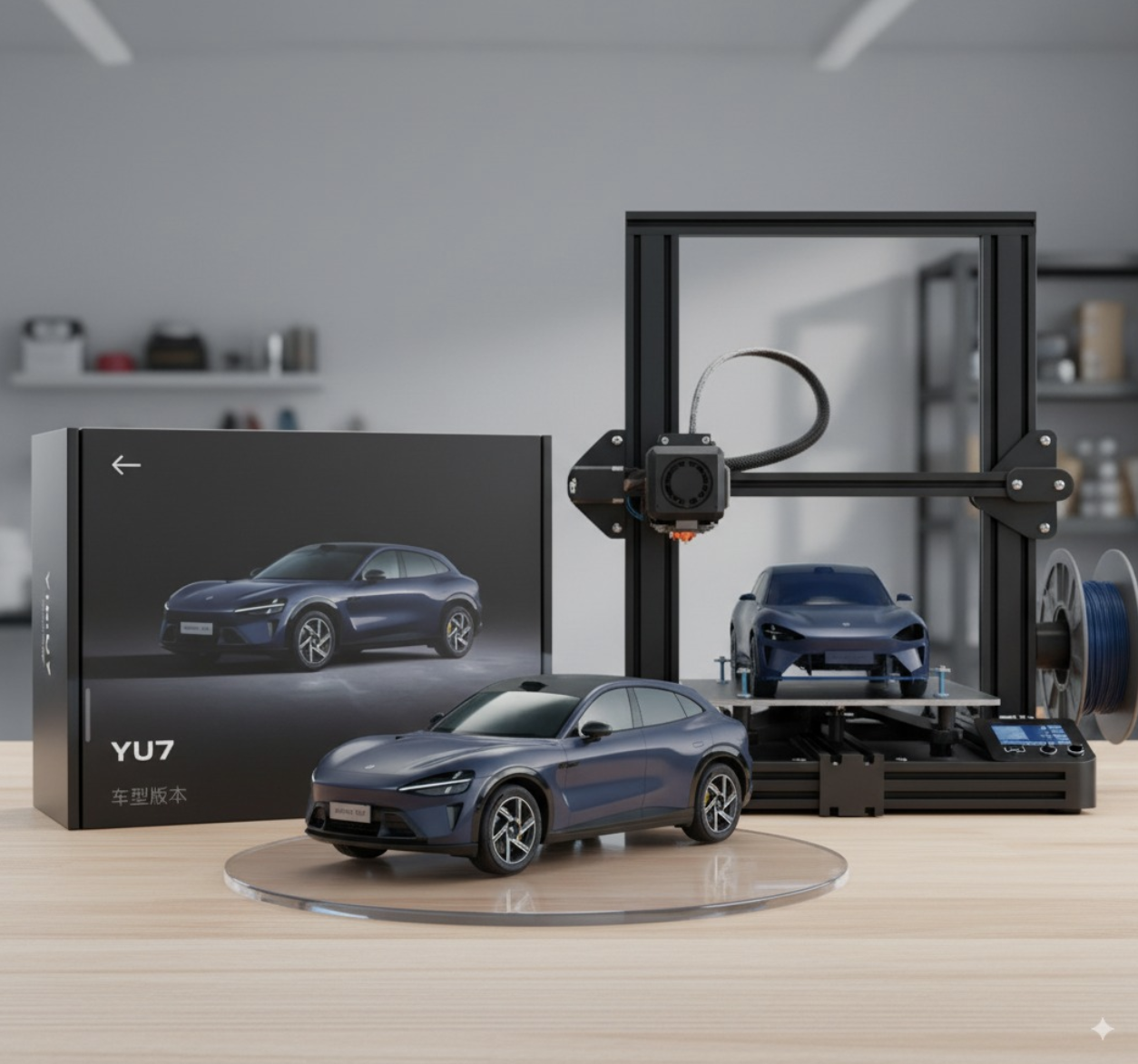
Usage Instructions
⚠️ Note that words about cars and brands need to be replaced when you use them yourself- ✨ You could try adding more details!
🕺 Pose & Character Animation
Prompt
将图 1 中的人物改为与图 2 字符相似的全身姿势,生成的图片不要有字符,必要时可以用配饰辅助Reference Image

Usage Instructions
- 🎭 Nano Banana allows characters to strike poses similar to Chinese characters
- 💪 Nano Banana pose reference is also very strong!
🛏️ Product Transformation
Prompt
Design the main object in the photo as a soft, rounded, and airy plush balloon or inflatable toy.

Using smooth matte fabric texture, Do not have a plastic feeling. complemented by subtle fabric wrinkles and stitching to emphasize its inflated effect. The shape should be slightly irregular and soft, with gentle shadows and lighting to highlight its volume and realism. Place it on a clean, minimalist background (light gray or light blue) to maintain a playful sculptural aesthetic.
Reference Image
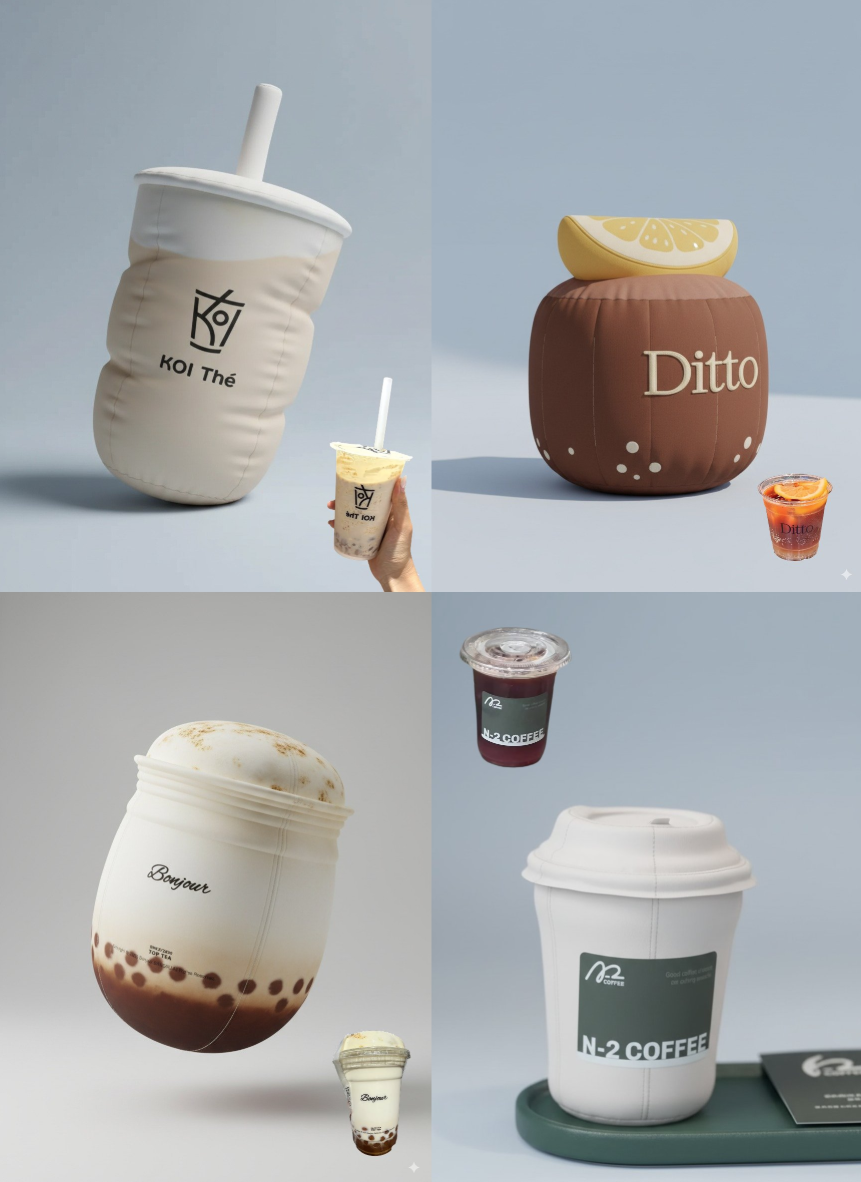
Usage Instructions
- 🧸 Turn the items in your uploaded pictures into pillows
- 🥤 Turn your favorite drinks into a pillow with Nano Banana!
🏢 Architecture & Design
Prompt
Convert the photo of this building into a rounded, cute isometric tile 3D rendering style, with a 1:1 ratio,To preserve the prominent features of the photographed buildingReference Image
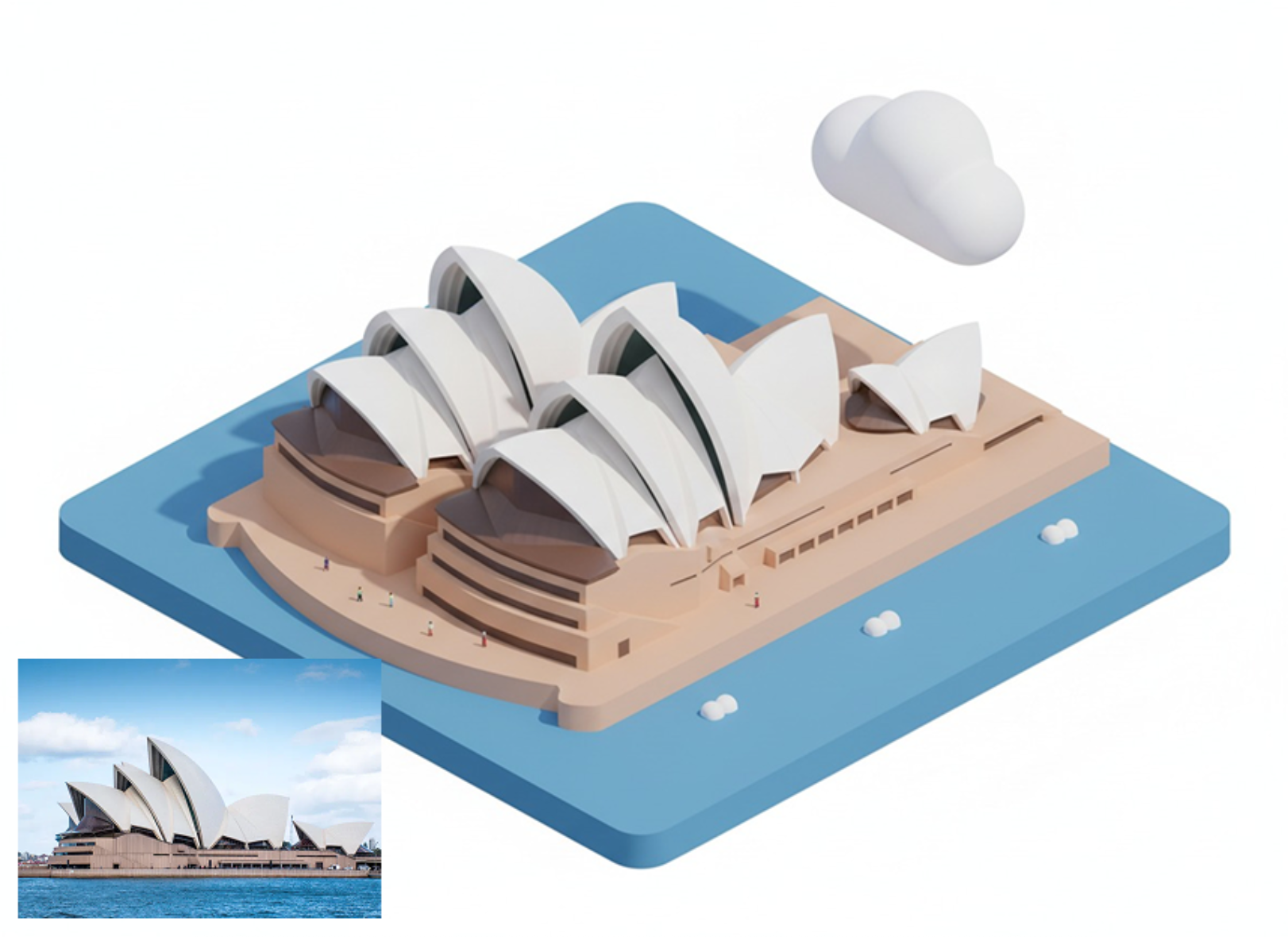
Usage Instructions
- 🏗️ Nano Banana can also convert buildings into isometric icons
- 📸 The difference is that it can not only convert landmarks, but also any building you take a picture of can be converted
📸 Product Photography
Prompt
A high-resolution advertising photograph of a realistic, miniature [PRODUCT] held delicately between a person's thumb and index finger. clean and white background, studio lighting, soft shadows. The hand is well-groomed, natural skin tone, and positioned to highlight the product's shape and details. The product appears extremely small but hyper-detailed and brand-accurate, centered in the frame with a shallow depth of field. Emulates luxury product photography and minimalist commercial style.Reference Image
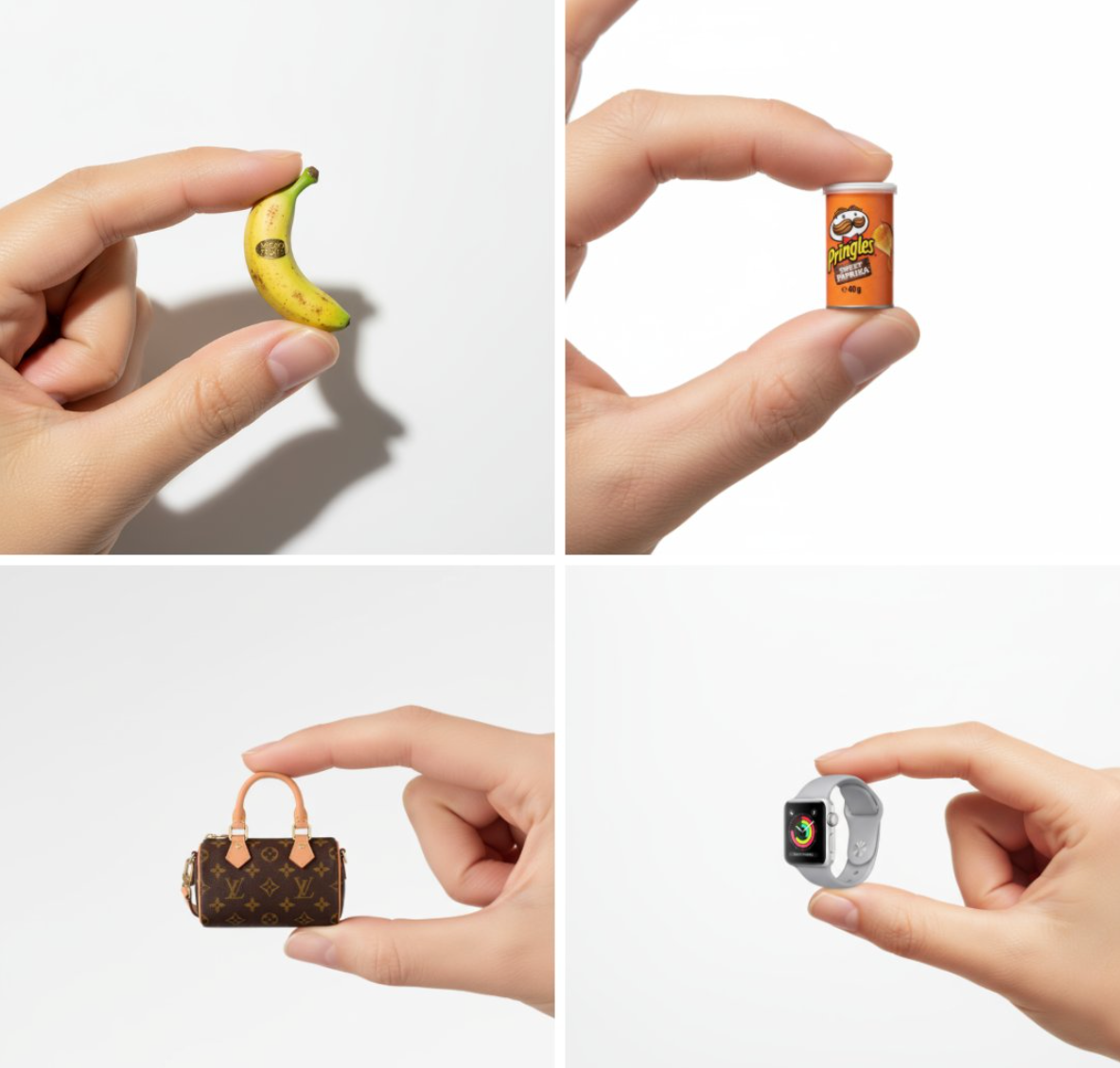
Usage Instructions
- 🎯 Create tiny, adorable product shots that look like high-end ads using Nano Banana
- 💎 Very suitable for advertising design and sharing
🎬 Cinematic Photography
Prompt
Cinematic close-up of a [character] holding a [object] with purpose, illuminated by [lighting]. Soft reflections highlight their [features or accessories]. [Atmospheric elements] float around them, enhancing the mood. Their eyes express [emotion]. Hyperreal, ultra-detailed, 8K, stylized for visual storytelling.Reference Image
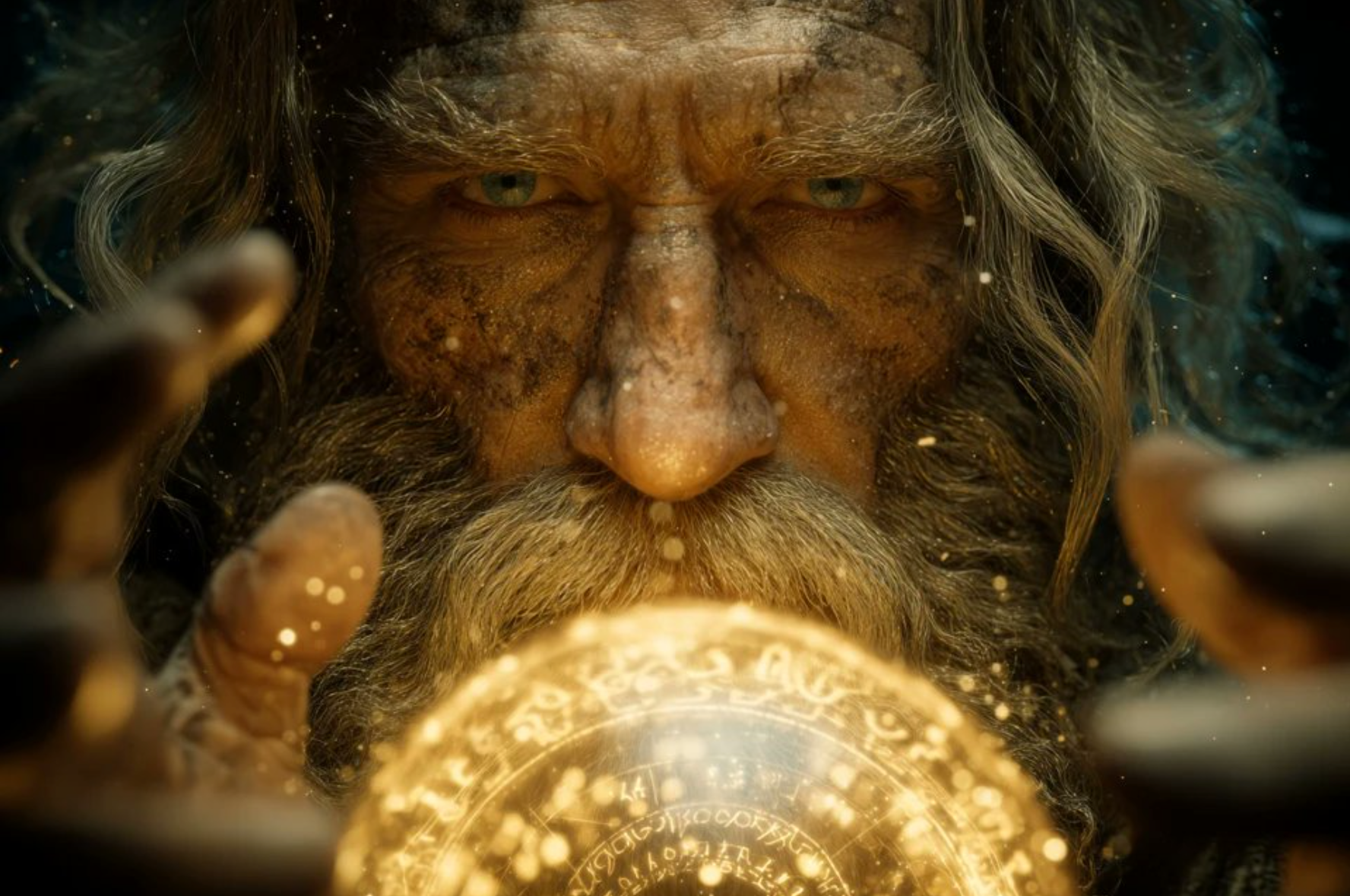
Usage Instructions
- 🎥 Nano banana can create cinematic close-ups
- 🎭 Great for movie lovers and novel editors
🏗️ Architecture & Design
Prompt
Prompt1:Help me convert this residential floor plan into an isometric photorealistic 3D rendering of the house.

Prompt2:Help me generate a realistic photo looking from the dining table towards the bathroom, which must comply with the house layout in the design plan, and appropriate decorations can be added.
Reference Image
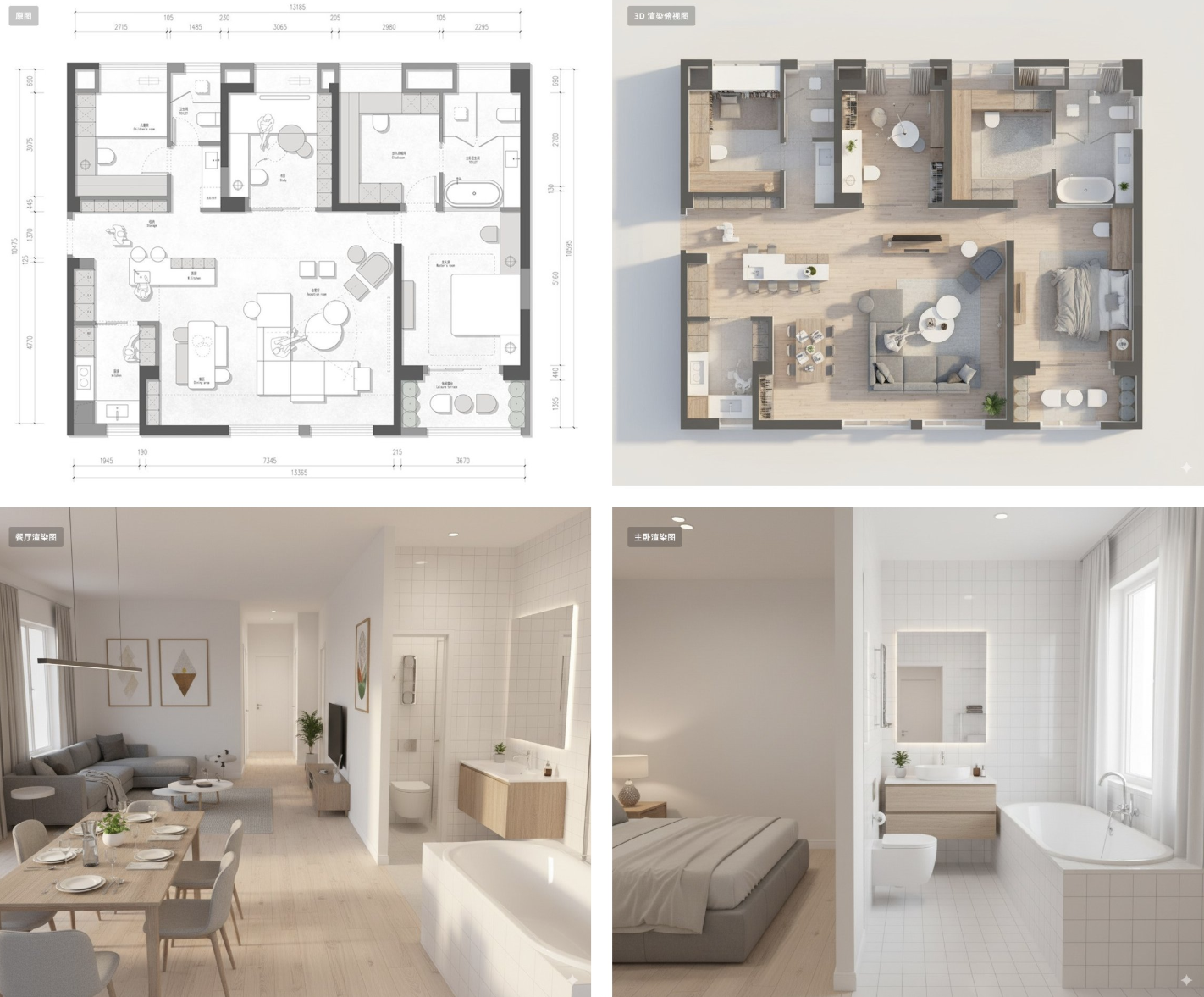
Usage Instructions
- 🏠 Nano Banana can handle interior design visualization
- 📐 Generate 3D rendering from floor plans, then create specific perspective views
- 🏢 Perfect for real estate and architectural presentations
🍳 Food & Recipe Creation
Prompt
Turn the ingredients in the picture into a complete step-by-step recipe infographic, using a top-down perspective. Present it in a minimalist style on a white background. Include labeled photos of the ingredients, use dashed lines to connect icons representing the preparation steps, and display a photo of the final plated dish at the bottom of the infographic,At the same time, remove the background from the food items that have a background in the image and place the food on a white background.Reference Image
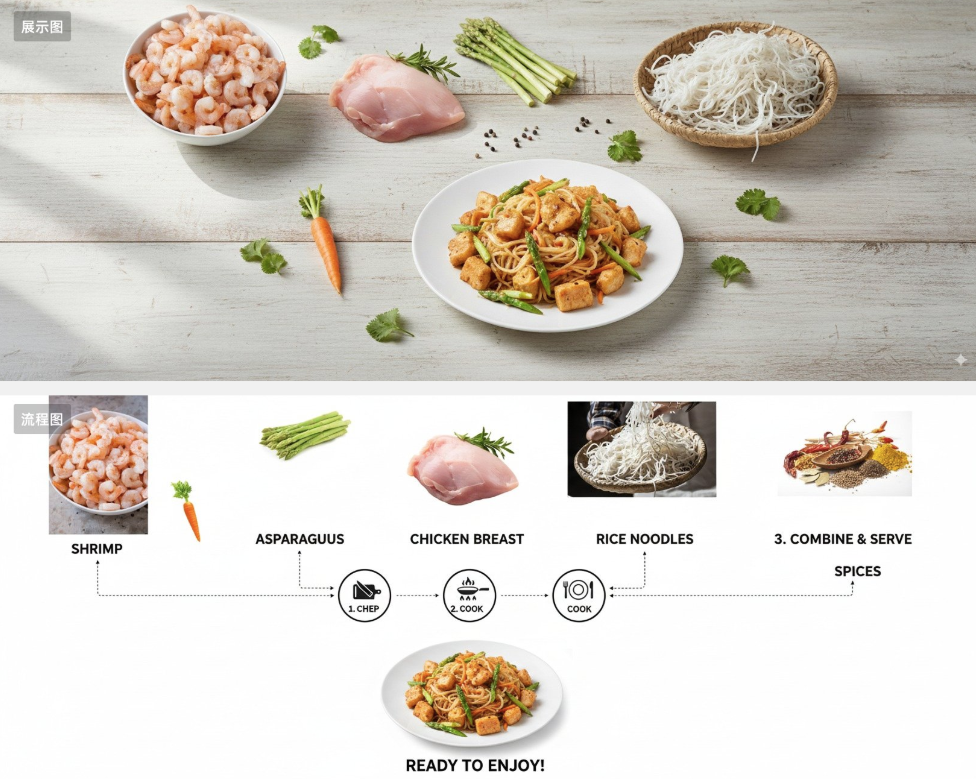
Usage Instructions
- 🥘 Transform any ingredients into complete recipe infographics
- 🍽️ Perfect solution for cooking indecision
- 📋 Creates professional-looking recipe cards with step-by-step instructions
👕 Fashion & Virtual Try-on
Prompt
The character in Figure 2 is wearing the clothing and accessories from Figure 1.Reference Image
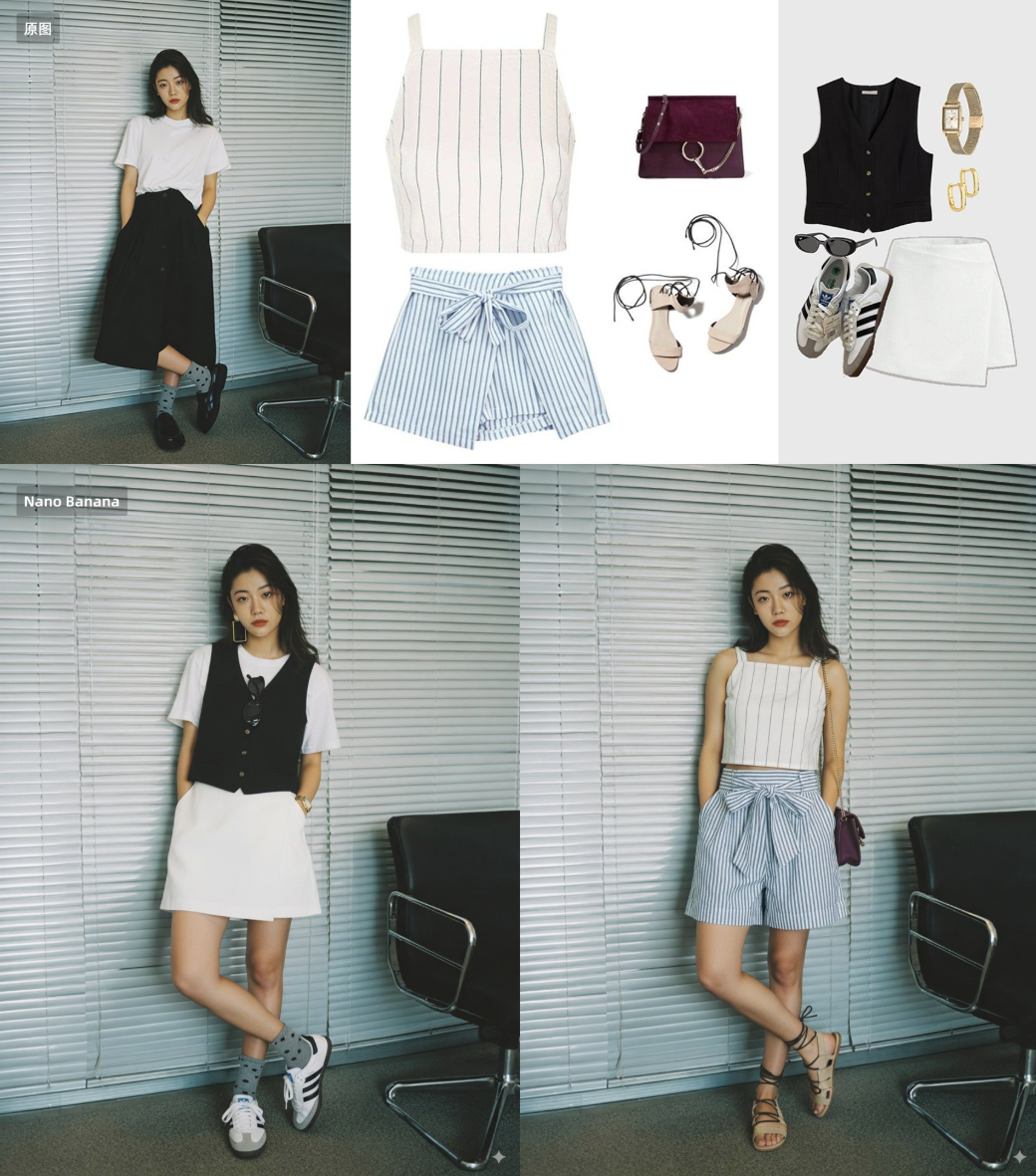
Usage Instructions
- 🛍️ Try on any outfit without leaving home
- 🎨 Perfect for vintage anime and photo restoration
- 👤 Maintains character consistency while changing clothing
🎨 Image Enhancement & Restoration
Prompt
Enhance the resolution of this old anime image and add the appropriate texture details, reinterpreting it with modern anime techniques.Reference Image
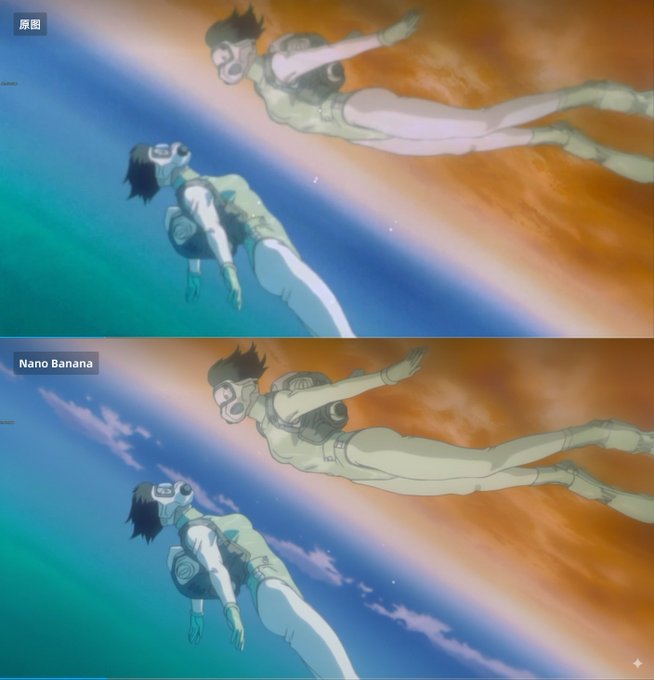
Usage Instructions
- 🔍 Nano Banana can upscale images and add texture details
- 🎭 Perfect for restoring vintage anime and old photos
- ✨ Reinterprets content with modern techniques
🔄 Object Manipulation & E-commerce
Prompt
Place the chair and table from the first image at the red box location in the second image, and generate the image without the red box markings.Reference Image
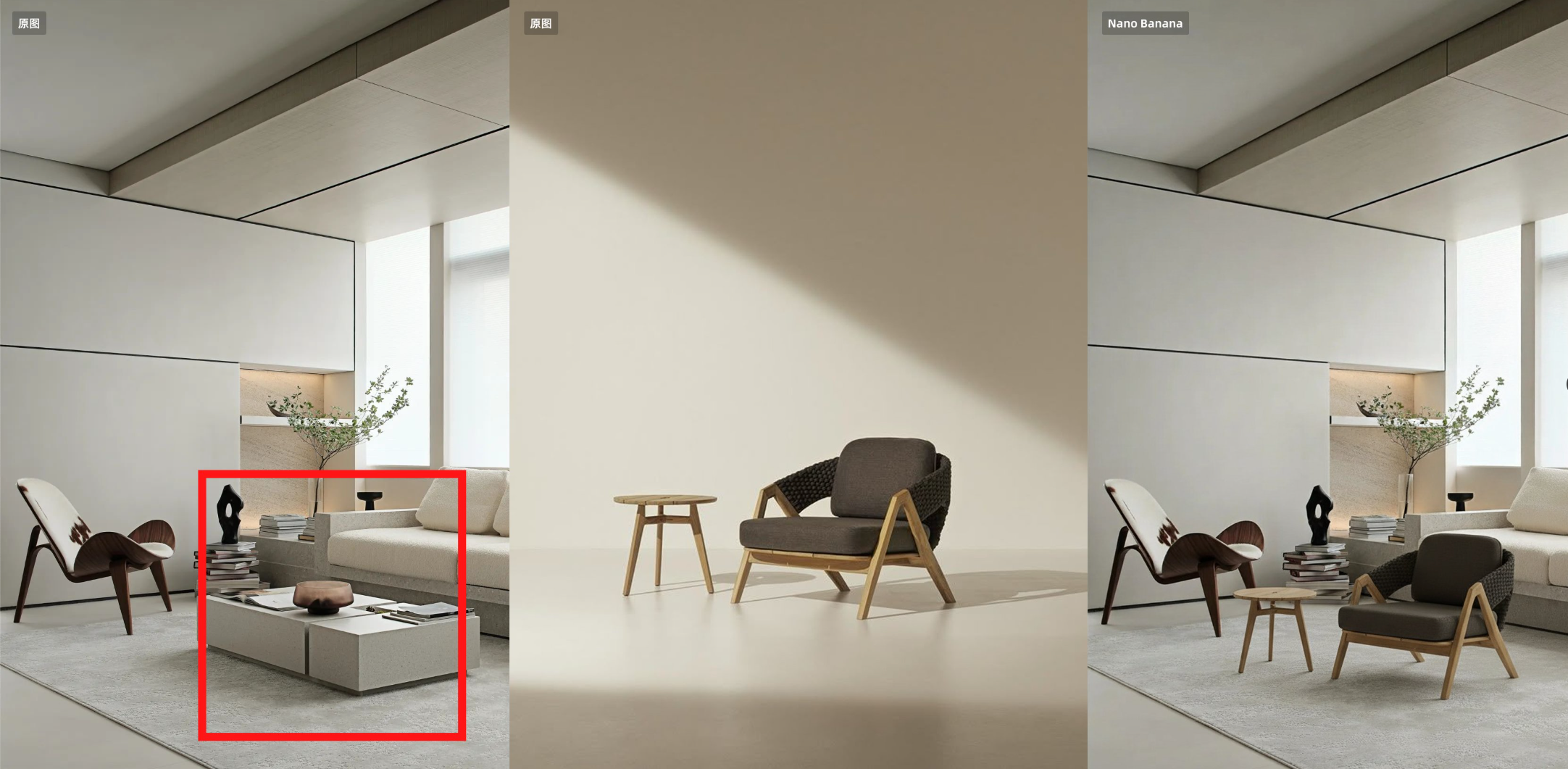
Usage Instructions
- 🛒 E-commerce essential - maintains product ID and features excellently
- 📦 Circle items to be replaced in the first image, place replacement items in the second image
- 🎯 Perfect for product visualization and catalog management
🏷️ Creative Design & Stickers
Prompt
Help me turn the character into a white outline sticker similar to Figure 2. The character needs to be transformed into a web illustration style, and add a playful white outline short phrase describing Figure 1Reference Image
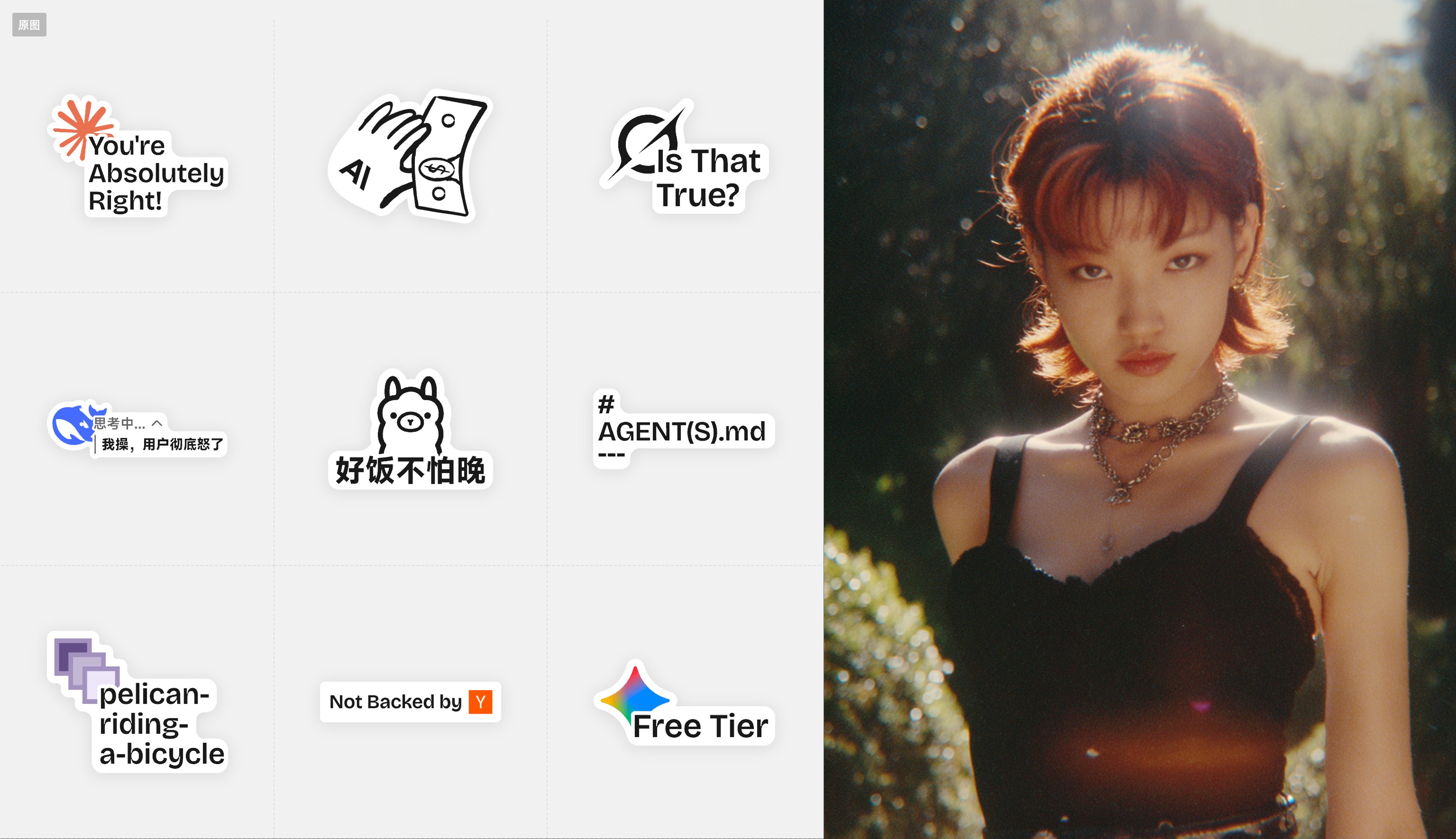
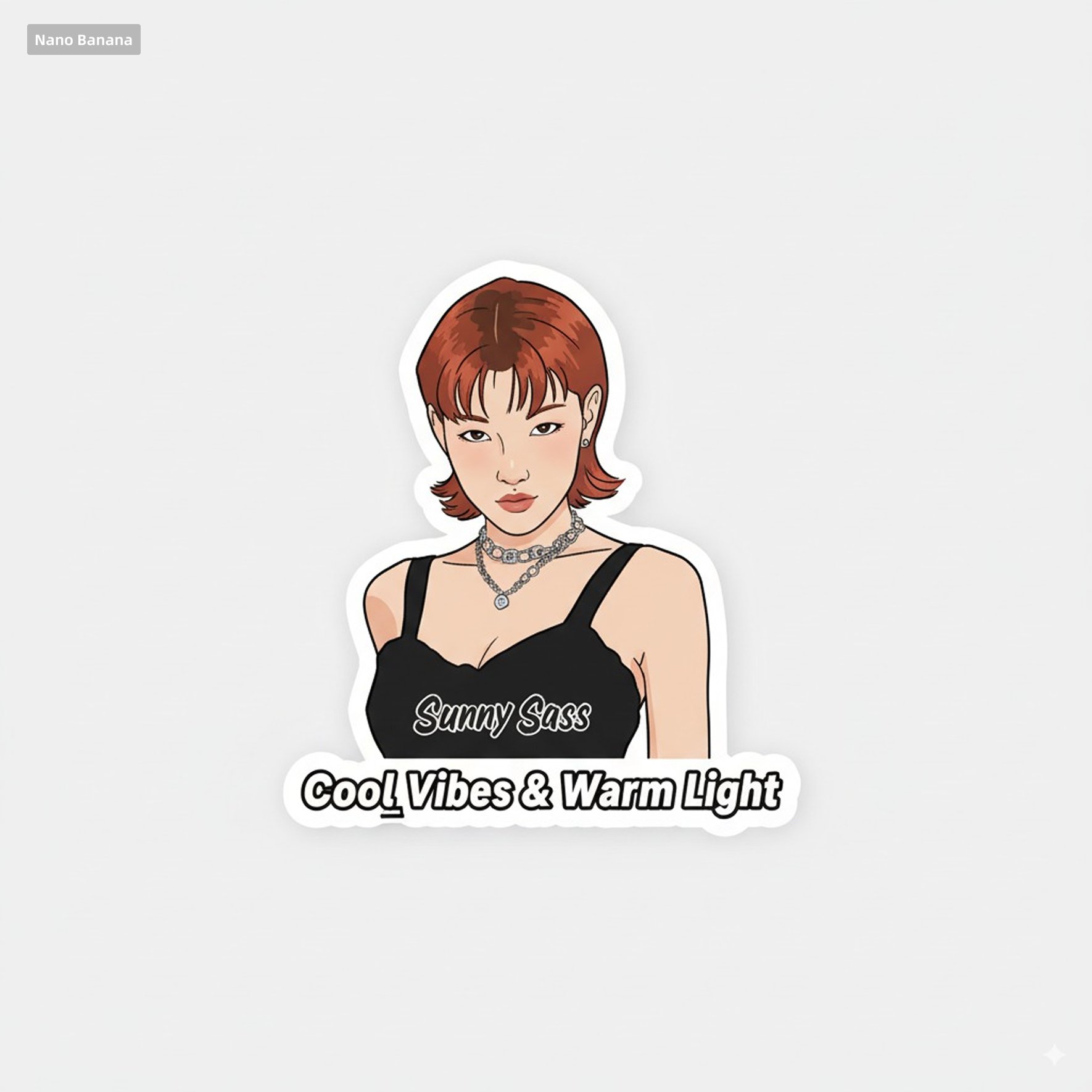
Usage Instructions
- 🎨 Quickly generate cute stickers
- 📝 Place character image first, sticker reference second
- ✨ Creates web-style illustrations with playful descriptions
🎨 Photo Enhancement & Color Grading
Prompt
This photo is very boring and plain. Enhance it! Increase the contrast, boost the colors, and improve the lighting to make it richer,You can crop and delete details that affect the composition.Reference Image
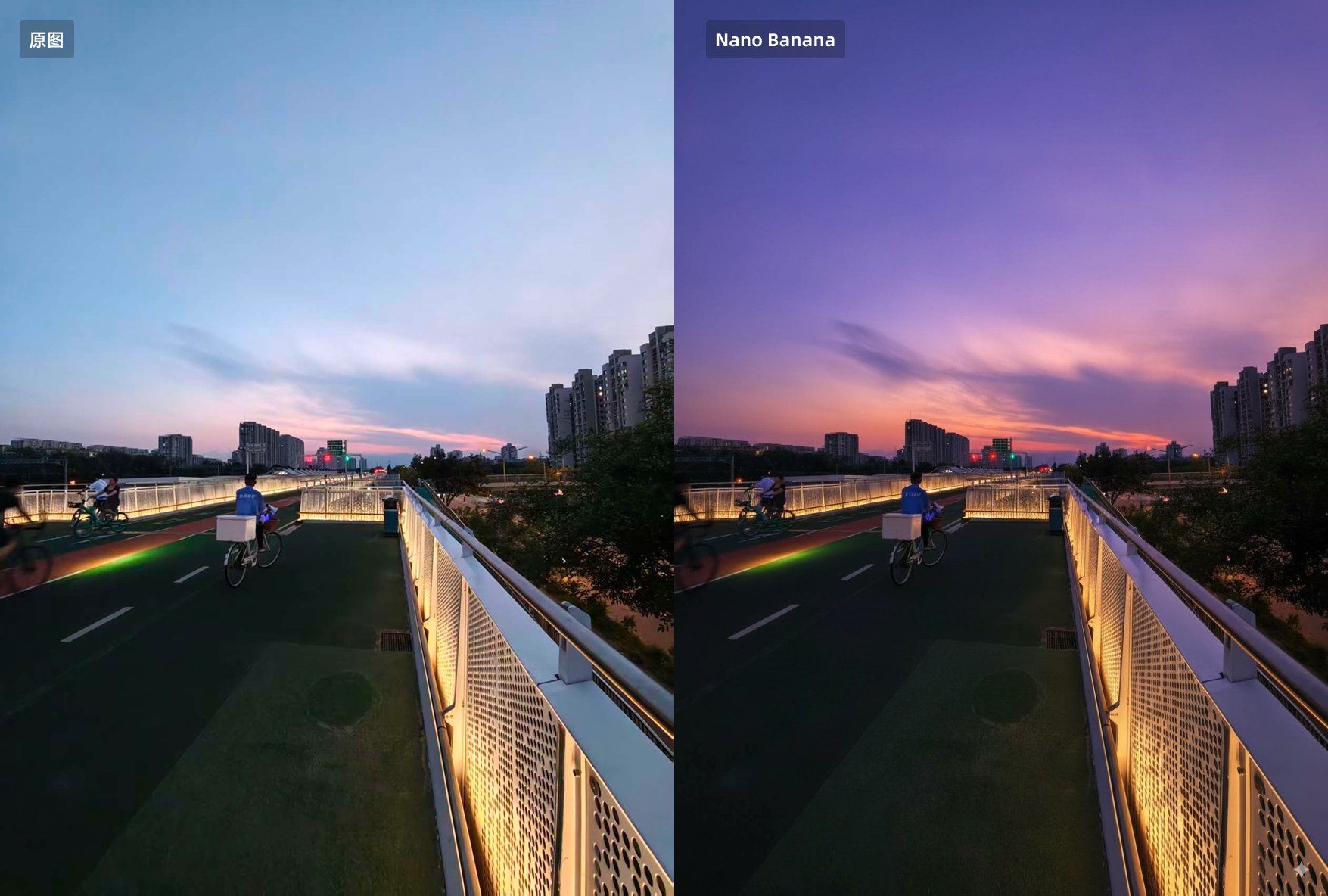
Usage Instructions
- 📸 Essential for photo editing beginners
- 🎨 Mom no longer needs to worry about poor photo editing skills
- ✨ Simply upload a photo and let Nano Banana automatically enhance colors
💍 Fashion & Jewelry E-commerce
Prompt
The woman in Figure 2 is wearing the necklace from Figure 1,Do not change the details of other Figure 2.Reference Image
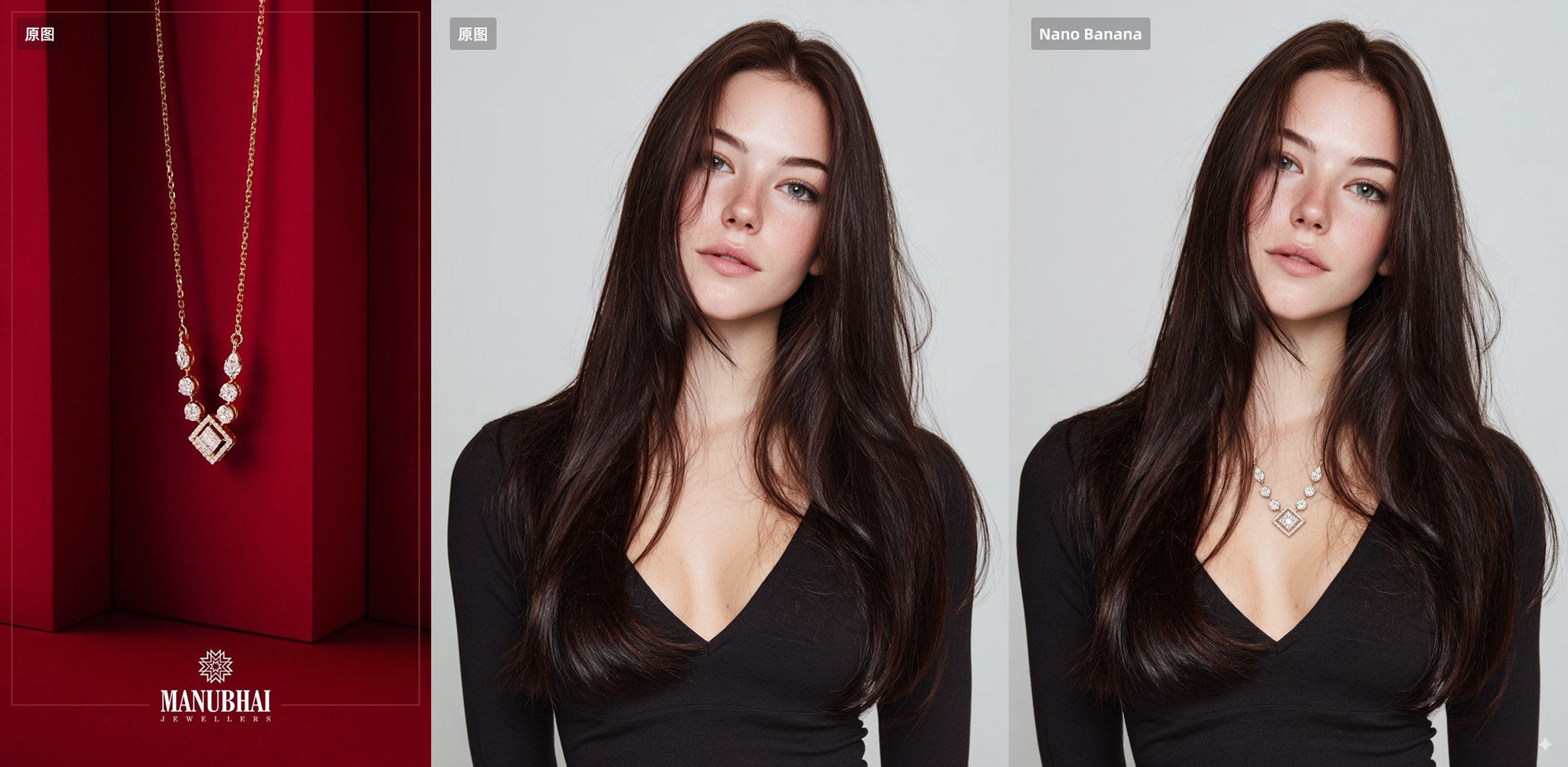
Usage Instructions
- 💎 E-commerce level jewelry try-on
- 📏 Solves the problem of not knowing product sizing in Flux
- 🛍️ Perfect for online jewelry shopping
⚔️ Action & Character Animation
Prompt
Have these two characters fight using the pose from Figure 3.Add appropriate visual backgrounds and scene interactions,Generated image ratio is 16:9Reference Image
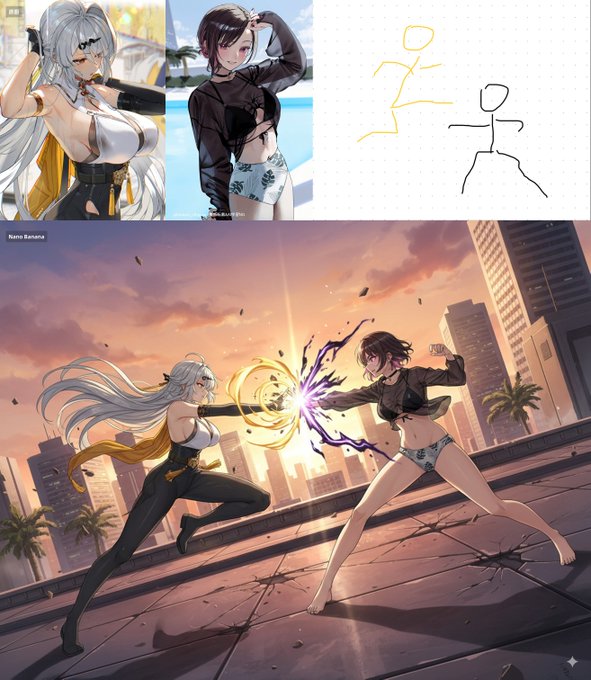
Usage Instructions
- ✏️ Nano Banana actually supports hand-drawn content recognition
- 🎯 Precise control over multiple character fighting poses
- 🎬 Perfect for creating dynamic action scenes
- Nano Banana: The Ultimate AI Model for Image Generation and Editing in 2025 by @SuperMaker
- How to create lifelike action figures using nano bananas by @SuperMaker
This case collection largely relies on creative configurations and brilliant use cases shared by the SuperMaker AI community. We express sincere gratitude to all case contributors.😊
Special thanks to the following users who shared their inspiring works ✨:
- SuperMaker AI Team (@SuperMaker)
- Community Contributors (@community)
- Technical Experts (@experts)
If your work is included here and you wish to change the attribution or remove it, please contact us anytime.✉️


